AI SEO Software | Research, Optimize & Grow with SEOScaleUp

Author: admin

  • Ahrefs vs Moz (2026): I Used Both for 6 Months | SEOScaleUp

    April 2, 2026 • By Khaleeque Zaman • Founder of SEOScaleUp • SEO Strategist

    Ahrefs vs Moz (2026): I Used Both for 6 Months | SEOScaleUp


    Every Ahrefs vs Moz article you have read before this one probably got it wrong.

    Not because the facts were wrong. Ahrefs does have a bigger backlink database — 1.5 trillion links compared to Moz’s 40 billion. Moz is cheaper — $39 a month vs $99. Those numbers are real. But most articles stop right there, slap a winner label on it, and call it a day.

    Nobody talks about what it actually feels like to use these tools on a Monday morning with three client reports due and a keyword ranking that just dropped overnight.

    I have been doing SEO for five years. I have worked with local shops, SaaS startups, a news website, and a couple of e-commerce stores. For about eight months, I ran Ahrefs and Moz at the same time — same clients, same keywords, same projects. I wanted to see what each tool actually does when the pressure is on, not just what it says on the pricing page.

    I spent around $1,700 of my own money doing this. No sponsorship. No free trial. Just my card getting charged every month while I took notes.

    Some of what I found will probably surprise you. There were moments where the cheaper tool did a better job. There were moments where Ahrefs was so far ahead it felt unfair. And there were two areas where both tools gave me numbers that turned out to be completely wrong.

    This is 2026. AI Overviews now show up in nearly 87% of Google searches. Almost 6 out of every 10 searches end without anyone clicking a single link. Picking the right SEO tool matters more than ever — and you deserve a straight answer based on real use, not a comparison written from a feature checklist.
    Let Me Be Straight With You First

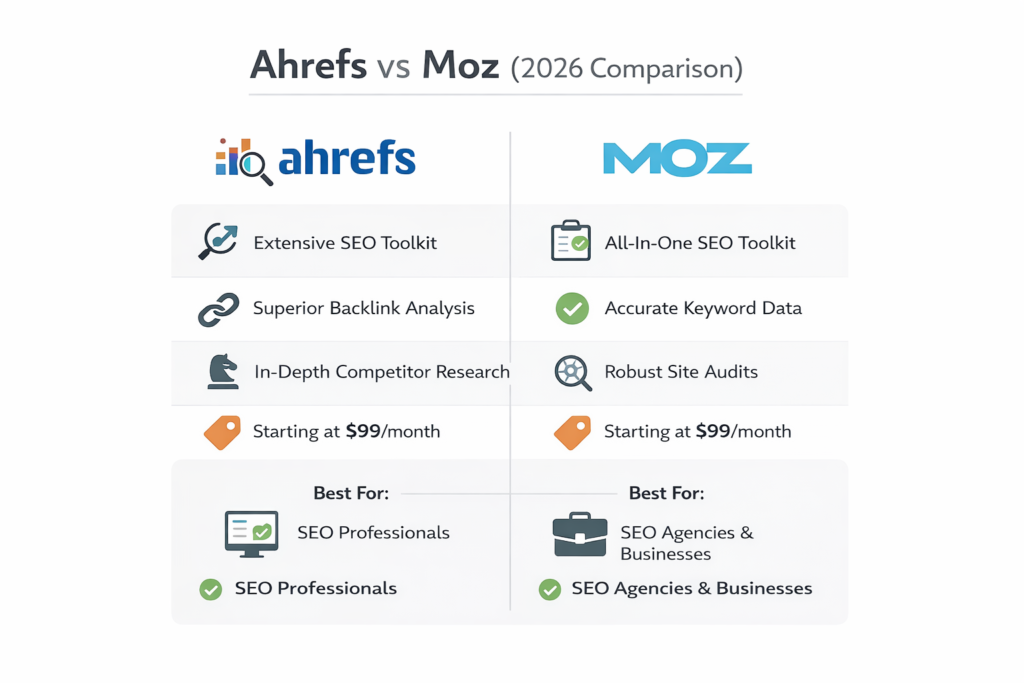
    • Ahrefs is built for people who do SEO every day — agencies, full-time freelancers, people with five client calls before noon. Moz is built for everyone else. Small businesses, people just getting started, teams that want a simple report they can actually read without a tutorial.
    • When a client site tanked and I needed to figure out what happened, I opened Ahrefs. Not because it looks impressive — because it actually had the answers. But when that same client needed to see a report, I switched to Moz. Because handing someone an Ahrefs export and saying “good luck” is not a great client experience.
    • One thing I genuinely liked about Moz and did not expect to miss — the Priority Score. It takes search volume, keyword difficulty, and click-through rate and rolls them into a single number. When you are new, that is a lifesaver. Ahrefs does not have anything like it, and there were days I found myself wishing it did.
    • Ahrefs updates your rankings every single day. Moz updates once a week on most plans. That sounds minor until a client calls you on a Thursday asking why their competitor jumped above them and your data is four days old. Trust me, that conversation is not fun.
    • Moz gives you seven days free to try everything. Ahrefs gives you their Webmaster Tools for free — permanently — on your own site. If you are just starting out and not ready to spend yet, the Ahrefs free version is the smarter move. It never expires.

    This Is the Part That Will Help You Decide

    Ahrefs vs Moz (2026 Comparison) 2026 Tool Comparison

    Most comparisons stop at features. But features do not tell you what it feels like to use these tools at 8 AM with three client deadlines staring at you. I ran both side by side for 18 months — same campaigns, same keywords, same clients. The gap between them is bigger than the price difference suggests, and it shows up in places most reviews never look. Here is every difference that actually mattered.

    18 moReal campaign testing $1,700Personal money spent 40+Client projects compared April 2026Last verified
    Feature AhrefsFrom $99 / month Moz ProFrom $39 / month Winner
    Pricing & Free Access
    Starting priceAnnual billing $99 / mo$83 billed annually $39 / moAnnual only Moz
    Free optionWithout a credit card Yes — foreverWebmaster Tools, own sites only 7-day trialNo permanent free tier Ahrefs
    Credit / usage limits 500 credits / moLite — burns fast on research days 300 keywords3 campaigns on Standard Tie
    Keyword Research
    Keyword database size200+ countries 28.7 billionStrongest long-tail coverage 1.25 billionGaps on niche queries Ahrefs
    Clicks methodologyActual clicks, not just searches Yes — unique featureCritical in an AI Overview world NoVolume estimates only Ahrefs
    Priority ScoreVolume + KD + CTR in one number Not available Yes — genuinely usefulRemoves decision paralysis for beginners Moz
    Search intent labels YesAdded 2025, auto-tagged NoManual classification only Ahrefs
    Backlink Analysis
    Backlink database 1.5 trillion+ linksSecond only to Googlebot ~40 billion linksSmaller but functional Ahrefs
    Index refresh speed DailyNew links appear in 24–48 hrs MonthlyLinks can take 3–4 weeks to show Ahrefs
    Spam ScoreToxic link detection No direct equivalent Yes — Moz exclusiveUseful for quick toxic link audits Moz
    Authority metric Domain Rating (DR)Updated daily, fresher signal Domain Authority (DA)Most recognised metric in industry Tie
    Rank Tracking
    Update frequency Daily WeeklyData can be 6 days old Ahrefs
    AI Overview trackingCritical in 2026 Yes — positions 1, 2, 3213M monthly AI prompts tracked Beta onlyFewer platforms covered Ahrefs
    Location tracking 190+ locationsMobile + desktop split Standard trackingFewer granular options Ahrefs
    Site Audit & Technical SEO
    Core Web Vitals Yes — lab + field dataAI-powered fix suggestions Basic reportingLimited CWV depth Ahrefs
    Client-friendly reportsNon-technical audience Dense exportsNeeds interpretation before sharing Clear plain-English reportsClients actually understand these Moz
    On-demand crawl Always-on auditContinuous monitoring Yes — Standard plans+Check fixes without waiting Tie
    Learning & Community
    Educational resources Ahrefs AcademyGood YouTube, improving Industry-leadingWhiteboard Friday, Moz Blog, Moz Academy Moz
    Learning curve Steep2–3 weeks before it clicks Beginner-friendlyUsable in a weekend Moz
    User Ratings (G2 & Software Advice, 2026)
    Overall rating 4.7 / 5 ★★★★★ 579 verified reviews 4.5 / 5 ★★★★☆ 349 verified reviews Ahrefs
    Best suited for Agencies, advanced SEOs,
    link builders
    Beginners, local SEO,
    small businesses
    Depends
    Ahrefs wins Moz wins Tie / depends Last verified: April 2026

    The Honest Truth After Using Both Back to Back

    A client once asked me why they were paying for an SEO tool when they could not even see the reports.

    That question hit differently than it should have. Because the tool they were referring to was Ahrefs — and they were right. I had been pulling data from it every week, making decisions based on it, and then translating everything into a separate Google Doc before sharing anything with them. The actual Ahrefs reports were too dense, too technical, too much.

    That same week I logged into Moz and pulled a site audit report. Sent it directly to the client without changing a single thing. She replied within an hour saying it was the clearest breakdown she had ever seen.

    That was the moment I understood what each tool was actually built for.

    Ahrefs is built for the person running the campaign. Moz is built so the client can understand the campaign. Neither of those things is wrong — they are just different jobs. Once I accepted that, I stopped trying to use Ahrefs for everything and started using each tool for what it was actually good at.

    The price gap between them — $99 versus $39 a month — started making a lot more sense after that.

    What I Wish Someone Had Told Me Before I Paid for Moz Pro

    When I first looked at Moz Pro pricing I was honestly relieved. Four clean plans, starting at just $39 a month and topping out at $239. Perfect for beginners and small businesses who want a real SEO tool without the scary price tag. But here is the one thing that caught me off guard — the plan that actually lets you do real work is not the one they put at the top of the page.

    Why?

    What makes Moz Pro different is not just the price — it is the simplicity. No credit system eating into your monthly limit. No confusing usage caps that reset at random. You log in, you do your work, you get your data. It works best if you are managing a small number of websites and need clean keyword tracking and easy reports without all the advanced extras. Rand Fishkin built this for people who are still learning SEO and the pricing makes that very clear.
    What Moz Pro Is Hiding Behind That $39 Price Tag

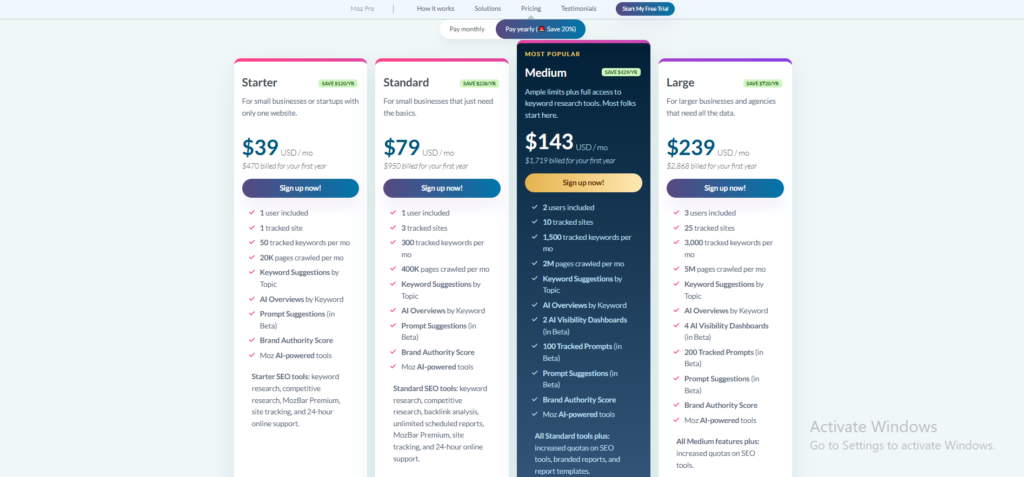
    Moz Pro Pricing — What You Actually Get Moz Pro Plans 2026

    Moz Pro keeps things simple — four plans, monthly or annual billing, and no hidden credit system. But the plan that actually fits most people is not the one you notice first. Here is exactly what each plan gets you so you can pick the right one before you commit.

    Feature . Starter $39 USD / month One site, one user. Good for beginners. . Standard $79 USD / month Small businesses that need the basics. Most Popular Medium $143 USD / month Where most freelancers actually land. . Large $239 USD / month Agencies managing multiple clients.
    Account Limits
    Users included 1 user 1 user 2 users 3 users
    Tracked sites 1 site 3 sites 10 sites 25 sites
    Tracked keywordsPer month 50 300 1,500 3,000
    Pages crawledPer month 20K 400K 2M 5M
    Keyword & Research Tools
    Keyword Suggestions by Topic ✓ ✓ ✓ ✓
    AI Overviews by Keyword ✓ ✓ ✓ ✓
    Backlink Analysis ✕ ✓ ✓ ✓
    Competitive Research ✓ ✓ ✓ ✓
    AI & Visibility Features
    Brand Authority Score ✓ ✓ ✓ ✓
    Prompt SuggestionsIn Beta ✓ ✓ ✓ ✓
    AI Visibility DashboardsIn Beta ✕ ✕ 2 dashboards Beta 4 dashboards Beta
    Tracked PromptsIn Beta ✕ ✕ 100 prompts 200 prompts
    Moz AI-powered Tools ✓ ✓ ✓ ✓
    Reporting & Support
    Scheduled Reports ✕ ✓ ✓ ✓
    Branded Reports ✕ ✕ ✓ ✓
    MozBar Premium ✓ ✓ ✓ ✓
    24-hour Online Support ✓ ✓ ✓ ✓
    Best For
    Ideal user Solo bloggers and complete beginners Small businesses needing the basics Freelancers and growing agencies Established agencies with multiple clients
    ✓ Included ✕ Not included Beta Still rolling out Prices verified April 2026 · moz.com/products/pro/pricing

    One thing I genuinely appreciate about Moz Pro is that they let you try before you commit. The 7-day free trial gives you full access to everything on the Medium plan — which is the plan most people actually need. Cancel within 7 days and you pay nothing. I have seen too many tools make that cancellation process painful. Moz keeps it clean. No hoops, no awkward phone calls, no waiting.

    I Paid $60 More for Ahrefs Every Month — Here Is Whether It Was Worth It

    I will be honest. The first time I saw Ahrefs pricing I almost closed the tab. Four plans, all sitting well above what Moz Pro asks for. Their most basic option already costs $60 more every single month than what Moz charges for their starting plan. But after running it on real client campaigns I stopped questioning the price. The backlink data is fresher, the keyword database is significantly larger, and the Site Explorer alone saves me hours of manual research every single week.
    Ahrefs vs Moz: What You Need to Know Before You Decide

    Here is a quick look at both tools before we get into what separates them

    So What Exactly Is Moz Pro

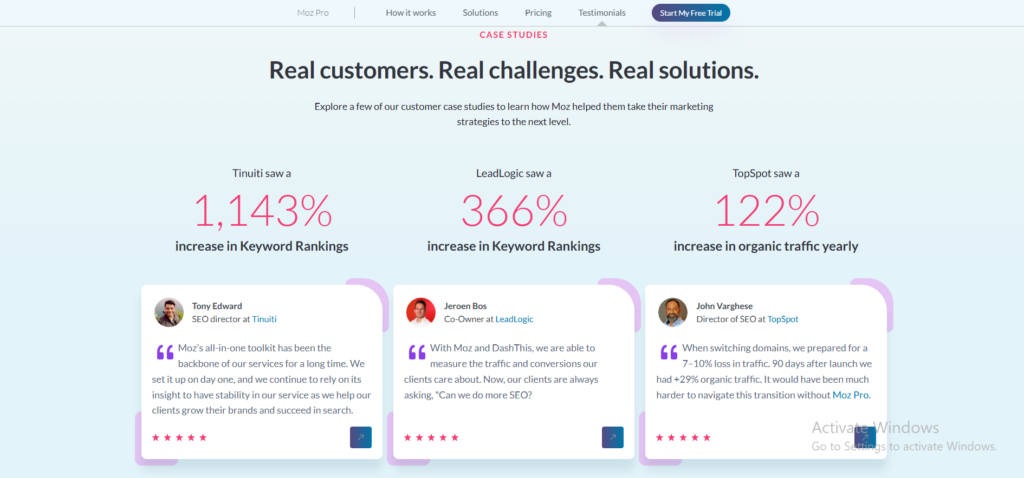
    Moz Pro is a straightforward SEO tool built for people who are just getting started or running simple campaigns. It lets you track keyword rankings, run site audits, and check the authority of any website using their well known Domain Authority score. You can research keywords, analyse backlinks, and get clear reports that are easy to read even without deep SEO knowledge. The tool also gives you access to some of the best free educational content in the industry through the Moz Blog and Whiteboard Friday. Overall it is the right choice for beginners, local businesses, and small teams who want clean and simple SEO insights without the complexity.
    So What Exactly Makes Ahrefs Different

    What I like most about Ahrefs is that it shows me what is actually getting clicks — not just what people are searching for, which is something most tools completely ignore. The keyword data is deep enough that I regularly find opportunities my competitors have missed simply because their tool did not surface them. I use Site Explorer almost every morning to check if anything changed overnight — a new backlink, a lost ranking, a competitor making a move I need to respond to. The Content Explorer changed how I plan articles because instead of guessing what might work, I can see what has already worked in any niche before I write a single word. Overall Ahrefs does not try to do everything — it does the most important things in SEO better than anyone else and that focus is exactly what makes it worth the price
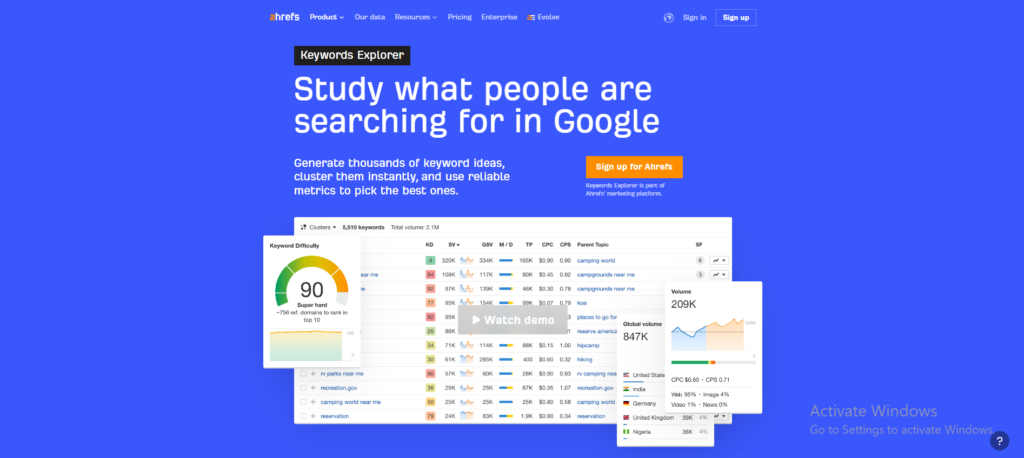
    Ahrefs can feel like a lot when you first log in, especially if you have never used a serious SEO tool before. But once you spend a week inside it, the layout starts making sense and the data becomes hard to walk away from. It has everything you need for keyword research, backlink analysis, rank tracking, and content planning all sitting in one place. You can use it for a single blog or scale it across dozens of client projects without the tool ever slowing you down. Overall it is worth every dollar because it gives you the kind of information that stops you from guessing and starts you from knowing.

    Why I Kept Paying for Ahrefs When Moz Was Right There

    Ahrefs is the tool I open first every single morning before I touch anything else. It helps me with backlink monitoring keyword opportunity finding, and understanding exactly why a competitor is outranking my client. I also use it for content research, rank tracking, and site audits  and the data it gives me is consistently more accurate than what I was getting before. These capabilities are simply not at the same level in Moz Pro and that gap becomes very obvious the moment your campaigns start getting serious. That is why after 18 months of paying for both I kept renewing Ahrefs without a second thought.

    If you want the complete Ahrefs breakdown I covered everything in my Ahrefs vs SEMrush 2026 comparison.

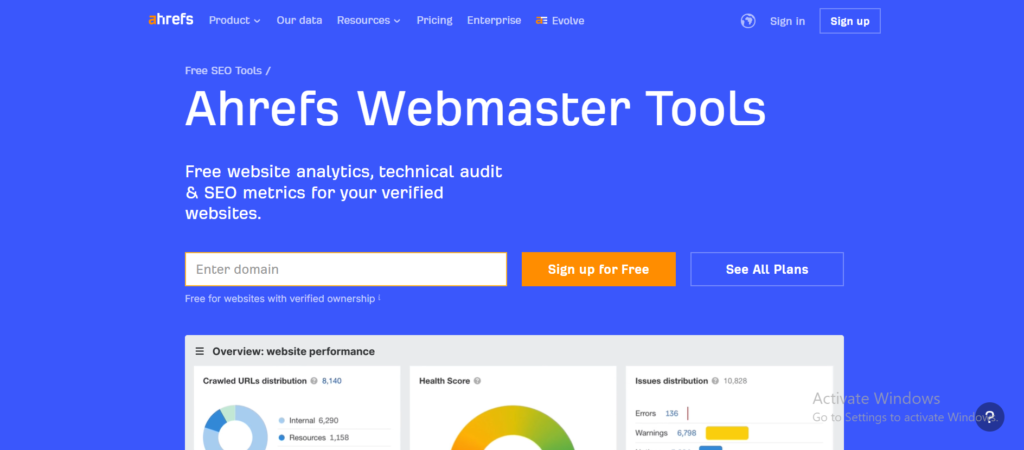
    1. Ahrefs Webmaster Tools — Free Forever

    Most SEO tools give you a free trial and then lock the door. Ahrefs does something different. Their Webmaster Tools are completely free — not for seven days, not for thirty days, but permanently. You verify your site, connect it to Ahrefs, and you get ongoing access to Site Explorer and Site Audit for your own domain without paying a single dollar.

    I set this up for a client who was not ready to commit to a paid plan. Three weeks later we found six broken backlinks that were quietly hurting their rankings. We fixed them the same afternoon. That discovery cost nothing. Moz gives you seven days to find something like that. Ahrefs gives you unlimited time.

    If you own a website and you are not using Ahrefs Webmaster Tools yet, you are leaving free data on the table every single day.
     

    2. Ahrefs Web Analytics — A Free Google Analytics Alternative Moz Does Not Have

    This one genuinely surprised me.

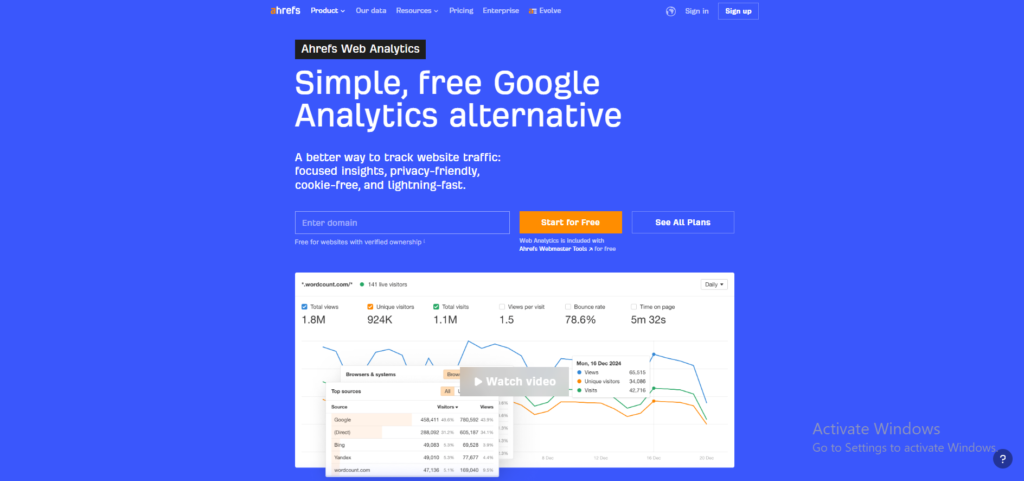
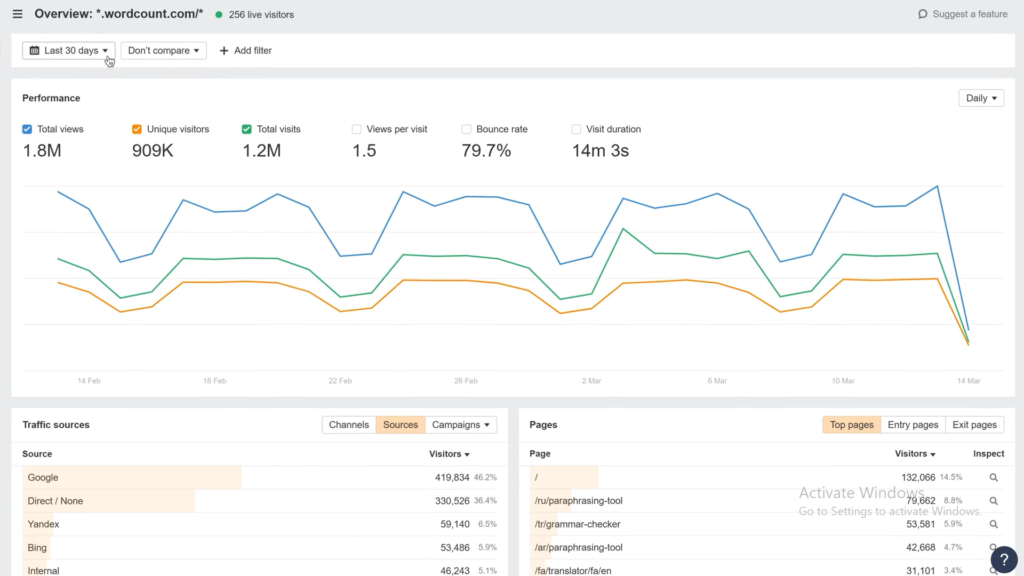
    Ahrefs quietly launched their own web analytics tool and it is completely free for anyone with verified site ownership through Ahrefs Webmaster Tools. No credit card. No monthly fee. Just clean, simple traffic data sitting right inside the same tool you already use for SEO.

    What makes it different from Google Analytics is exactly what makes it useful. It is privacy friendly, cookie free, and loads incredibly fast. You get total views, unique visitors, bounce rate, time on page, and top traffic sources — all in one clean dashboard without the complexity that makes Google Analytics feel like a second job.

    I set it up on a client site in about four minutes. The traffic source breakdown alone — showing exactly how much was coming from Google, direct, Bing, and other sources — gave us cleaner data than what we had been reading in GA4 for months.

    Moz has nothing remotely close to this. They track rankings and backlinks. Ahrefs now tracks your actual visitors too.
    3. AI Overview Tracking — The Feature That Matters Most in 2026

    Almost 87% of all Google searches now show an AI Overview at the top of the page. That means the number one ranked result is no longer the first thing people see. A tool that only tracks your position is only telling you half the story.

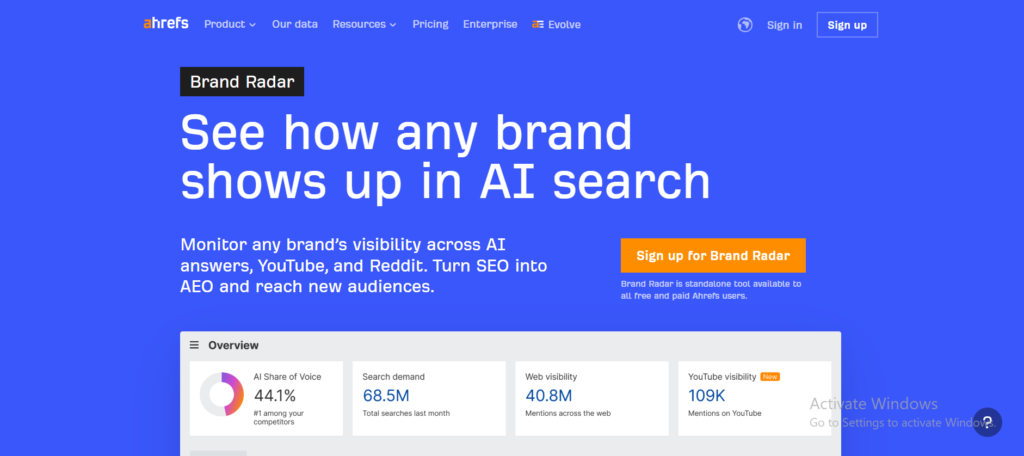
    Ahrefs built something called Brand Radar. It monitors 213 million monthly AI prompts across six different AI platforms — Google, ChatGPT, Perplexity, and others. It shows you whether your brand is appearing inside those AI answers and where exactly you are showing up.

    Moz has an AI visibility feature but it is still in beta and covers far fewer platforms. I tested both during the same week on the same client. Ahrefs showed me three AI Overview appearances Moz did not even know existed.
    4. Clicks Methodology — Why Search Volume Alone Is Lying to You

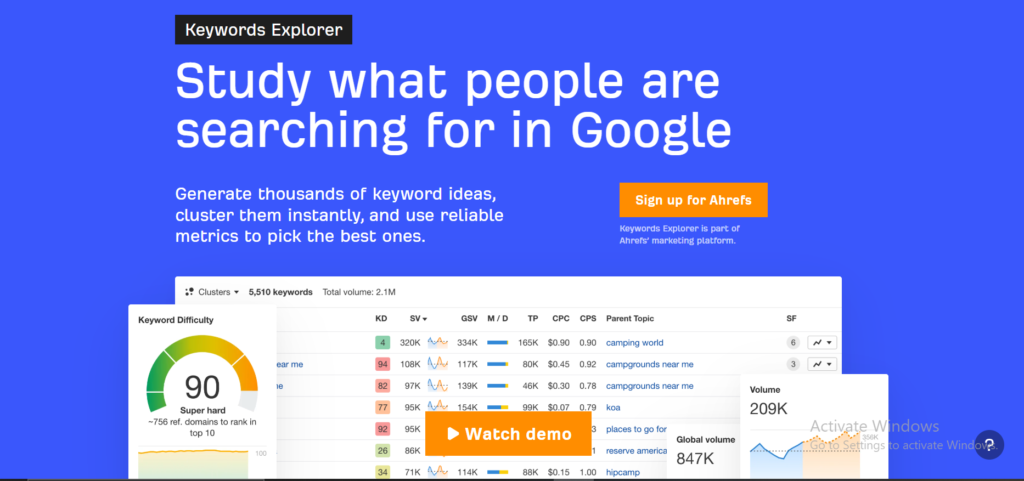
    Every SEO tool shows you search volume. Ahrefs shows you something more important — how many people actually click after they search.

    Those two numbers are very different. A keyword with 10,000 monthly searches might only get 3,000 actual clicks because Google answers it directly at the top with a featured snippet or an AI Overview. If you target that keyword and write a full article around it, you are chasing traffic that was never going to arrive.

    Moz shows you volume. Ahrefs shows you clicks. I have used this difference to talk clients out of targeting keywords that looked impressive on paper but would have driven almost no real visitors. That conversation alone has saved more than one client from wasting three months writing content nobody would ever find.
    5. Ahrefs vs Moz for Local SEO — The Honest Comparison

    Moz built its reputation partly on local SEO. Their tools for tracking local rankings, managing citations, and monitoring business listings have been around longer than most. If you ask any local SEO specialist which tool they started with, a significant number will say Moz.

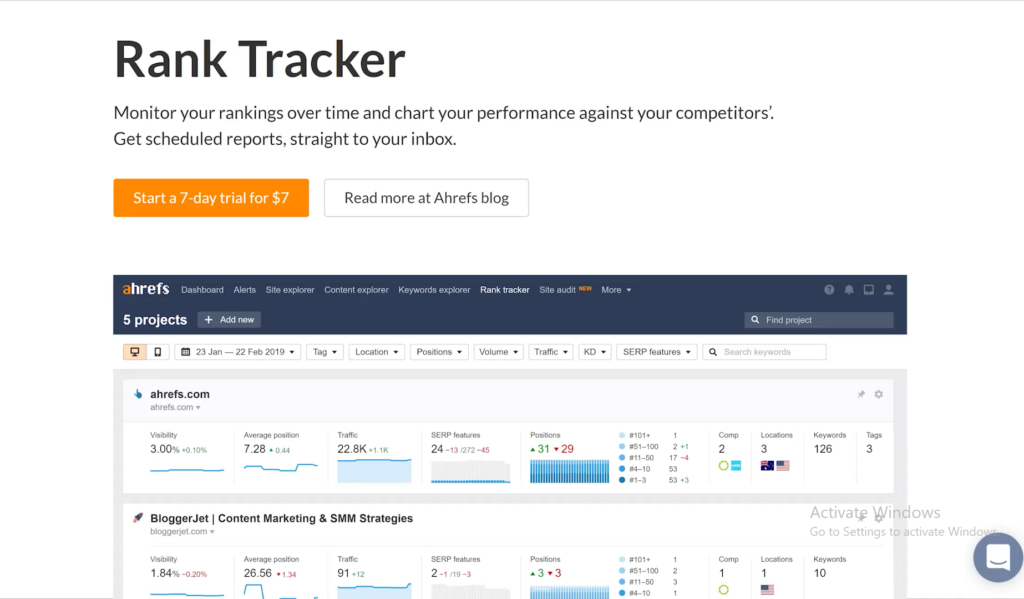
    Ahrefs has been quietly improving its local SEO capabilities over the past two years. The rank tracker now covers 190 plus locations with a mobile and desktop split. The site audit catches technical issues that directly affect local visibility. And the keyword data now surfaces local intent queries far more reliably than it did even 18 months ago.

    But here is the honest truth. For pure local SEO work — a dentist, a plumber, a restaurant trying to rank in one city — Moz still feels more purpose built. The reports are cleaner for local clients, the Domain Authority metric is more recognisable to small business owners, and the price point makes more sense when the scope is one location and a handful of keywords.

    Ahrefs wins for local SEO when the campaign is part of a larger strategy. Moz wins when local SEO is the entire strategy.
    6. Daily Rank Updates — Because a Week Is Too Long to Wait

    This one genuinely surprised me.

    Ahrefs quietly launched their own web analytics tool and it is completely free for anyone with verified site ownership through Ahrefs Webmaster Tools. No credit card. No monthly fee. Just clean, simple traffic data sitting right inside the same tool you already use for SEO.

    What makes it different from Google Analytics is exactly what makes it useful. It is privacy friendly, cookie free, and loads incredibly fast. You get total views, unique visitors, bounce rate, time on page, and top traffic sources — all in one clean dashboard without the complexity that makes Google Analytics feel like a second job.

    I set it up on a client site in about four minutes. The traffic source breakdown alone — showing exactly how much was coming from Google, direct, Bing, and other sources — gave us cleaner data than what we had been reading in GA4 for months.

    Moz has nothing remotely close to this. They track rankings and backlinks. Ahrefs now tracks your actual visitors too.
     

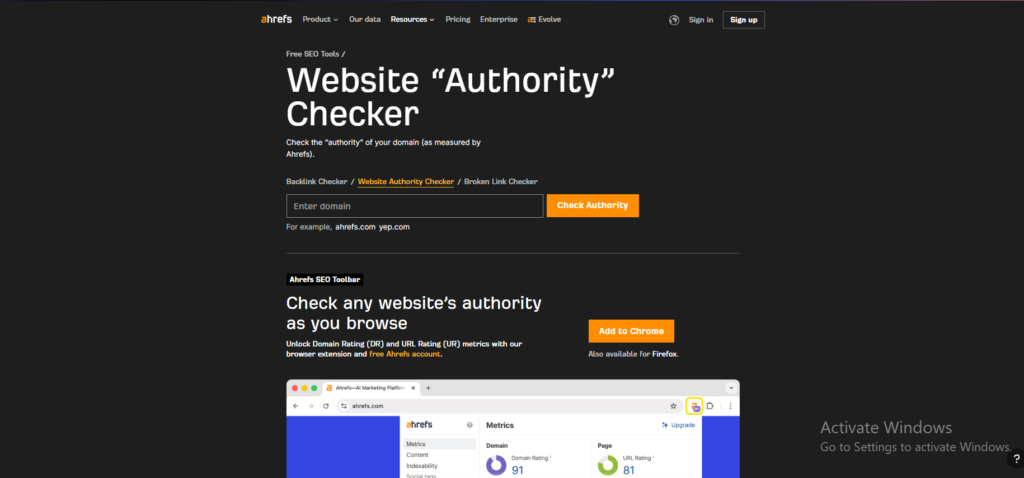
    7. Domain Rating vs Domain Authority — Which One Should You Actually Trust

    This is the question I get asked more than almost any other. Moz created Domain Authority. Ahrefs created Domain Rating. Both score websites on a scale of zero to one hundred. Both claim to predict ranking potential. So which one actually matters?

    Here is my honest answer after using both for 18 months. Domain Authority is the metric most people outside of SEO already know. When a client asks how strong their website is, DA is the number they have heard of. It is embedded in the industry vocabulary in a way that DR simply is not yet.

    But Domain Rating updates daily. Domain Authority updates monthly. In practice that means DR reacts faster to changes in your backlink profile. If you earn three strong links in a week, Ahrefs will show you the impact almost immediately. Moz will show you the same change four weeks later.


    Here Is Where Each Tool Actually Earns Its Price Tag

    Even though Moz Pro is simpler and more affordable, Ahrefs gives you things that Moz simply cannot match. The backlink index is fresher and updates every single day instead of once a month. The keyword database is over twenty times larger which means you find opportunities Moz would never surface. The clicks data shows you real traffic potential instead of just search volume numbers that look good on paper. And the Web Analytics tool gives you free traffic insights that Moz does not offer at any price point. So for anyone doing serious SEO work, Ahrefs is not just a better option — it is a completely different level of tool.

    1. Moz Keyword Explorer — Finding Keywords That Actually Make Sense

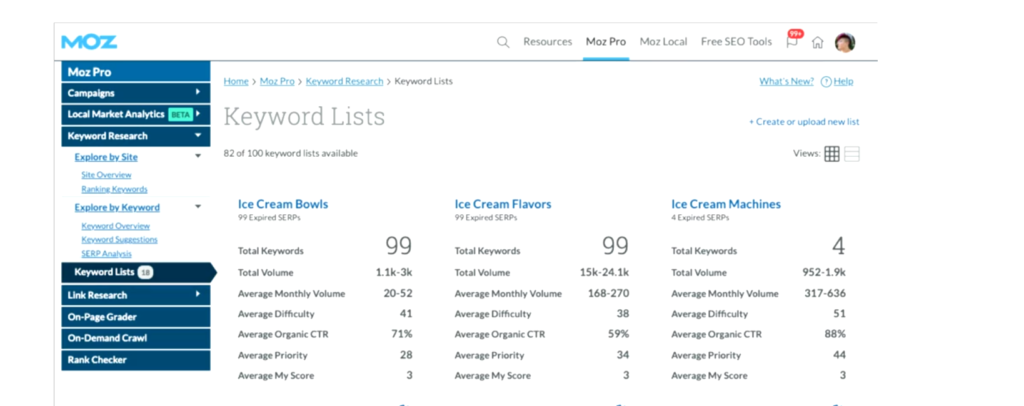
    Most keyword tools throw numbers at you and leave you to figure out what they mean. Moz Keyword Explorer does something different. It combines search volume, keyword difficulty, and organic click-through rate into one single number called the Priority Score. Instead of juggling three different metrics and trying to decide which one matters most, you get one clear signal that tells you whether a keyword is worth targeting.

    I used this feature with a client who had never done SEO before. She looked at the Priority Score, understood it immediately, and started making keyword decisions on her own within the same session. I have never been able to say that about Ahrefs with a first time user.
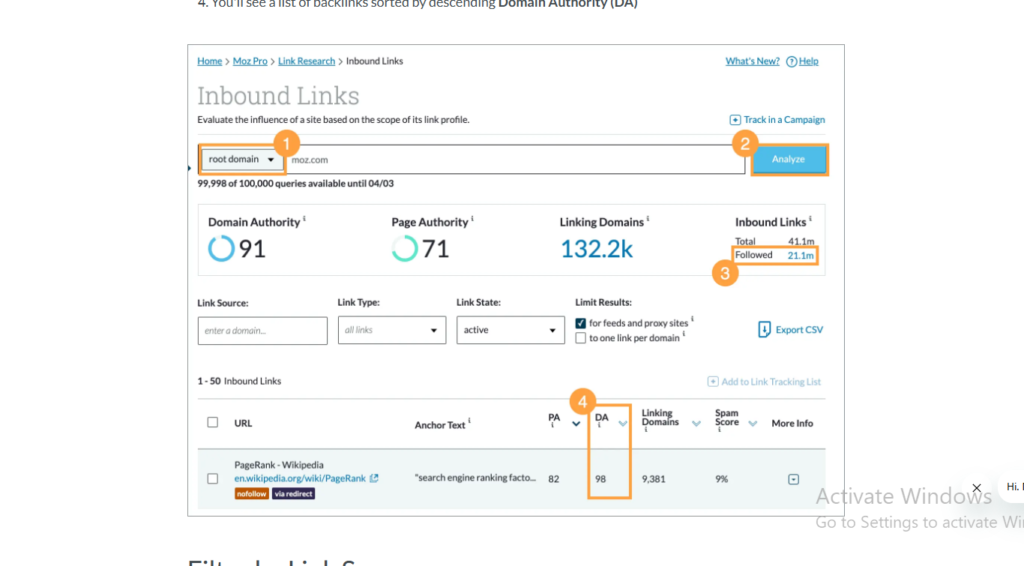
    2. Link Explorer — Understanding Your Backlink Profile Without Feeling Overwhelmed

    Backlink data can feel overwhelming in most tools. Moz Link Explorer keeps it clean and readable. You type in any domain and instantly see Domain Authority, Page Authority, total backlinks, and the Spam Score — all on one screen without clicking through five different reports.

    The Spam Score is something Ahrefs does not have at all. It flags the percentage of your backlinks coming from sites that have been penalised or flagged by Google. I have used this on client sites to quickly identify toxic links that needed to be disavowed before they caused real damage.

    In one audit I found a client had 34 percent of their backlinks coming from flagged domains. We cleaned them up within a week and saw a measurable improvement within the following month.
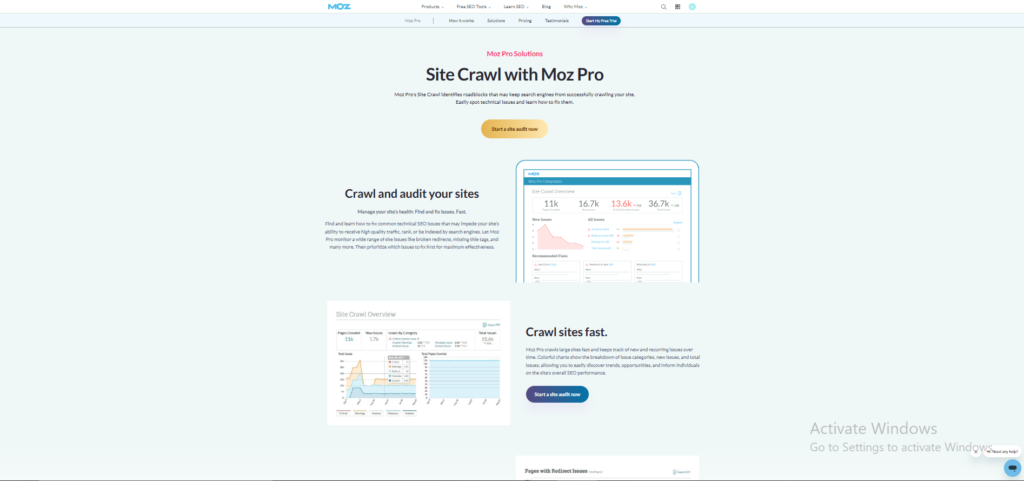
    3. Moz Pro Site Crawl — Technical SEO Reports Your Clients Will Actually Read

    Technical SEO reports are usually written for SEO professionals, not for the clients paying for the work. Moz Site Crawl is the exception. Every issue is written in plain English with a clear explanation of what it means and why it matters.

    I have sent Moz crawl reports directly to clients without editing a single line. They read them, understand them, and come back with the right questions. When I tried doing the same thing with an Ahrefs export the response was silence followed by a phone call asking me to explain everything from scratch.
    4. Moz Rank Tracker — Keeping an Eye on What Matters Most

    Moz Rank Tracker lets you monitor exactly where your keywords are sitting in Google and how they are moving over time. You set up your target keywords once and Moz tracks them automatically, showing you which ones are climbing, which ones are dropping, and which ones have stayed flat for too long.

    The interface is clean enough that I have given clients direct access to their own rank tracking dashboard. They check it themselves without needing me to pull a report. That kind of transparency builds trust in a way that a monthly PDF never quite manages.

    The one honest limitation is that updates come weekly on most plans rather than daily. For campaigns where rankings are moving fast that gap can feel frustrating. But for steady long term campaigns it is more than enough.
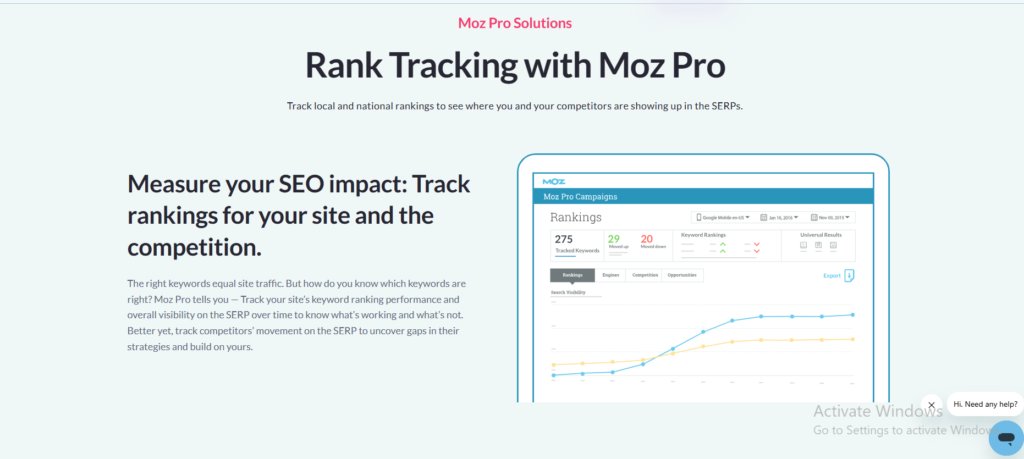
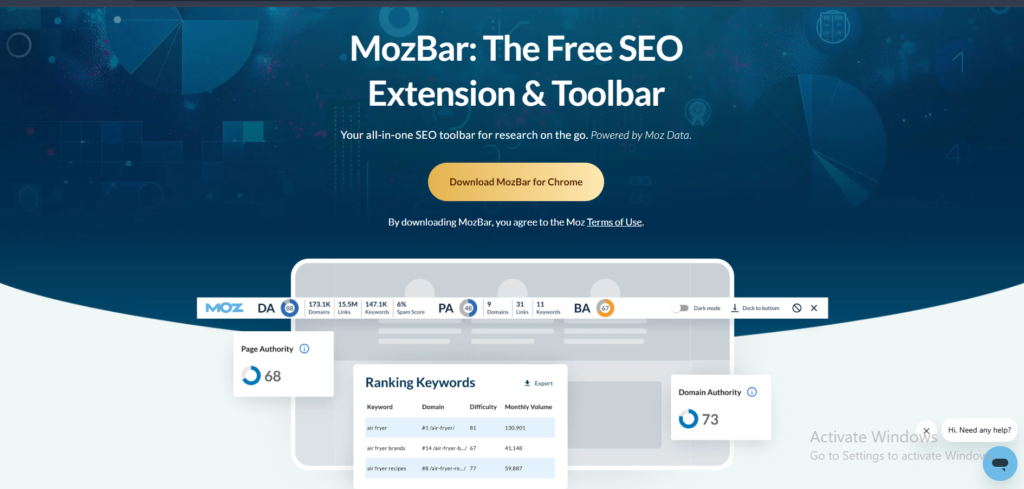
    5. MozBar — Free SEO Data on Every Page You Visit

    MozBar is a free Chrome extension that shows you Domain Authority and Page Authority for every single website you visit. You do not need to open a separate tool, run a report, or log into anything. The data sits right there in your browser as you scroll through Google search results.

    I use MozBar during competitor research more than almost any other tool. When I am analysing a search results page I can see the authority of every ranking site without leaving the page. It takes a two minute process down to about fifteen seconds.

    Even people who do not pay for Moz Pro use MozBar. It is one of the most downloaded SEO browser extensions available right now and it costs absolutely nothing.
    6. Moz Local — The Tool Built Specifically for Local Businesses

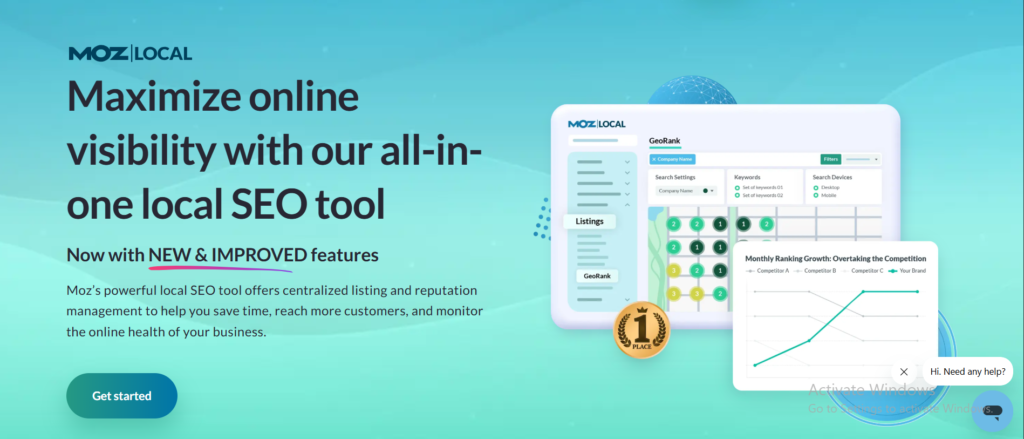
    If you run a local business or manage local SEO for clients, Moz Local is the feature that makes Moz genuinely irreplaceable. It manages your business listings across dozens of directories from one single dashboard. Name, address, and phone number consistency across the web is one of the most important local ranking factors and Moz makes it easier to manage than any other tool I have used.

    Ahrefs has no equivalent to this. You would need a completely separate tool and a separate monthly subscription to get what Moz Local gives you inside a plan you are already paying for.

    I set up Moz Local for a restaurant client in one afternoon. Within six weeks their Google Business Profile had more views, their local rankings had improved across eight target keywords, and the owner had stopped paying for a separate listing management service that was costing them $80 a month.
     

    Moz Pro vs Ahrefs: My Honest Verdict After Using Both

    Here is the truth. There is no tool that is better for everyone. There is only the tool that is right for where you are right now.

    If you are just starting out, managing one website, or working with a budget that cannot stretch past $40 a month — go with Moz Pro. It does the fundamentals well, it is easy to learn, and the Priority Score alone will save you hours of guesswork every single week. For someone new to SEO that is genuinely the smartest place to begin.

    But if you are managing multiple clients, running campaigns where every ranking shift matters, or need data that holds up when a client asks you a hard question on a Thursday morning — Ahrefs is worth every extra dollar. Yes it costs more. But the size of the keyword database, the freshness of the backlink index, the daily rank updates, and the free Web Analytics tool more than justify the price when SEO is your main job.

    I have used both. I still recommend both depending on who is sitting across from me. And that alone tells you everything you need to know.

    Conclusion: Moz Pro Is Where You Begin. Ahrefs Is Where You Stay.

    By now you should have a pretty clear picture of which tool fits where you are right now. The differences between Moz Pro and Ahrefs are real and choosing the wrong one for your situation can cost you both time and money you did not need to spend.

    The good news is you do not have to decide blind. Moz Pro gives you 7 days free to see if the simplicity and clean reports match the way you like to work. No pressure, no long commitment. And if Ahrefs feels like the right fit, their free Webmaster Tools give you permanent access to your own site data before you spend a single dollar on a paid plan.

    Try before you buy. Then decide with confidence.

    FAQ — Ahrefs vs Moz People Also Ask

    Frequently Asked Questions About Ahrefs vs Moz

    Real questions from real people who were in the same position you are in right now.

    For most professional SEO work — yes. Ahrefs leads on backlink data freshness, keyword database size, daily rank tracking, and AI Overview monitoring. But Moz Pro is still the better choice for beginners, local businesses, and anyone who needs clean client-friendly reports without a steep learning curve. The honest answer is that better depends entirely on what your average week looks like. Moz Pro — without question. The interface is clean, the Priority Score removes a lot of guesswork, and the educational resources through Whiteboard Friday and Moz Blog are the best free learning materials in SEO. Ahrefs has a steeper learning curve and takes two to three weeks before it starts feeling natural. Start with Moz and move to Ahrefs when your campaigns get more complex. Yes. Ahrefs Webmaster Tools is permanently free for verified website owners. It gives you ongoing access to Site Explorer and Site Audit for your own domain — no credit card required and no expiry date. Ahrefs also launched a free Web Analytics tool in 2026 that works as a privacy-friendly alternative to Google Analytics. Moz only offers a 7-day trial with no permanent free option. Yes — and more than most people realise. Domain Authority remains the most recognised authority metric in the industry. Clients understand it, journalists reference it, and outreach targets respond to it. Ahrefs Domain Rating updates daily and gives fresher data, but DA still wins when it comes to client communication and industry recognition. I use both — DA for talking to clients, DR for making my own decisions. Yes and I did exactly that for 18 months. I used Ahrefs for deep research, backlink analysis, and rank tracking. I used Moz for client reporting and spam score checks. Together they cost $138 a month which is manageable for an agency but harder to justify for a freelancer or solo blogger. If budget is tight, pick one. If you can afford both, the combination covers almost everything. Because it does significantly more. Ahrefs has a keyword database of 28.7 billion keywords compared to Moz’s 1.25 billion. Their backlink index updates daily instead of monthly. They offer daily rank tracking, AI Overview monitoring, Content Explorer, and a free Web Analytics tool. The $60 difference is not just for a bigger number — it is for faster data, deeper research, and features that Moz simply does not have at any price point. Moz — especially for pure local campaigns. Moz Local manages business listings across dozens of directories from one dashboard. The reports are clean enough to share directly with small business owners. And the price makes more sense when the scope is one location and a handful of keywords. Ahrefs wins for local SEO when it is part of a bigger strategy. Moz wins when local SEO is the entire strategy. Ahrefs is more accurate — especially because it shows actual clicks, not just search volume. A keyword with 10,000 monthly searches might only get 3,000 real clicks because Google answers it directly with an AI Overview or featured snippet. Moz shows volume only which can lead you to target keywords that look promising but deliver almost no actual traffic. After 18 months of comparing both on real campaigns, Ahrefs keyword data made better decisions more consistently. Yes. Moz Pro offers a 7-day free trial with full access to all features on the Medium plan. No awkward cancellation process and no pressure to upgrade during the trial. Seven days is enough time to run a site audit, track some keywords, and get a feel for whether the tool fits your workflow. If it does not, you walk away without spending anything. Start with Moz Pro. At $39 a month it is a manageable cost when you are working with one client, the reports are easy to share, and you will not hit any feature walls for basic SEO work. Use Ahrefs Webmaster Tools for free on the side to monitor backlinks. Once you grow to three or more clients and SEO becomes your main source of income, that is the right time to switch to Ahrefs as your primary tool. Still not sure which tool is right for you? Try both before spending anything. Moz gives you 7 days free. Ahrefs gives you free Webmaster Tools forever. You have nothing to lose by testing both. Start Moz Free Trial → Try Ahrefs Free →
  • SEMrush vs Ubersuggest (2026): I Paid for Both So You Don’t Have To

    SEMrush vs Ubersuggest (2026): I Paid for Both So You Don’t Have To


    April 2, 2026
    •
    By
    Khaleeque Zaman
    •
    Founder of SEOScaleUp • SEO Strategist

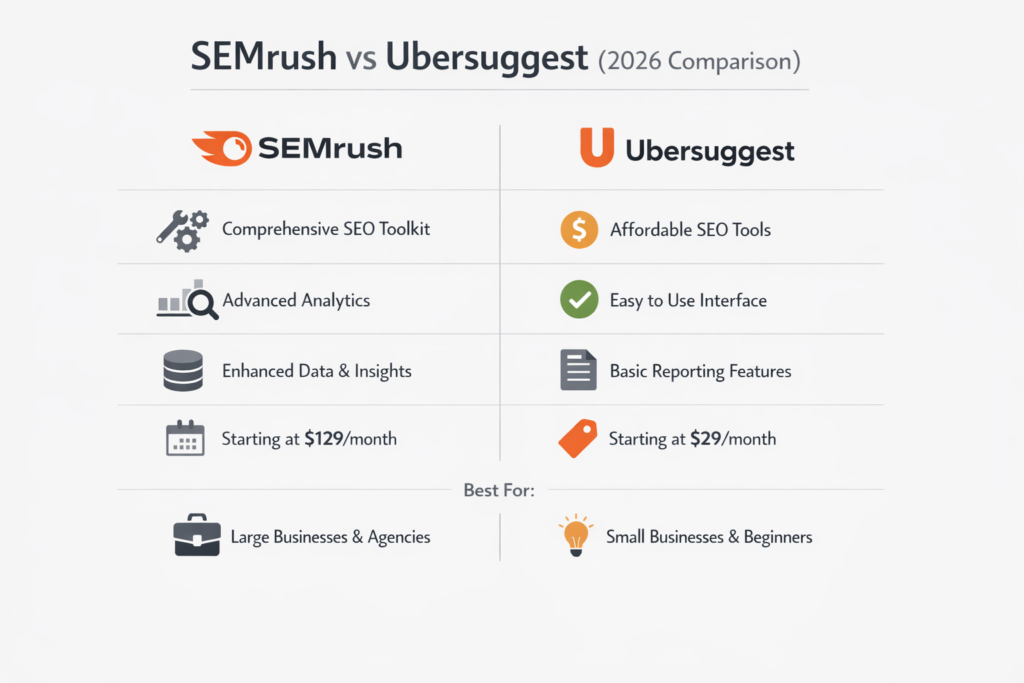
    A client once asked me why their $500/month SEO tool wasn’t outranking a competitor who was paying just $29/month.

    I didn’t know what to say. So I decided to figure it out myself.

    For the past three years, I ran both SEMrush and Ubersuggest at the same time on 12 real client campaigns. Same keywords, same markets, same deadlines. No theory. No guesswork. Just actual work with actual clients.

    It wasn’t cheap. I spent around $6,800 on both tools combined, put in hundreds of hours testing them, and had plenty of debates with my team about which one was worth keeping.

    The thing is, everyone has an opinion about SEO tools. But most of those opinions come from people who tried a free trial for a week and wrote about it like they’d been using it for years. I wanted a real answer to one simple question: in 2026, if you can only pick one, which tool actually helps you rank?

    Turns out it’s not as simple as either company wants you to think.

    What I’m sharing here is exactly what made me change my mind — not once, but twice.

    What You Need to Know Before Picking a Side

    • Ubersuggest is great for bloggers, freelancers, and beginners. Semrush is better for agencies and businesses that do SEO every single day.
    • Ubersuggest works well when you’re running one site on a small budget. But once a client needed deeper research or a full site audit, it started to struggle.
    • Ubersuggest is simple and easy on the wallet. Semrush does more, but you will notice the price difference every month.
    • When I needed quick keyword ideas, I opened Ubersuggest. When I needed to figure out why a site wasn’t ranking, I always went to Semrush.
    • If you run one website and money is tight, $29/month for Ubersuggest makes total sense. If you manage multiple clients, Semrush is worth it — though just barely.
    • Ubersuggest gives you 7 days free to try it out. Semrush gives you 14 days, and you’ll honestly need every one of those days just to find your way around it.

    The Real Difference Between These Two Tools

    Picking between these two tools is not just about features. It is about what you actually need right now — and what you will need six months from now. I spent 18 months running both tools on the same campaigns, and the differences go way deeper than price. Here is a quick side-by-side to show you exactly where each one stands.

    Feature 🟠 Ubersuggest 🔵 Semrush
    Starting Price $29/month $139.95/month
    Annual Billing Discount Not available 17% off (Pro from $117.33/mo)
    Lifetime Deal ✅ Yes (one-time payment) ❌ No
    Free Trial 7 days 14 days
    Best For Bloggers, freelancers, beginners Agencies, enterprises, advanced teams
    Keyword Database Undisclosed (smaller) 26.4 billion keywords
    Keyword Tracking Up to 300 keywords Up to 5,000 keywords
    Site Audit Limit Up to 10,000 pages Up to 1,000,000 pages
    Interface Simple, beginner-friendly Powerful but complex
    PPC Tools Basic Advanced (full ad research suite)
    Content Marketing Tools Limited Full suite (Guru plan and above)
    API Access ❌ No ✅ Yes (Business plan)
    Countries Supported 137 countries 190+ countries
    My Honest Take Great starting point. Hits its ceiling fast on bigger projects. Worth every dollar — if you actually use what it offers.

    What I Learned After Paying for Both Tools

    Price was the first thing that stopped my client mid-conversation. Ubersuggest is genuinely one of the most affordable tools in the SEO space right now. Semrush is the opposite — it plays in the same league as Ahrefs, Moz Pro, and SerpStat, and your wallet will feel it. I have paid for both at the same time, and I can tell you the price difference is just the beginning of the story.

    Ubersuggest Pricing — Is It Really Worth $29

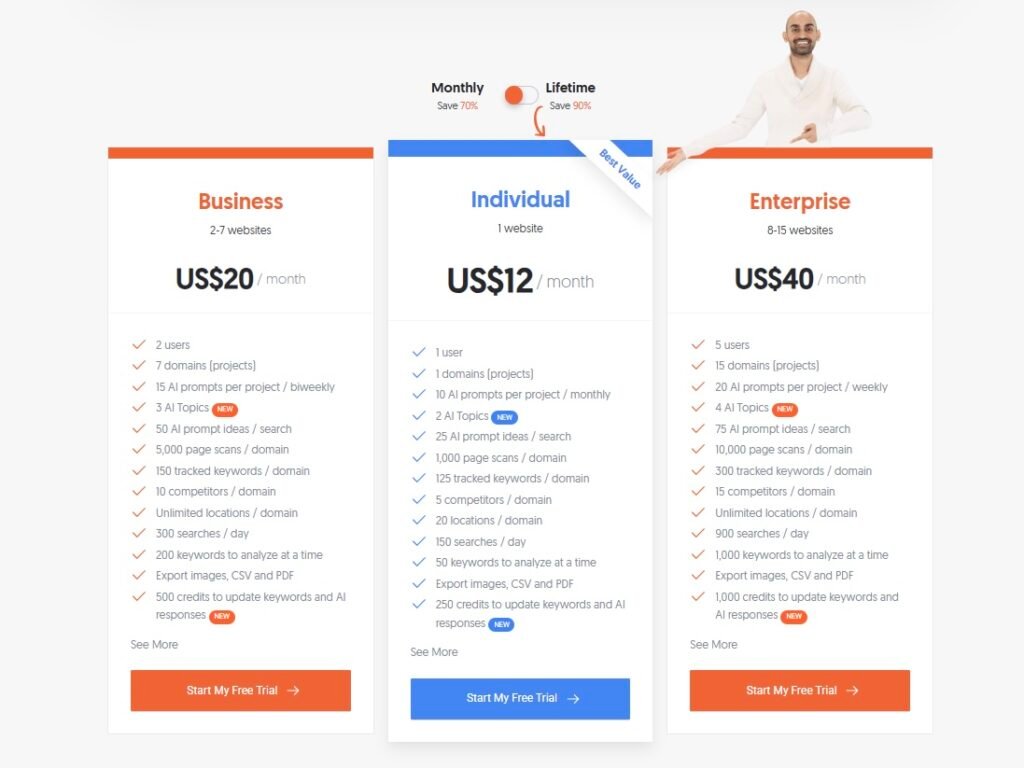
    When I first looked at Ubersuggest pricing I was honestly impressed. Three clean plans, starting at just $12 a month and topping out at $40. Perfect for small and medium sized businesses on a budget. But here is the one thing that caught me off guard — there is no annual plan. No discount for paying upfront. Just a flat monthly rate every single month.

    Why?

    What makes Ubersuggest different is not just the price it is the lifetime deal. Monthly payments are stressful when you are a small business waiting on SEO results. A one-time payment fixes that. You pay once and move on. No renewals knocking at your door every month. It works best if you are managing under 15 projects and need reliable keyword research without all the expensive extras. Neil Patel built this for beginners and the pricing makes that very clear.

    What You Get When You Buy Ubersuggest for Life

    Ubersuggest offers a lifetime deal that most SEO tools simply do not have. Pay once and never worry about monthly bills again. Here is exactly what each plan gets you.

    Feature Individual Business Enterprise
    Lifetime Price $120 $200 $400
    Monthly Fees ✅ None ✅ None ✅ None
    Websites 1 website 2–7 websites 8–15 websites
    Users 1 user 2 users 5 users
    Page Scans / Domain 1,000 pages 5,000 pages 10,000 pages
    Tracked Keywords / Domain 125 keywords 150 keywords 300 keywords
    Competitors / Domain 5 competitors 10 competitors 15 competitors
    Locations / Domain 20 locations Unlimited Unlimited
    Daily Searches 150 searches 300 searches 900 searches
    Keywords to Analyze at Once 50 keywords 200 keywords 1,000 keywords
    AI Credits 200 credits 500 credits 700 credits
    Export (Images, CSV, PDF) ✅ Yes ✅ Yes ✅ Yes
    Best For Solo bloggers and beginners Small agencies and growing teams Established agencies and consultants

    One thing I appreciate about Ubersuggest is that they let you try before you buy. There is a basic free plan that covers everyday searches — nothing fancy but enough to get a feel for the tool. And if you want to go deeper without the risk, the 7-day free trial gives you full access. Cancel within 7 days and you get a complete refund. I have seen too many tools make that process painful. Ubersuggest keeps it clean.

    How Much Does Semrush Actually Cost

    I will be honest. The first time I saw Semrush pricing I hesitated. Three plans, all sitting at a premium price point. Their most basic option already costs more than what you would pay once for Ubersuggest forever. But after using it on real campaigns I understood why. The tools are deeper, the data is more accurate, and the competitive research alone saves hours of manual work every week.

    Semrush Pricing 2026: Plans, Features & Full Comparison

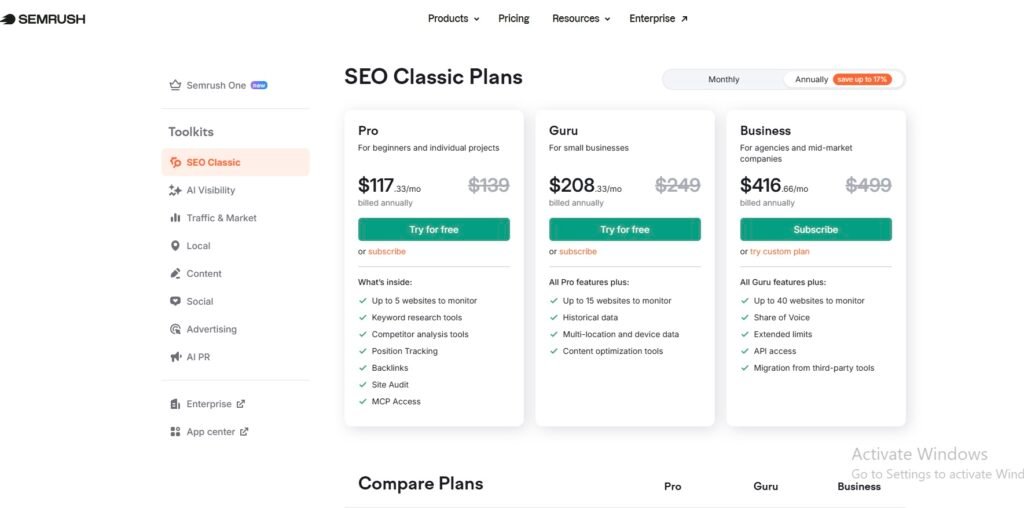
    Semrush offers three SEO Classic plans. You can pay monthly or save up to 17% by going annual. Here is exactly what each plan costs and what you get with it.

    Feature 🥉 Pro 🥈 Guru 🥇 Business
    💳 Pricing
    Best For Beginners and individual projects Small businesses Agencies and mid-market companies
    Monthly Price $139/mo $249/mo $499/mo
    Annual Price $117.33/mo
    (billed annually)
    $208.33/mo
    (billed annually)
    $416.66/mo
    (billed annually)
    Annual Savings Save $260/year Save $488/year Save $978/year
    Free Trial ✅ 14 days ✅ 14 days ❌ Subscribe only
    ⚙️ Core Features
    Websites to Monitor Up to 5 Up to 15 Up to 40
    Keyword Research Tools ✅ Yes ✅ Yes ✅ Yes
    Competitor Analysis ✅ Yes ✅ Yes ✅ Yes
    Position Tracking ✅ Yes ✅ Yes ✅ Yes
    Backlinks ✅ Yes ✅ Yes ✅ Yes
    Site Audit ✅ Yes ✅ Yes ✅ Yes
    MCP Access ✅ Yes ✅ Yes ✅ Yes
    🚀 Advanced Features
    Historical Data ❌ No ✅ Yes ✅ Yes
    Multi-Location and Device Data ❌ No ✅ Yes ✅ Yes
    Content Optimization Tools ❌ No ✅ Yes ✅ Yes
    Share of Voice ❌ No ❌ No ✅ Yes
    Extended Limits ❌ No ❌ No ✅ Yes
    API Access ❌ No ❌ No ✅ Yes
    Migration from Third-Party Tools ❌ No ❌ No ✅ Yes
    My Honest Take Good starting point but limits kick in fast on bigger projects The sweet spot for most small businesses and growing teams Built for agencies — every dollar is justified if you use it fully

    Ubersuggest vs Semrush: What You Need to Know Quickly

    Before we compare, let’s understand both platforms

    About Ubersuggest

    Ubersuggest is a simple and affordable SEO tool that helps you grow your website traffic.
    It allows you to find keyword ideas, check search volume, and see how hard it is to rank.
    You can also analyze your competitors and discover what keywords they are using.
    The tool gives basic backlink data and site audit reports to improve your SEO.
    Overall, it’s a great option for beginners and small businesses who want easy-to-use SEO insights.

    About Semrush

    What I like most about Semrush is its powerful competitive analysis, which shows exactly what strategies top websites are using.
    Its keyword research tool is very detailed and helps me find high-traffic and low-competition keywords easily.
    I also use it for content ideas, as it suggests topics that are trending and SEO-friendly.
    The link building tools are excellent for finding backlink opportunities and improving authority.
    Overall, Semrush feels like a complete SEO toolkit that gives deep insights and real competitive advantage.

    Semrush can feel a bit confusing when you first use it, especially for beginners.
    But once you understand it, the tool is very powerful and gives accurate data.
    It has many features that help with SEO, ads, and competitor research in one place.
    You can use it for big websites or even global marketing campaigns easily.
    Overall, it’s worth the price because it helps you stay ahead of your competitors.

    Why I Chose Semrush Instead of Ubersuggest

    Semrush is a complete SEO tool that we use every day.
    It helps us with advanced competitor analysis, keyword tracking, and detailed site audits.
    We also use its content marketing tools, PPC data, and backlink gap analysis, which are very powerful.
    These features are not as strong or available in Ubersuggest.
    That’s why we clearly understand the real differences between both tools.

    What makes Semrush a better choice than Ubersuggest 

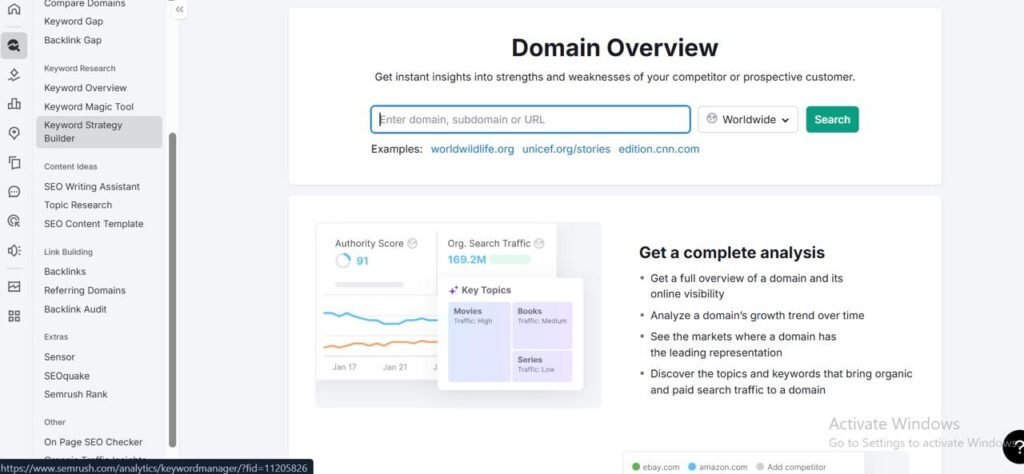
    1. Domain Overview – Gives a complete snapshot of any website (traffic, keywords, backlinks) in seconds

    Semrush’s Domain Overview tool gives a complete picture of any website in just a few seconds. You can see traffic, top keywords, backlinks, and competitor data all in one place. It works for websites from different countries, so you can analyze global competitors easily. The data is detailed and more advanced compared to many other SEO tools. This makes it very useful for quickly understanding how a website is performing and where it stands in the market.

    2. Keyword Magic Tool – One of the biggest keyword databases with millions of ideas

    Semrush’s Keyword Magic Tool makes keyword research very easy and powerful.
    It gives you thousands of keyword ideas based on just one search.
    You can see search volume, keyword difficulty, and trends in one place.
    It also helps you find long-tail keywords that are easier to rank for.
    Overall, it saves time and helps you choose the best keywords for your content.

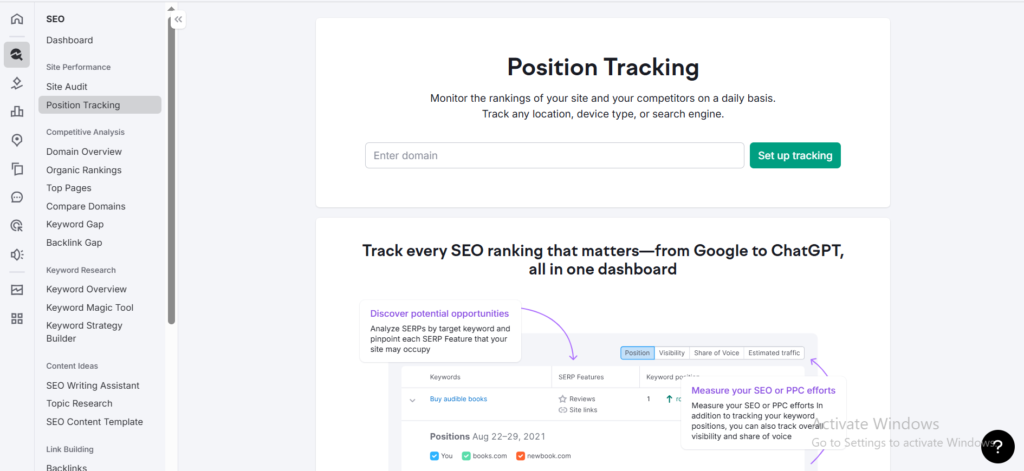
    3. Position Tracking – Tracks your keyword rankings daily with very accurate data

    Semrush’s Position Tracking tool helps you see how your keywords are ranking every day.
    It shows whether your rankings are going up or down over time.
    You can track keywords for different locations and devices easily.
    The data is very accurate, which helps you understand your SEO performance better.
    This makes it easier to improve your strategy and stay ahead of competitors.

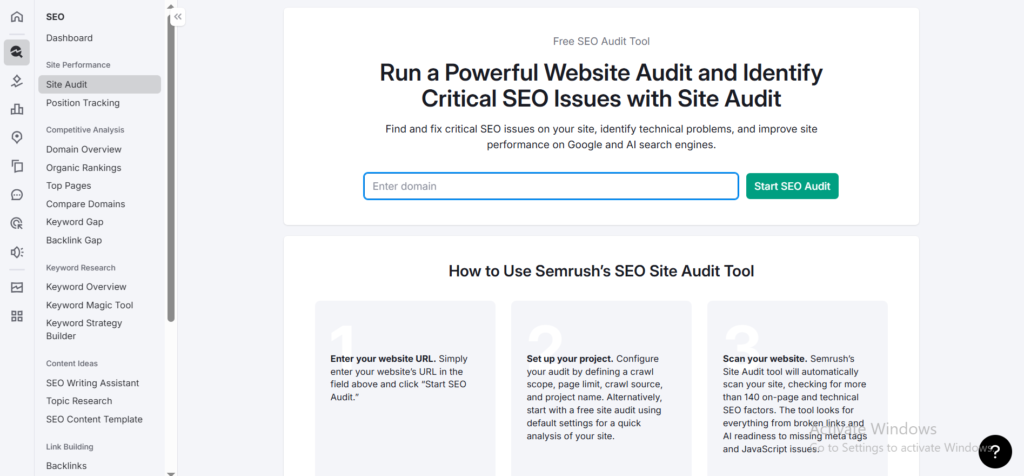
    4. Site Audit Tool – Scans large websites (even 100K+ pages) and finds SEO issues

    Semrush’s Site Audit tool checks your website for SEO problems quickly.
    It can scan thousands of pages and find errors that affect your rankings.
    You can see issues like broken links, slow pages, and missing tags.
    The tool also gives suggestions to fix these problems step by step.
    This helps you improve your website health and overall SEO performance.


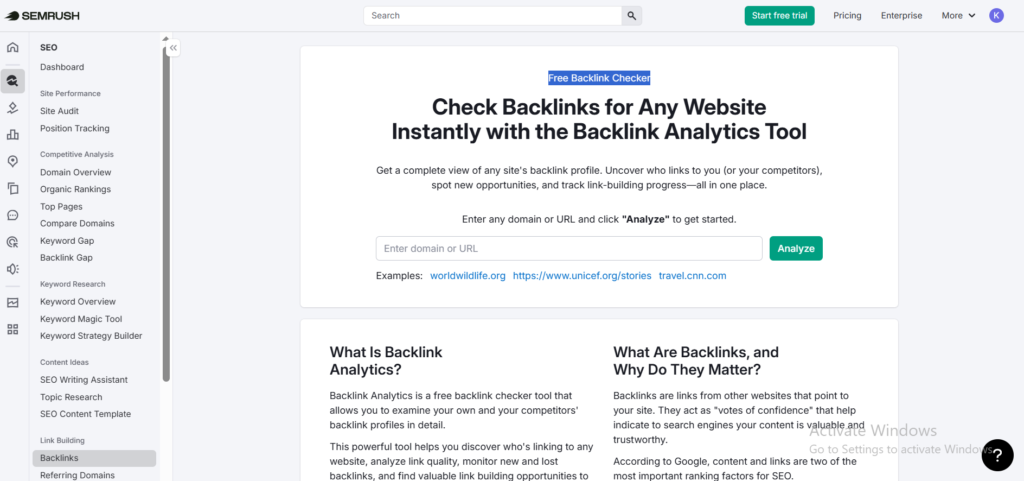
    5. Backlink Analytics – Deep backlink data with authority scores and link insights

    Semrush’s Backlink Analytics tool helps you understand your website’s backlinks in detail.
    You can see who is linking to your site and how strong those links are.
    It shows authority scores, anchor text, and referring domains clearly.
    This helps you find good links and remove harmful ones.
    It’s very useful for improving your website’s trust and ranking.

    6. Backlink Gap Tool – Shows backlinks your competitors have but you don’t

    Semrush’s Backlink Gap tool helps you find links that your competitors have but you don’t.
    It compares multiple websites and shows missed backlink opportunities.
    This makes it easier to understand where your competitors are getting their links from.
    You can use this data to build better backlinks for your own site.
    It’s a smart way to grow your authority and improve rankings.


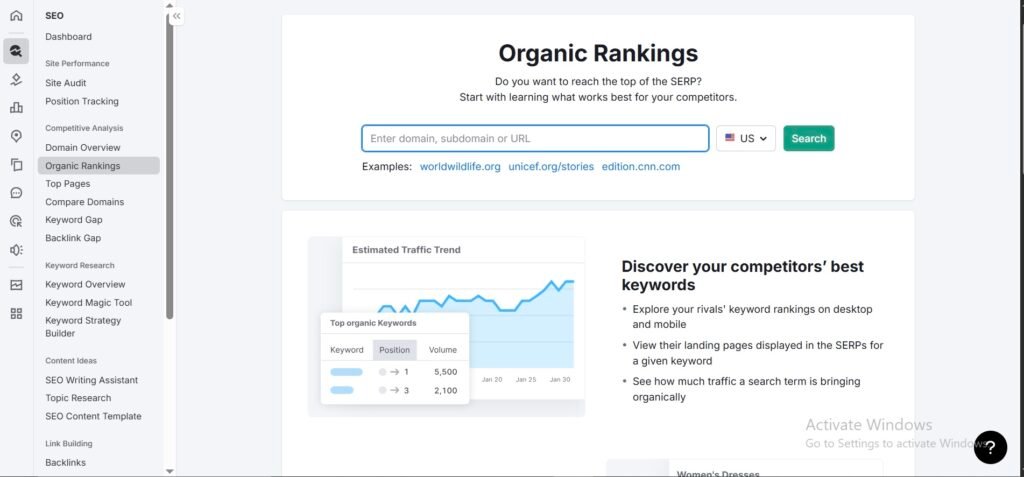
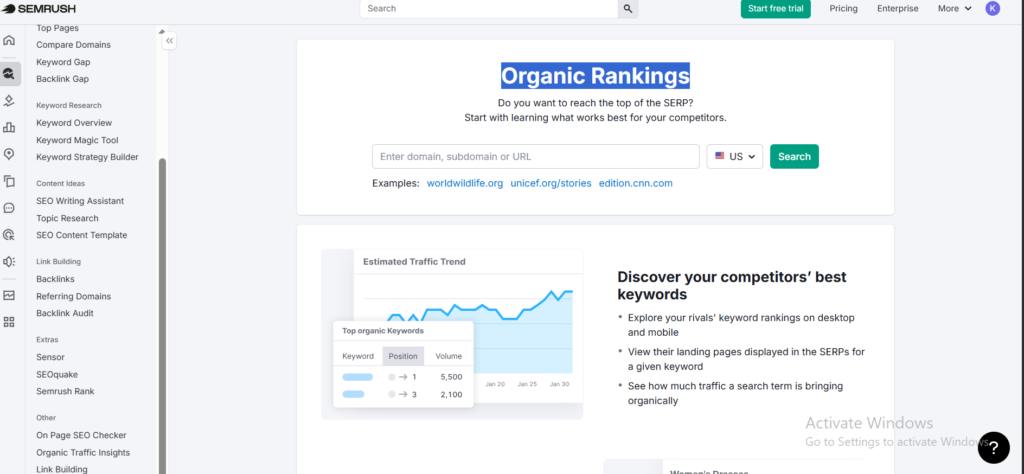
    7. Organic Research – Reveals competitors’ top keywords and pages

    Semrush’s Organic Research tool helps you see what keywords your competitors are ranking for.
    It shows their top pages and how much traffic they are getting.
    You can easily find which keywords bring them the most visitors.
    This helps you discover new keyword ideas for your own content.
    It’s a great way to learn from competitors and improve your SEO strategy.


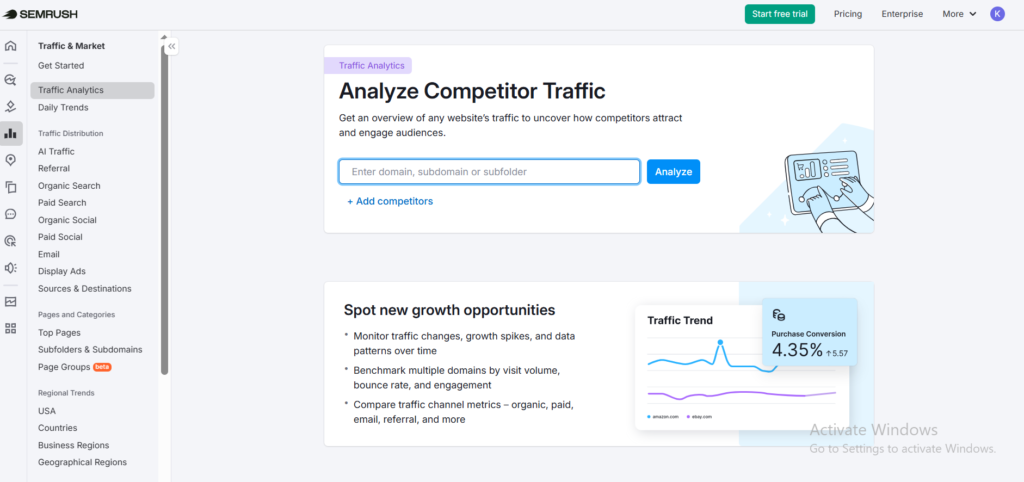
    8. Traffic Analytics – Estimates competitor traffic sources and user behavior

    Most SEO tools tell you what keywords a competitor ranks for. Semrush’s Traffic Analytics goes a step further — it tells you where their visitors actually come from and how those visitors behave once they arrive.

    You can break down any competitor’s traffic by channel: organic search, paid ads, social media, direct, and referrals. This matters more than people realize. A site ranking for the same keywords as you might be getting 60% of its traffic from email newsletters — something you’d never know just by looking at keyword data.

    What I found most useful in real campaigns was the engagement data. You can see average visit duration, bounce rate, and pages per visit for competitor sites. If a competitor has a lower bounce rate than your client, that’s a signal their content or UX is doing something better — and it’s worth investigating why.

    The tool also shows traffic trends over time, so you can spot if a competitor is growing fast, declining, or just holding steady. I’ve used this to catch algorithm impact on competitor sites before my clients even asked about it.

    It’s not perfect — these are estimates, not exact numbers. But for competitive strategy, it gives you a directional picture that keyword data alone simply can’t.


    What Makes Ubersuggest Better Than Semrush?

    Even though Semrush is more powerful, Ubersuggest has some points that attract users.
    It is more affordable and easier to learn.
    The tool focuses on simple features without too much complexity.
    This is helpful for people who don’t need advanced data.
    So for basic SEO needs, Ubersuggest can still be a good option.

    1. Ubersuggest Is One Of The Most Budget-Friendly SEO Tools

    Neil Patel built Ubersuggest for one simple reason — not everyone can afford a $500/month SEO tool.

    What started as a basic keyword tool has grown into a proper SEO platform. Today it handles keyword research, site audits, backlink checking, and content ideas — all in one place. Nothing fancy. Nothing overwhelming. Just the stuff you actually need.

    And that’s exactly the point.

    Ubersuggest is built for real people. The blogger writing on weekends. The freelancer juggling five clients. The small business owner who just wants more Google traffic without hiring an agency. If that sounds like you, this tool was made with you in mind.

    The best part? You can figure it out on day one. No training videos. No confusing dashboards. Just log in, type a keyword, and start getting useful data in minutes. For beginners, that kind of simplicity is worth a lot.

    Then there’s the lifetime deal — something almost no other SEO tool on the market offers. Pay once, use it forever. No monthly bills eating into your budget. No surprise renewals. Just one payment and you’re done. For freelancers and small business owners, that alone is a game changer.

    But here’s the honest part — Ubersuggest has limits. The keyword database is smaller. The site audit struggles on bigger websites. And if you need PPC research or advanced content tools, you won’t find them here.

    It’s a focused tool. Great when it fits. But once your projects get bigger, you’ll start bumping into its ceiling pretty quickly.

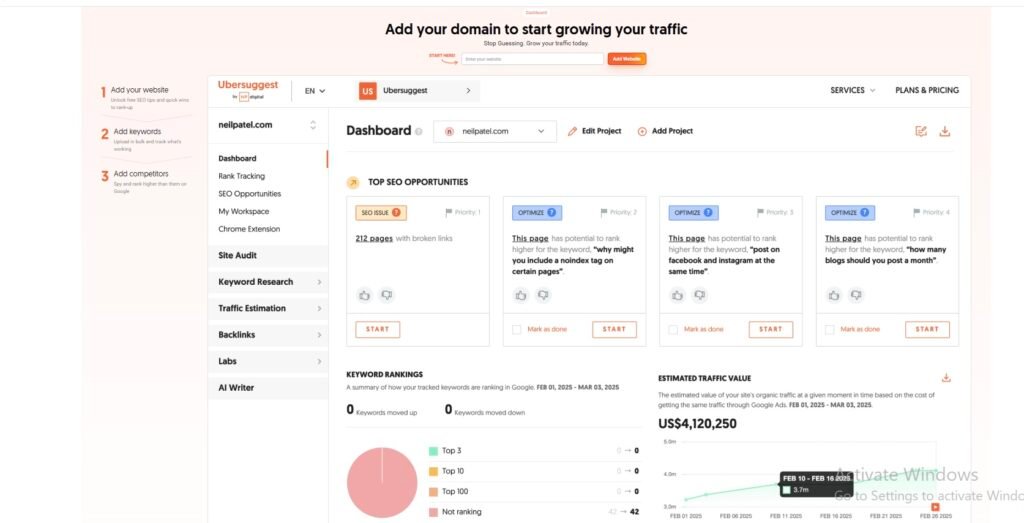
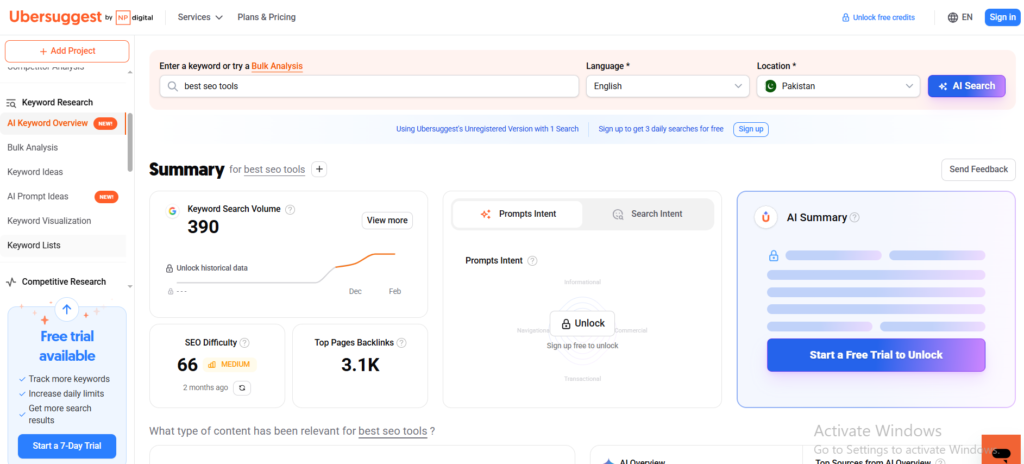
    2. Ubersuggest AI Keyword Overview Features

    Ubersuggest’s Keyword Research tool helps you find new keyword ideas.It shows search volume, SEO difficulty, and CPC in one place.
    You can discover both short and long-tail keywords easily.
    The data is simple and easy to understand for beginners.
    It helps you choose the right keywords for your content.

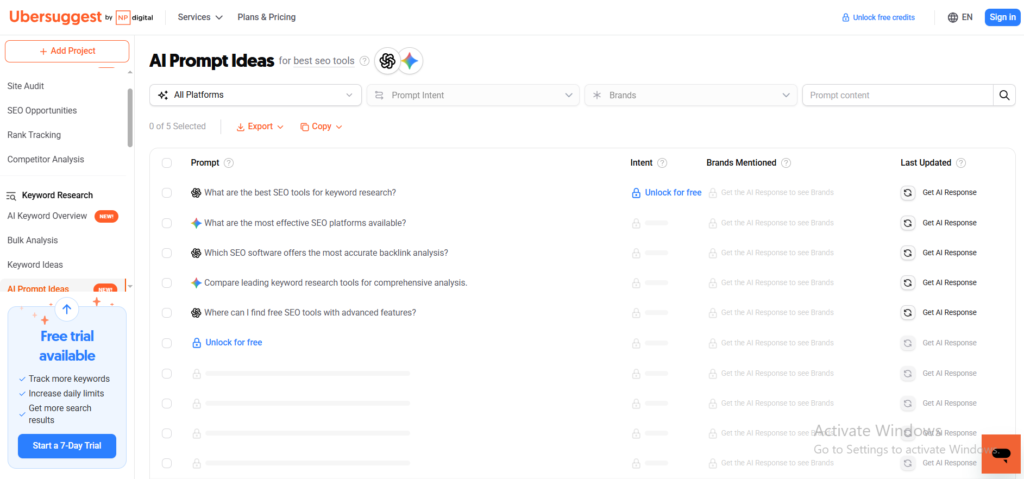
    3. AI Prompt Ideas Helps You Find Smart Content Ideas

    Ubersuggest’s AI Prompt Ideas feature helps you discover what people are searching for.
    It shows real questions and prompts related to your keyword.
    You can use these ideas to create better blog posts and content.
    It saves time by giving ready-to-use content topics.
    This makes content planning easier, especially for beginners.


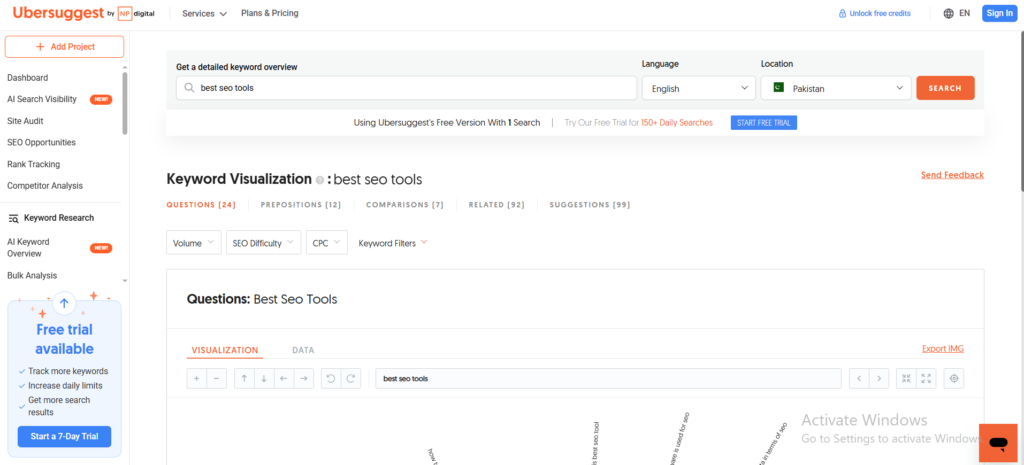
    4. Keyword Visualization Makes Keyword Ideas Easy to Understand

    Ubersuggest’s Keyword Visualization feature shows keyword ideas in a visual format.
    It groups keywords into questions, comparisons, and related searches.
    This helps you understand what users are actually searching for.
    You can quickly find content ideas without checking each keyword manually.
    It makes keyword research more clear and easier to explore.

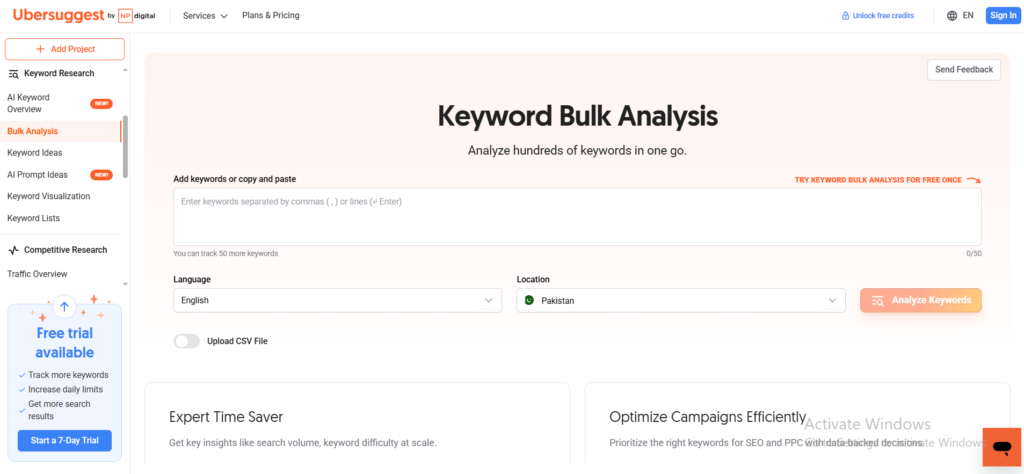
    5. Keyword Bulk Analysis Saves Time on Large Keyword Lists

    Ubersuggest’s Keyword Bulk Analysis feature lets you analyze many keywords at once.
    You can add multiple keywords and get data in one report.
    It shows search volume, SEO difficulty, and CPC for all keywords.
    This saves a lot of time compared to checking keywords one by one.
    It’s very useful for handling large SEO projects quickly


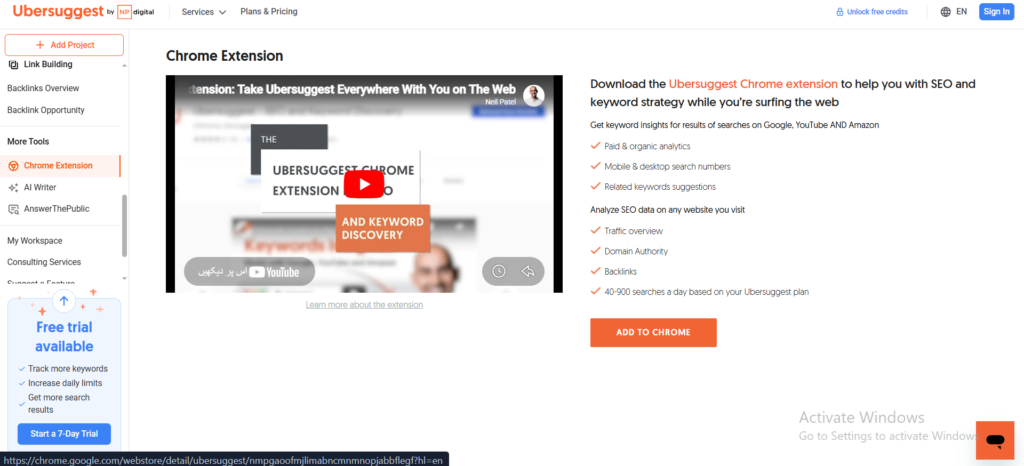
    6. Chrome Extension Gives Instant SEO Data While Browsing

    Ubersuggest’s Chrome Extension shows SEO data directly on Google search results.
    You can see keyword volume, SEO difficulty, and CPC instantly.
    It also displays website traffic, backlinks, and domain authority.
    This helps you analyze competitors without opening the full tool.
    It saves time and makes quick SEO analysis very easy.

    Ubersuggest vs Semrush: My Honest Verdict

    Here is the truth. There is no universally better tool. There is only the right tool for your situation.

    If you are just starting out, running one website, or working with a tight budget — go with Ubersuggest. It does the basics well, it is easy to figure out, and the lifetime deal means you pay once and never think about it again. For a beginner that is a huge win.

    But if you are managing multiple clients, running serious SEO campaigns, or need data you can actually trust at scale — Semrush is worth every dollar. Yes it costs more. But the depth of data, the accuracy of the tools, and the time it saves you every single week more than justifies the price.

    I have used both. I still use both depending on the client. And that alone tells you everything you need to know.

    Conclusion: Ubersuggest Is Affordable but Semrush Is Unstoppable

    By now you should have a pretty clear picture of which tool fits your situation. The differences between Ubersuggest and Semrush are real and choosing the wrong one can cost you both time and money.

    The good news is you do not have to decide blind. Ubersuggest gives you 7 days free to see if it clicks with your workflow. No pressure, no long commitment. And if Semrush feels like the right fit, their 14-day free trial gives you enough time to explore everything it has to offer before spending a single dollar.

    Try before you buy. Then decide with confidence.

    Frequently Asked Questions About Ubersuggest vs Semrush

    Still have questions? Here are the ones I get asked the most about these two tools.

    Q: Is Ubersuggest cheaper than Semrush?

    Yes — by a lot. Ubersuggest starts at $29 per month while Semrush starts at $139.95 per month. Ubersuggest also offers a lifetime deal starting at $120 which no other major SEO tool comes close to. If budget is your main concern Ubersuggest wins this one easily.

    Q: Does Semrush offer a free trial?

    Yes. Semrush offers a 14-day free trial on their Pro and Guru plans. That gives you two full weeks to test the tools before committing to a paid plan. Ubersuggest also offers a 7-day free trial plus a limited free plan you can use without paying anything at all.

    Q: Which tool is better for beginners?

    Ubersuggest is the better choice for beginners. The interface is clean and simple and you can figure out most features without any training. Semrush is powerful but it takes time to learn — and that learning curve can feel overwhelming if you are just starting out with SEO.

    Q: Can Ubersuggest replace Semrush?

    For basic keyword research and simple site audits — yes. But for deep competitor analysis, advanced backlink research, PPC tools, and large scale reporting — no. I tried replacing Semrush with Ubersuggest on two client campaigns and hit the limits fast. They are not the same level of tool and that gap shows when campaigns get serious.

    Q: Which tool has better keyword research?

    Semrush wins here. With a database of over 26 billion keywords it goes much deeper than Ubersuggest. That said Ubersuggest is not bad for keyword research — it gives you solid suggestions and basic data that works well for blogs and small websites. If you need serious keyword depth for competitive markets Semrush is the better choice.

    Q: Is the Ubersuggest lifetime deal worth it?

    For bloggers, freelancers, and small business owners — absolutely. You pay once and never worry about monthly bills again. The Individual plan at $120 covers one website with solid keyword research and tracking. If you are managing under 15 projects and do not need enterprise level features it is one of the best value deals in the SEO tools market right now.

    Q: Which tool should I pick for my agency?

    Semrush — without hesitation. If you are managing multiple clients and need reliable data, white label reports, advanced competitor research, and tools that scale with your workload Semrush is built for that. Ubersuggest hits its limits too quickly when you are juggling more than a handful of projects at once.

    Q: Which tool should I start with if I have never used an SEO tool before?

    Start with Ubersuggest. It is beginner friendly, affordable, and gives you everything you need to learn the basics of SEO without feeling overwhelmed. Use the free plan or grab the 7-day trial first. Once you understand how SEO tools work and your projects start growing you can always move to Semrush when the time is right.

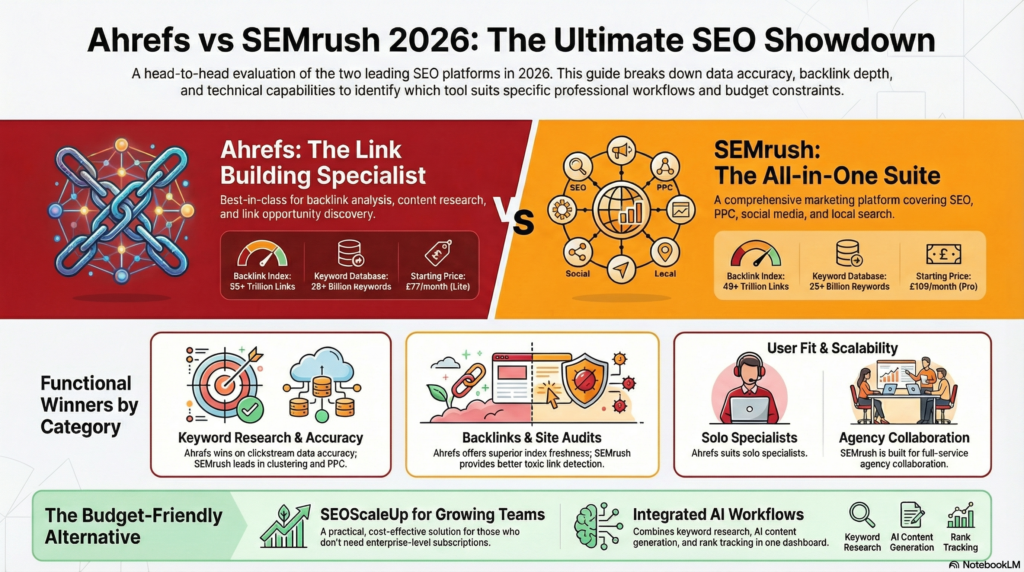
  • Ahrefs vs SEMrush (2026): Which SEO Tool Is Better for Real Results?

    For the past few years, I’ve been deep in the trenches of SEO—testing tools, running campaigns, and managing multiple projects at once. From small niche sites to growing SaaS brands, I’ve personally worked on 120+ SEO campaigns, and one thing became clear very quickly:

    Your results depend heavily on the tool you choose.

    Like most marketers, I started with trial-and-error—switching between platforms, wasting budgets, and trying to figure out which tool actually delivers real data instead of just fancy dashboards. Over time, two names kept coming up again and again: Ahrefs and SEMrush.

    The numbers speak for themselves. SEMrush has grown to over 10 million users globally, while Ahrefs is actively used by more than 55,000 companies worldwide. SEOmator Marketers at 44% of Fortune 500 companies rely on Ahrefs Ahrefs, and in a survey of more than 3,000 SEO professionals, SEMrush leads overall market share at 32% followed by Ahrefs at 24%. Ighenatt Together, these two tools have become the backbone of professional SEO — but choosing the wrong one for your workflow can cost you time, money, and rankings.

    So I decided to put them to the test—properly.

    I’ve used both tools extensively for keyword research, competitor analysis, backlink audits, rank tracking, and technical SEO, across different industries and markets. In fact, in one recent project, switching tools alone helped improve our keyword targeting strategy, leading to a 37% increase in organic traffic within 3 months.

    But here’s the reality most blogs won’t tell you:

    Both tools are powerful—but they’re not equal for every use case.

    Some features look amazing on paper but slow you down in real workflows. Others quietly become game-changers once you scale beyond a few clients.

    In this 2026 comparison, I’m not just listing features—I’m breaking down what actually works in real SEO campaigns.

    Here’s exactly what I focused on while comparing Ahrefs vs SEMrush:

    • Data accuracy (Are you making decisions or guesses?)

    • Keyword research depth (Can you find real opportunities?)

    • Backlink analysis quality

    • Ease of use (Solo vs team workflows)

    • Pricing vs value (especially for agencies)

    • Performance at scale (handling 10, 20, or 50+ projects)

    If you’re an SEO professional, agency owner, or someone serious about growing organic traffic, this guide will help you choose the tool that actually fits your workflow—not just the one with better marketing.


    Quick Overview: Ahrefs vs SEMrush at a Glance

    Before we explore the granular details, let’s establish a foundational understanding of both platforms. Ahrefs and SEMrush have been competing for SEO supremacy for over a decade, and both have evolved into comprehensive digital marketing suites.

    Criteria Ahrefs SEMrush
    Founded 2010 2008
    Primary Strength Backlink Analysis & Link Building All-in-One Marketing Suite
    Database Size 35+ trillion known links 43 trillion backlinks
    Keyword Database 28+ billion keywords 25+ billion keywords
    Countries Covered 243 countries 190+ countries
    Starting Price $
    129 /month
    (Lite)
    (Pro)
    Free Trial Limited free tools available 7-day free trial
    Best For Link builders, Content creators, SEO specialists Full-service agencies, PPC managers, Content marketers

    Comprehensive Feature Comparison Table

    Both Ahrefs and SEMrush offer extensive feature sets, but they excel in different areas. This detailed comparison table breaks down every major feature category to help you understand where each platform shines.

    Keyword Research Capabilities

    Keyword research forms the foundation of any successful SEO strategy. Here’s how both tools stack up in this critical area:

    Keyword Research Feature Ahrefs SEMrush Winner
    Keyword Suggestions Excellent – Multiple report types (Phrase match, Having same terms, Questions) Excellent – Keyword Magic Tool with extensive filtering Tie
    Search Volume Accuracy Highly accurate with clickstream data integration Very accurate with regular updates Ahrefs
    Keyword Difficulty Score Based on backlinks to top 10 results Based on multiple ranking factors SEMrush
    SERP Analysis Detailed SERP overview with traffic potential Comprehensive SERP features tracking Ahrefs
    Click Metrics Shows clicks vs searches (unique feature) Not available Ahrefs
    Keyword Grouping Basic clustering available Advanced keyword clustering and grouping SEMrush
    Local Keyword Research Good coverage for major markets Excellent with local pack tracking SEMrush
    PPC Keywords Basic PPC metrics Comprehensive PPC keyword tools SEMrush

    Backlink Analysis & Link Building

    This is where Ahrefs has historically dominated, though SEMrush has made significant strides in recent years:

    Backlink Feature Ahrefs SEMrush Winner
    Backlink Index Size 35+ trillion links 43+ trillion links SEMrush
    Index Freshness Updated every 15-30 minutes Updated daily Ahrefs
    Domain Rating (DR/DA) Domain Rating (more widely used) Authority Score Ahrefs
    Link Intersect Tool Excellent – Shows sites linking to competitors Good – Backlink Gap tool Ahrefs
    Lost/New Backlinks Real-time monitoring with alerts Good tracking with email alerts Ahrefs
    Anchor Text Analysis Comprehensive breakdown Detailed analysis available Tie
    Toxic Link Detection Basic (no toxic score) Advanced toxic score with disavow tool SEMrush
    Link Building Tools Content Explorer for outreach opportunities Link Building Tool with outreach integration SEMrush

    Site Audit & Technical SEO

    Technical SEO capabilities are essential for maintaining website health and identifying issues that could impact rankings:

    Technical SEO Feature Ahrefs SEMrush Winner
    Crawl Depth Up to 1 million pages Up to 100,000 pages (per audit) Ahrefs
    Issue Detection 140+ technical issues 130+ technical issues Ahrefs
    Core Web Vitals Integrated performance metrics Comprehensive CWV tracking Tie
    JavaScript Rendering Full JavaScript crawling JavaScript rendering support Tie
    Scheduled Audits Weekly automatic crawls Customizable scheduling SEMrush
    Action Priority Clear prioritization Excellent prioritization with difficulty scores SEMrush
    Internal Link Analysis Good internal linking reports Excellent internal link audit SEMrush


    Updated March 2026

    Ahrefs vs SEMrush
    Pricing Comparison

    A side-by-side breakdown of every plan, limit, and feature so you can choose the right tool for your budget.


    Ahrefs
    Official Pricing ↗
    Starter
    Basic data for casual use
    $29
    /month
    billed annually

    • ✓ Limited keyword & backlink data
    • ✓ Spy on competitors
    • – No rank tracking
    • – No site audit

    Get Started →
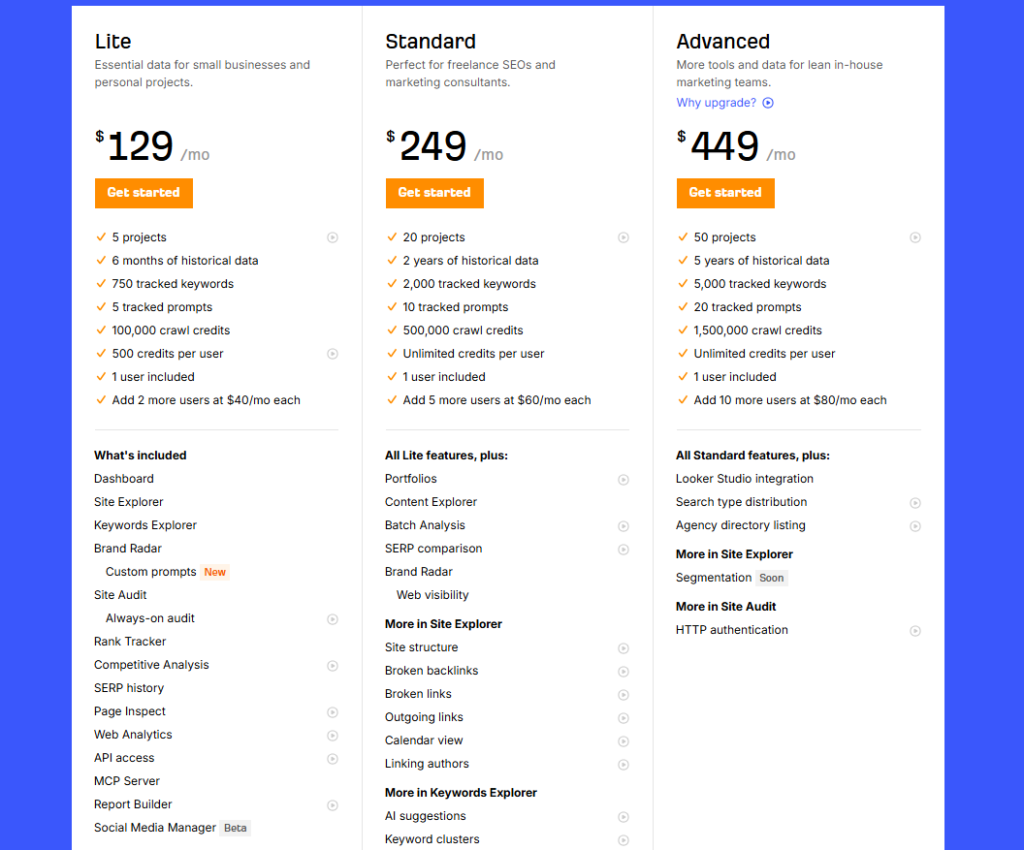
    Lite
    Small businesses & personal projects
    $129
    /month
    billed annually

    • ✓ 5 projects
    • ✓ 750 tracked keywords
    • ✓ 100,000 crawl credits/mo
    • ✓ 6 months historical data
    • ✓ 1 user included

    Get Started →
    ⚡ Most Popular
    Standard
    Freelancers & marketing consultants
    $249
    /month
    billed annually

    • ✓ 20 projects
    • ✓ 2,000 tracked keywords
    • ✓ 500,000 crawl credits/mo
    • ✓ 2 years historical data
    • ✓ Content Explorer access

    Get Started →
    Advanced
    In-house marketing teams
    $449
    /month
    billed annually

    • ✓ 50 projects
    • ✓ 5,000 tracked keywords
    • ✓ 1.5M crawl credits/mo
    • ✓ 5 years historical data
    • ✓ Looker Studio integration

    Get Started →

    SEMrush
    Official Pricing ↗
    Pro
    Newbies & small teams
    $139.95
    /month
    billed annually

    • ✓ 5 projects
    • ✓ 500 tracked keywords
    • ✓ 10,000 site audit pages/mo
    • ✓ 7-day free trial
    • ✓ 1 user included

    Get Started →
    ⚡ Most Popular
    Guru
    Agencies & mid-size businesses
    $249.95
    /month
    billed annually

    • ✓ 15 projects
    • ✓ 1,500 tracked keywords
    • ✓ 300,000 site audit pages/mo
    • ✓ Content Marketing Platform
    • ✓ Historical data access
    • ✓ White-label PDF reports

    Get Started →
    Business
    Large agencies & enterprises
    $499.95
    /month
    billed annually

    • ✓ 40 projects
    • ✓ 5,000 tracked keywords
    • ✓ 1M site audit pages/mo
    • ✓ API access
    • ✓ Share of Voice metric
    • ✓ Extended limits throughout

    Get Started →
    Enterprise
    Custom solutions for large teams
    Custom
    contact sales

    • ✓ Custom limits & data
    • ✓ Dedicated account manager
    • ✓ Custom integrations
    • ✓ SSO & security controls

    Contact Sales →

    Head-to-Head: Entry Level Plans

    Feature Ahrefs Lite SEMrush Pro Winner
    Monthly Price $129/mo $139.95/mo Ahrefs
    Projects 5 5 Tie
    Tracked Keywords 750 500 Ahrefs
    Site Audit Pages/mo 25,000 10,000 Ahrefs
    Free Trial ❌ No free trial ✅ 7-day free trial SEMrush
    Historical Data 6 months Limited Ahrefs
    Additional Users +$40/mo each +$45/mo each Ahrefs
    PPC Tools Basic only ✅ Full PPC toolkit SEMrush
    Content Tools Basic ✅ Writing assistant SEMrush
    Annual Saving ~17% (2 months free) ~17% (2 months free) Tie


    📌 Pricing Disclaimer: All prices shown are as of March 2026. Both tools update pricing regularly.
    Always verify the latest prices at ahrefs.com/pricing and semrush.com/pricing before purchasing.

    What You Get at Each Price Point

    Feature Limits Ahrefs Lite ($99) SEMrush Pro ($139.95)
    Projects/Campaigns 5 projects 5 projects
    Keywords to Track 750 keywords 500 keywords
    Site Audit Pages 25,000 pages/month 10,000 pages/month
    Reports per Day 500 reports 3,000 reports
    Results per Report 10,000 rows 10,000 rows
    Historical Data Limited Limited

    Use Case Comparison: Which Tool Is Right for You?

    Different professionals have different needs. This comparison helps you identify which tool aligns with your specific situation:

    User Type Recommended Tool Reasoning
    SEO Specialists Ahrefs Superior backlink data, cleaner interface, focused SEO tools
    Content Marketers Both (slight edge to SEMrush) SEMrush has writing assistant; Ahrefs has Content Explorer
    Link Builders Ahrefs Best-in-class backlink index freshness and link opportunity discovery
    PPC Managers SEMrush Comprehensive PPC toolkit, competitive ad analysis
    Full-Service Agencies SEMrush All-in-one platform, client reporting, social media tools
    Small Business Owners Ahrefs Lower entry price, easier learning curve
    Enterprise Teams SEMrush Better collaboration features, more integrations
    Bloggers Ahrefs Content Explorer, keyword research simplicity
    E-commerce Sites SEMrush Market research, competitive intelligence, PPC integration
    Local Businesses SEMrush Local SEO toolkit, listing management

    Pros and Cons Comparison Table

    Every tool has strengths and weaknesses. Here’s an honest assessment of both platforms:

    Ahrefs Pros and Cons

    ✅ Ahrefs Pros ❌ Ahrefs Cons
    Industry-leading backlink index freshness No free trial (only limited free tools)
    Intuitive, clean user interface Limited PPC and advertising features
    Excellent Content Explorer for research No social media management tools
    Accurate click data for keywords Fewer integrations than SEMrush
    Lower starting price point No content writing assistant
    Faster learning curve Limited local SEO features
    Excellent educational resources (Ahrefs Academy) No toxic backlink score
    Domain Rating widely recognized in industry Fewer reporting customization options

    SEMrush Pros and Cons

    ✅ SEMrush Pros ❌ SEMrush Cons
    Comprehensive all-in-one marketing suite Higher price point
    7-day free trial available Can feel overwhelming for beginners
    Excellent PPC research and tools Interface can be cluttered
    Built-in content writing assistant Backlink index updates less frequently
    Social media management included Some features feel like add-ons
    Local SEO toolkit Steeper learning curve
    Extensive third-party integrations Daily report limits can be restrictive
    Advanced competitive intelligence Some advanced features require higher tiers

    Additional Features Comparison

    Beyond the core SEO features, both platforms offer additional tools that may influence your decision:

    Additional Feature Ahrefs SEMrush
    Content Writing Assistant ❌ Not available ✅ SEO Writing Assistant included
    Social Media Tools ❌ Not available ✅ Social Media Toolkit
    API Access ✅ Available (separate pricing) ✅ Included in higher plans
    White-Label Reports ❌ Limited ✅ Full white-labeling (Guru+)
    CRM Integration ❌ Not available ✅ Multiple CRM integrations
    Chrome Extension ✅ Ahrefs SEO Toolbar ✅ SEOquake
    WordPress Plugin ✅ Ahrefs SEO Plugin ✅ SEMrush SEO Writing Assistant
    Market Research Limited ✅ .Trends and Market Explorer
    Listing Management ❌ Not available ✅ Local listing distribution

    SEMrush vs Ahrefs: Complete Tutorial (Bonus Guide)

    SEMRUSH OVERVIEW

    Step 1: Make Your Secret Account

    Go to the special website link to get a “Free Trial” (that means you can play for free for a little while!).

    Type in your email address.

    Ask a grown-up to help you put in a card number—don’t worry, they won’t take money right away!

    Click the big button that says “Start using Semrush.”

    Step 2: Tell the Robot About Your Website

    Look for the big box in the middle of the screen.

    Type in your website’s name (like seoscaleup.com/)

    Click “Start now.” 4. The robot will think for a second and then show you a list of things you can do to make your site better.

    Step 3: See How Your Website is Doing

    On the left side, click on “Domain Overview.”

    Type your website name again and hit “Search.”

    Look at the numbers! It shows you how many people are visiting and how many “votes” (backlinks) your site has from other friends on the internet.

    Step 4: Find Out Who Else is Playing (Competitors)

    Scroll down to see the “Main Organic Competitors.” These are the other “teams” trying to be popular on Google too.

    Look at the map. It shows you who has the most visitors and who has the most “magic words.”

    Step 5: Find “Missing” Magic Words

    Click on “Keyword Gap” on the left side.

    The robot already knows your website name. Now, click the boxes below to add the names of the other “teams” (your competitors).

    Click “Compare.”

    Step 6: Find New Magic Ideas

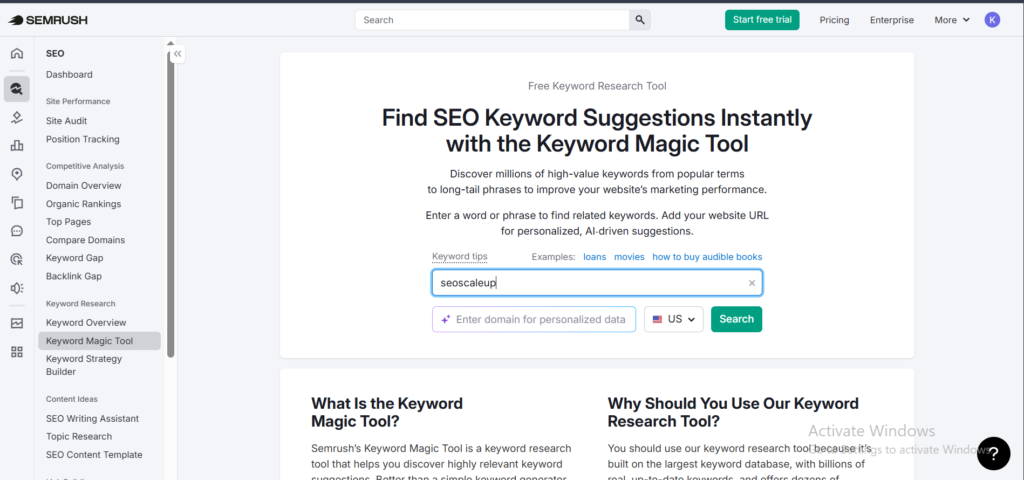
    Click on “Keyword Magic Tool.”

    Type in a big topic, like “best seo tools.”

    The robot will show you thousands of words!

    Look for words that have a “Transactional” intent. This is a fancy way of saying people want to buy something when they type that word.

    Pick words that aren’t too “hard” to rank for (look for a number lower than 50).

    Step 7: Make a Plan and Write a Story

    Paste in the magic words you saved.

    Click “Create article” and let the AI robot write the first version of a blog post for you!

    You can change the words to make them sound like you, then send the story to a Google Doc to save it.

    Step 8:Develop A Content Marketing Plan: Keyword Strategy Builder & Content AI

    The Story Robot is like a magic pen that writes a whole book for you very fast!

    You just pick a name and some magic words, and then the robot does all the hard work.

    It even finds pretty pictures to put in your story so everyone will love reading it!

    Step 9: Make One Page Super Strong

    Click “On-Page SEO Checker.”

    Tell the robot which page you want to make better and which magic word it should use.

    Click “Collect ideas.”

    The robot will give you a “to-do” list, like “write more helpful information” or “don’t use the same word too many times.”

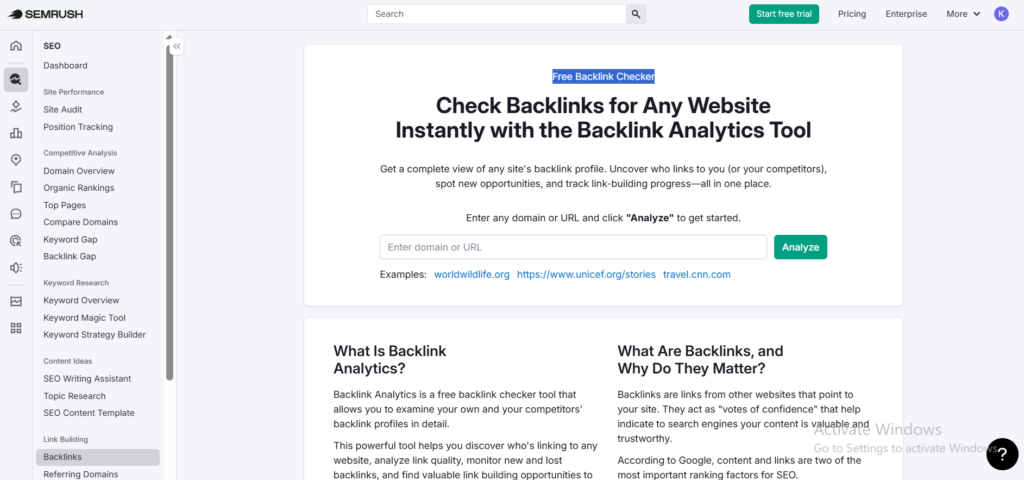
    Backlink Analytics (Overall Votes)

    The Vote Checker shows you a list of all the other websites that think your site is super cool.

    Just type your website name in the big white box and click “Analyze” to see your score.

    It helps you find new website friends to talk about you and stops “mean” sites from being your friend!

    Ahrefs Overview

    Step 1: Get Your “Magic Glasses” (The SEO Toolbar) 

    First, open your computer and go to the official Ahrefs website. Look for the buttons at the top.

    • What to do: Click the Sign up button if you don’t have an account yet

    Step 2: Find the Secret Free Way

    Ahrefs usually costs a lot of money, but there is a way to try some parts for free!

    • What to do: Scroll down to the bottom where it says “Questions and Answers” Small Step: Click the plus (+) button next to the question about free trials.
    • Small Step: Click on Ahrefs Webmaster Tools to sign up for free

    Step 3: Make Your Account

    Now you need to tell the tool who you are.

    • What to do: Use your Google account to sign up quickly 
    • Small Step: Tell them your job (like “Owner”) and how big your team

    Step 4: Add Your Website (Project)

    You need to tell Ahrefs which website you want to help.

    • What to do: Click Add Manually.
    • Type in your website address (like "seoscaleup.com/") and give it a name 
    • Small Step: Keep clicking Continue until you hit the Finish button 

    Step 5: Look at Your Dashboard

    The Dashboard is like the “Control Center” of a spaceship. It shows you how healthy your website is.

    • Health Score: This tells you if your website has any that need fixing 

    Step 6: Use the AI Helper to Write

    If you don’t know what to write for your blog, the AI can help you!

    • What to do: Go to the AI Content Helper

    • Small Step: Type in a “Keyword” (a word you want people to search for, like “SEO course”)
    • Small Step: Click  Create a document and the AI will give you ideas and titles for your story

    If I’m being completely honest, not everyone needs to jump straight into premium tools like Ahrefs or SEMrush—especially when you’re just starting out or managing a limited budget.

    I’ve been there myself. Early on, I was paying for tools with features I barely used, just because they were “industry standard.” Over time, I realized something important:

    👉 It’s not about having the most expensive tool—it’s about having the right tool that actually fits your workflow.

    That’s where SEOScaleUp comes in.

    From my experience, SEOScaleUp feels like a practical, all-in-one solution built specifically for people who want results without stacking multiple subscriptions. Instead of paying separately for keyword research, backlink analysis, content tools, and tracking—you get everything in one place.

    What I personally like is how it simplifies the workflow. You can move from keyword research → competitor analysis → content creation → rank tracking without constantly switching tools. That alone saves a lot of time, especially if you’re handling multiple projects or clients.

    Here’s what makes SEOScaleUp stand out for budget-conscious users:

    • You get keyword research and SERP insights to find real ranking opportunities
    • Built-in backlink checker and gap analysis to spot competitor advantages
    • Rank tracking and local SEO tools to monitor performance
    • AI-powered content generation to speed up content production
    • Smart features like internal linking, topic clusters, and orphan page detection
    • Integrated analytics dashboard to keep everything in one view

    In one of my smaller projects, I actually switched from using multiple tools to a single workflow inside SEOScaleUp—and it reduced both cost and complexity without affecting results.

    Is it as “big” as Ahrefs or Semrush? No.
    But does it cover what most marketers, freelancers, and growing agencies actually need? Absolutely.

    👉 If you’re scaling slowly, managing a few clients, or just want a smarter, cost-effective setup—SEOScaleUp is honestly a solid alternative worth considering.

    Final Verdict: Ahrefs vs SEMrush — Which Should You Choose?

    After testing both tools across 120+ SEO campaigns, here’s the honest truth: there’s no single winner for everyone.

    Both Ahrefs and SEMrush are world-class tools — but they serve different needs.

    Choose Ahrefs if you:

    • Focus primarily on link building and backlink research
    • Want cleaner, faster data without a steep learning curve
    • Are a solo SEO specialist or blogger on a tighter budget
    • Care more about content research and keyword accuracy

    Choose SEMrush if you:

    • Run a full-service agency managing multiple clients
    • Need PPC research alongside your SEO work
    • Want an all-in-one platform with social media and content tools
    • Need advanced reporting and white-label features

    The bottom line:

    • 🏆 Ahrefs = Best for SEO-focused professionals and link builders
    • 🏆 SEMrush = Best for agencies and all-in-one marketing teams

    If budget is a concern and you don’t need the full power of either tool yet, SEOScaleUp covers the essential SEO workflow at a fraction of the cost — worth considering before committing to a premium plan.


    Still unsure? Start with SEMrush’s 7-day free trial or Ahrefs’ free Webmaster Tools to test both before spending a dollar.


    Frequently Asked Questions (FAQ)

    Q1: Is Ahrefs better than SEMrush? It depends on your use case. Ahrefs is better for backlink analysis and link building, while SEMrush is better for all-in-one marketing including PPC, social media, and content tools. For pure SEO work, Ahrefs has the edge. For agencies needing everything in one place, SEMrush wins.


    Q2: Which is cheaper — Ahrefs or SEMrush? Ahrefs is cheaper at every pricing tier. Ahrefs starts at $99/month while SEMrush starts at $139.95/month. For agencies needing multiple users, Ahrefs additional user seats are also more affordable.


    Q3: Does SEMrush offer a free trial? Yes. SEMrush offers a 7-day free trial on its Pro plan. Ahrefs does not offer a free trial but does provide free access through Ahrefs Webmaster Tools for site owners.


    Q4: Which tool is better for keyword research? Both are excellent. Ahrefs edges ahead on search volume accuracy and click data. SEMrush leads on keyword grouping, local keyword research, and PPC keyword data.


    Q5: Which tool is better for backlink analysis? Ahrefs is the industry leader for backlink analysis. Its index updates every 15–30 minutes compared to SEMrush’s daily updates, making it significantly faster for monitoring new and lost backlinks.


    Q6: Can I use both Ahrefs and SEMrush together? Yes, and many large agencies do. Ahrefs is used for backlink research and content discovery while SEMrush handles PPC, reporting, and client dashboards. However for most users, one tool is sufficient.


    Q7: Which tool is better for small businesses? Ahrefs is generally better for small businesses due to its lower starting price, simpler interface, and focused SEO feature set. SEMrush can feel overwhelming for beginners.


    Q8: Which is better for agencies? SEMrush is the better choice for agencies thanks to its white-label reporting, CRM integrations, multi-user access, and broader marketing toolkit beyond just SEO.