A client once asked me why their $500/month SEO tool wasn’t outranking a competitor who was paying just $29/month.
I didn’t know what to say. So I decided to figure it out myself.
For the past three years, I ran both SEMrush and Ubersuggest at the same time on 12 real client campaigns. Same keywords, same markets, same deadlines. No theory. No guesswork. Just actual work with actual clients.
It wasn’t cheap. I spent around $6,800 on both tools combined, put in hundreds of hours testing them, and had plenty of debates with my team about which one was worth keeping.
The thing is, everyone has an opinion about SEO tools. But most of those opinions come from people who tried a free trial for a week and wrote about it like they’d been using it for years. I wanted a real answer to one simple question: in 2026, if you can only pick one, which tool actually helps you rank?
Turns out it’s not as simple as either company wants you to think.
What I’m sharing here is exactly what made me change my mind — not once, but twice.
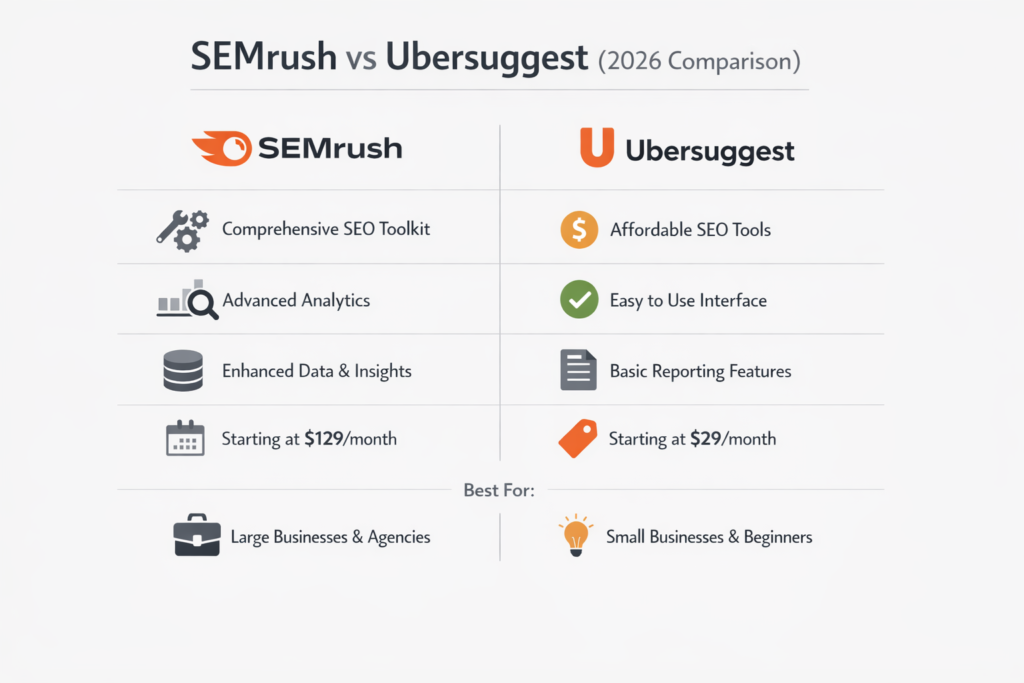
Picking between these two tools is not just about features. It is about what you actually need right now — and what you will need six months from now. I spent 18 months running both tools on the same campaigns, and the differences go way deeper than price. Here is a quick side-by-side to show you exactly where each one stands.
| Feature | 🟠 Ubersuggest | 🔵 Semrush |
|---|---|---|
| Starting Price | $29/month | $139.95/month |
| Annual Billing Discount | Not available | 17% off (Pro from $117.33/mo) |
| Lifetime Deal | ✅ Yes (one-time payment) | ❌ No |
| Free Trial | 7 days | 14 days |
| Best For | Bloggers, freelancers, beginners | Agencies, enterprises, advanced teams |
| Keyword Database | Undisclosed (smaller) | 26.4 billion keywords |
| Keyword Tracking | Up to 300 keywords | Up to 5,000 keywords |
| Site Audit Limit | Up to 10,000 pages | Up to 1,000,000 pages |
| Interface | Simple, beginner-friendly | Powerful but complex |
| PPC Tools | Basic | Advanced (full ad research suite) |
| Content Marketing Tools | Limited | Full suite (Guru plan and above) |
| API Access | ❌ No | ✅ Yes (Business plan) |
| Countries Supported | 137 countries | 190+ countries |
| My Honest Take | Great starting point. Hits its ceiling fast on bigger projects. | Worth every dollar — if you actually use what it offers. |
Price was the first thing that stopped my client mid-conversation. Ubersuggest is genuinely one of the most affordable tools in the SEO space right now. Semrush is the opposite — it plays in the same league as Ahrefs, Moz Pro, and SerpStat, and your wallet will feel it. I have paid for both at the same time, and I can tell you the price difference is just the beginning of the story.
When I first looked at Ubersuggest pricing I was honestly impressed. Three clean plans, starting at just $12 a month and topping out at $40. Perfect for small and medium sized businesses on a budget. But here is the one thing that caught me off guard — there is no annual plan. No discount for paying upfront. Just a flat monthly rate every single month.
Why?
What makes Ubersuggest different is not just the price it is the lifetime deal. Monthly payments are stressful when you are a small business waiting on SEO results. A one-time payment fixes that. You pay once and move on. No renewals knocking at your door every month. It works best if you are managing under 15 projects and need reliable keyword research without all the expensive extras. Neil Patel built this for beginners and the pricing makes that very clear.
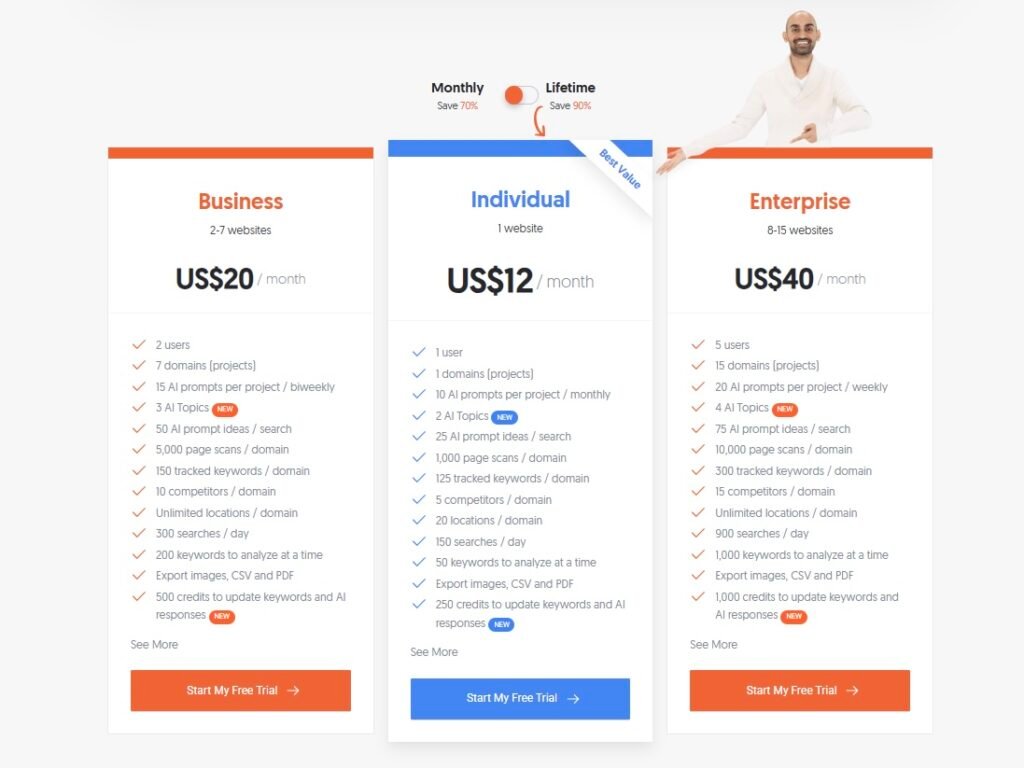
Ubersuggest offers a lifetime deal that most SEO tools simply do not have. Pay once and never worry about monthly bills again. Here is exactly what each plan gets you.
| Feature | Individual | Business | Enterprise |
|---|---|---|---|
| Lifetime Price | $120 | $200 | $400 |
| Monthly Fees | ✅ None | ✅ None | ✅ None |
| Websites | 1 website | 2–7 websites | 8–15 websites |
| Users | 1 user | 2 users | 5 users |
| Page Scans / Domain | 1,000 pages | 5,000 pages | 10,000 pages |
| Tracked Keywords / Domain | 125 keywords | 150 keywords | 300 keywords |
| Competitors / Domain | 5 competitors | 10 competitors | 15 competitors |
| Locations / Domain | 20 locations | Unlimited | Unlimited |
| Daily Searches | 150 searches | 300 searches | 900 searches |
| Keywords to Analyze at Once | 50 keywords | 200 keywords | 1,000 keywords |
| AI Credits | 200 credits | 500 credits | 700 credits |
| Export (Images, CSV, PDF) | ✅ Yes | ✅ Yes | ✅ Yes |
| Best For | Solo bloggers and beginners | Small agencies and growing teams | Established agencies and consultants |
One thing I appreciate about Ubersuggest is that they let you try before you buy. There is a basic free plan that covers everyday searches — nothing fancy but enough to get a feel for the tool. And if you want to go deeper without the risk, the 7-day free trial gives you full access. Cancel within 7 days and you get a complete refund. I have seen too many tools make that process painful. Ubersuggest keeps it clean.
I will be honest. The first time I saw Semrush pricing I hesitated. Three plans, all sitting at a premium price point. Their most basic option already costs more than what you would pay once for Ubersuggest forever. But after using it on real campaigns I understood why. The tools are deeper, the data is more accurate, and the competitive research alone saves hours of manual work every week.
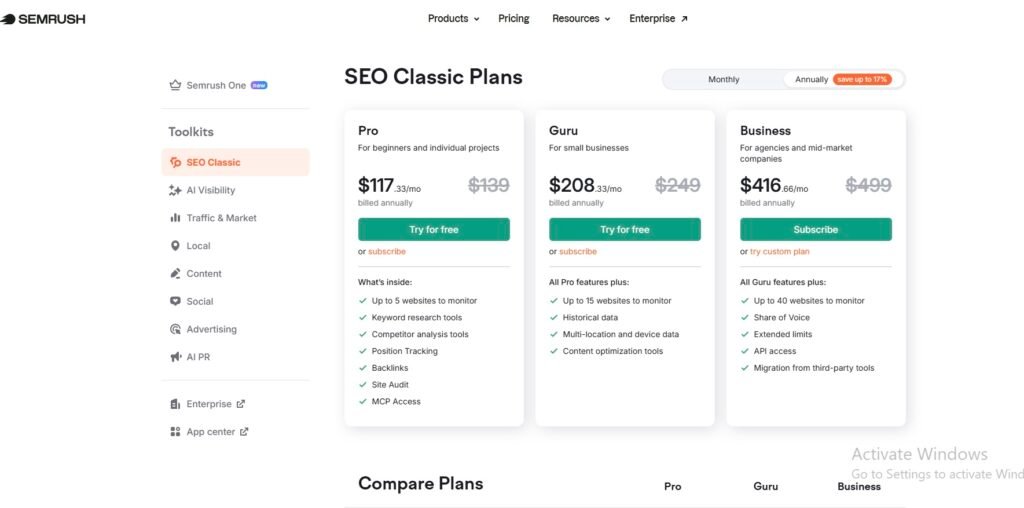
Semrush offers three SEO Classic plans. You can pay monthly or save up to 17% by going annual. Here is exactly what each plan costs and what you get with it.
| Feature | 🥉 Pro | 🥈 Guru | 🥇 Business |
|---|---|---|---|
| 💳 Pricing | |||
| Best For | Beginners and individual projects | Small businesses | Agencies and mid-market companies |
| Monthly Price | $139/mo | $249/mo | $499/mo |
| Annual Price | $117.33/mo (billed annually) |
$208.33/mo (billed annually) |
$416.66/mo (billed annually) |
| Annual Savings | Save $260/year | Save $488/year | Save $978/year |
| Free Trial | ✅ 14 days | ✅ 14 days | ❌ Subscribe only |
| ⚙️ Core Features | |||
| Websites to Monitor | Up to 5 | Up to 15 | Up to 40 |
| Keyword Research Tools | ✅ Yes | ✅ Yes | ✅ Yes |
| Competitor Analysis | ✅ Yes | ✅ Yes | ✅ Yes |
| Position Tracking | ✅ Yes | ✅ Yes | ✅ Yes |
| Backlinks | ✅ Yes | ✅ Yes | ✅ Yes |
| Site Audit | ✅ Yes | ✅ Yes | ✅ Yes |
| MCP Access | ✅ Yes | ✅ Yes | ✅ Yes |
| 🚀 Advanced Features | |||
| Historical Data | ❌ No | ✅ Yes | ✅ Yes |
| Multi-Location and Device Data | ❌ No | ✅ Yes | ✅ Yes |
| Content Optimization Tools | ❌ No | ✅ Yes | ✅ Yes |
| Share of Voice | ❌ No | ❌ No | ✅ Yes |
| Extended Limits | ❌ No | ❌ No | ✅ Yes |
| API Access | ❌ No | ❌ No | ✅ Yes |
| Migration from Third-Party Tools | ❌ No | ❌ No | ✅ Yes |
| My Honest Take | Good starting point but limits kick in fast on bigger projects | The sweet spot for most small businesses and growing teams | Built for agencies — every dollar is justified if you use it fully |
Before we compare, let’s understand both platforms
Ubersuggest is a simple and affordable SEO tool that helps you grow your website traffic.
It allows you to find keyword ideas, check search volume, and see how hard it is to rank.
You can also analyze your competitors and discover what keywords they are using.
The tool gives basic backlink data and site audit reports to improve your SEO.
Overall, it’s a great option for beginners and small businesses who want easy-to-use SEO insights.
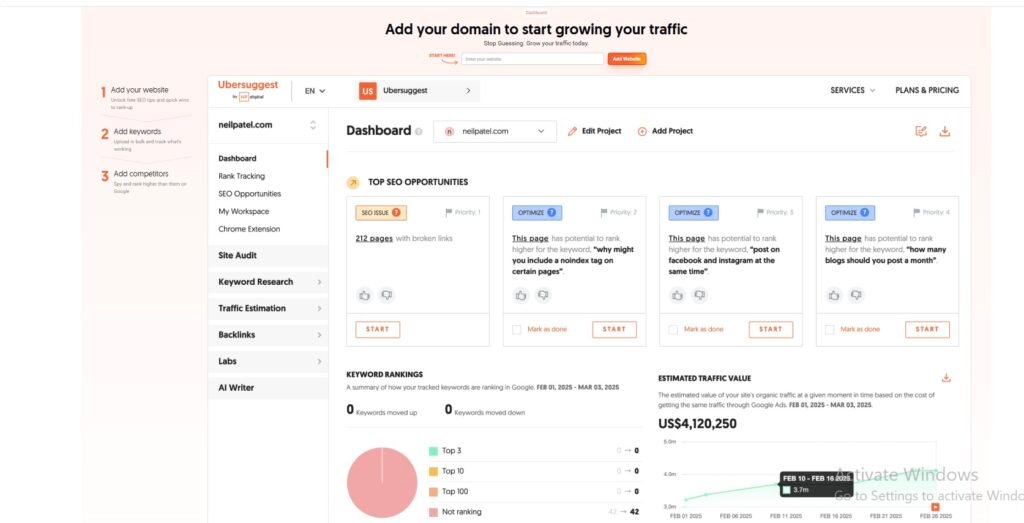
What I like most about Semrush is its powerful competitive analysis, which shows exactly what strategies top websites are using.
Its keyword research tool is very detailed and helps me find high-traffic and low-competition keywords easily.
I also use it for content ideas, as it suggests topics that are trending and SEO-friendly.
The link building tools are excellent for finding backlink opportunities and improving authority.
Overall, Semrush feels like a complete SEO toolkit that gives deep insights and real competitive advantage.
Semrush can feel a bit confusing when you first use it, especially for beginners.
But once you understand it, the tool is very powerful and gives accurate data.
It has many features that help with SEO, ads, and competitor research in one place.
You can use it for big websites or even global marketing campaigns easily.
Overall, it’s worth the price because it helps you stay ahead of your competitors.
Semrush is a complete SEO tool that we use every day.
It helps us with advanced competitor analysis, keyword tracking, and detailed site audits.
We also use its content marketing tools, PPC data, and backlink gap analysis, which are very powerful.
These features are not as strong or available in Ubersuggest.
That’s why we clearly understand the real differences between both tools.
What makes Semrush a better choice than Ubersuggest
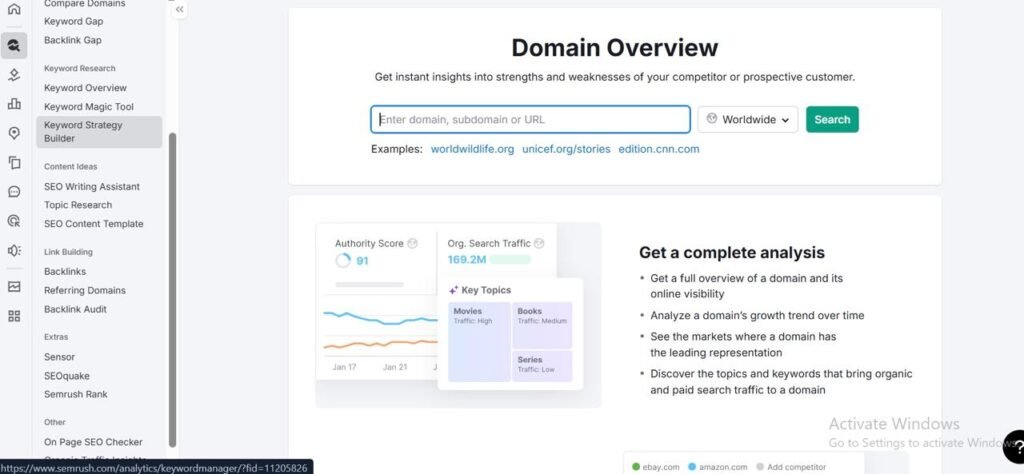
Semrush’s Domain Overview tool gives a complete picture of any website in just a few seconds. You can see traffic, top keywords, backlinks, and competitor data all in one place. It works for websites from different countries, so you can analyze global competitors easily. The data is detailed and more advanced compared to many other SEO tools. This makes it very useful for quickly understanding how a website is performing and where it stands in the market.
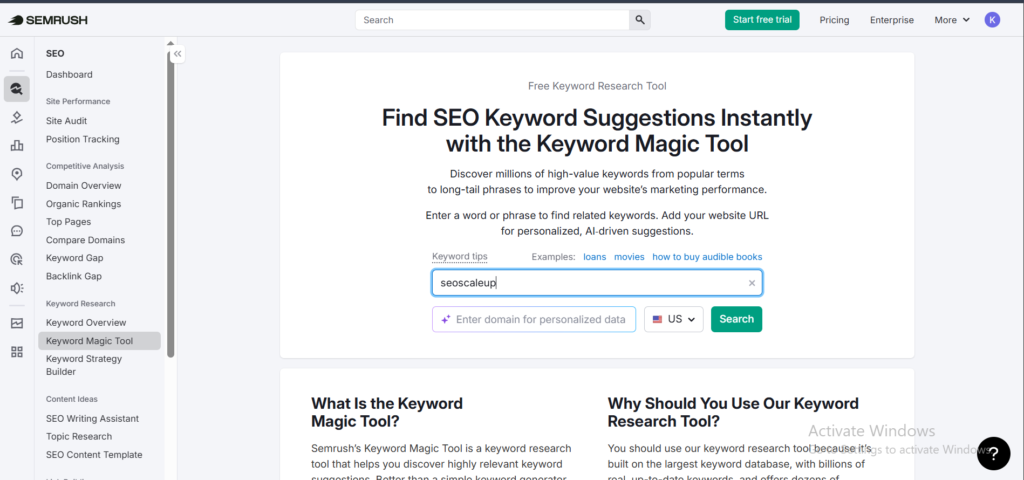
Semrush’s Keyword Magic Tool makes keyword research very easy and powerful.
It gives you thousands of keyword ideas based on just one search.
You can see search volume, keyword difficulty, and trends in one place.
It also helps you find long-tail keywords that are easier to rank for.
Overall, it saves time and helps you choose the best keywords for your content.
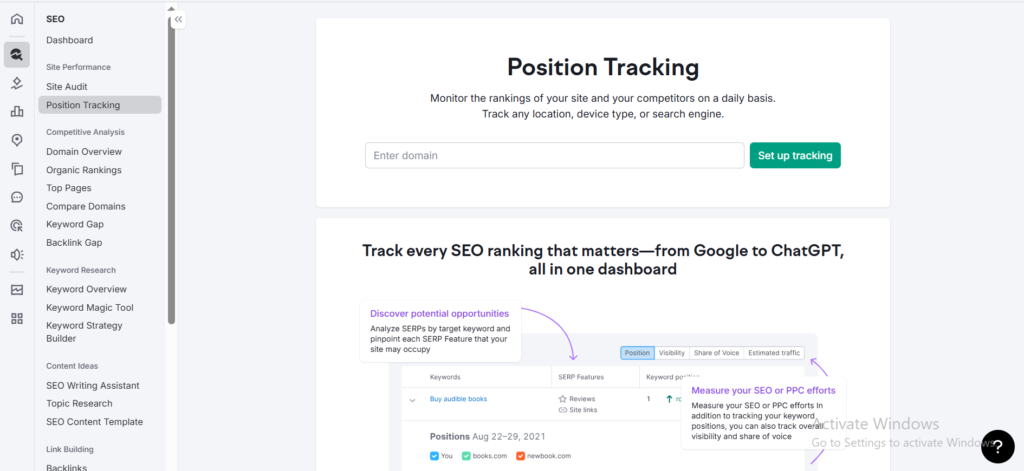
Semrush’s Position Tracking tool helps you see how your keywords are ranking every day.
It shows whether your rankings are going up or down over time.
You can track keywords for different locations and devices easily.
The data is very accurate, which helps you understand your SEO performance better.
This makes it easier to improve your strategy and stay ahead of competitors.
Semrush’s Site Audit tool checks your website for SEO problems quickly.
It can scan thousands of pages and find errors that affect your rankings.
You can see issues like broken links, slow pages, and missing tags.
The tool also gives suggestions to fix these problems step by step.
This helps you improve your website health and overall SEO performance.
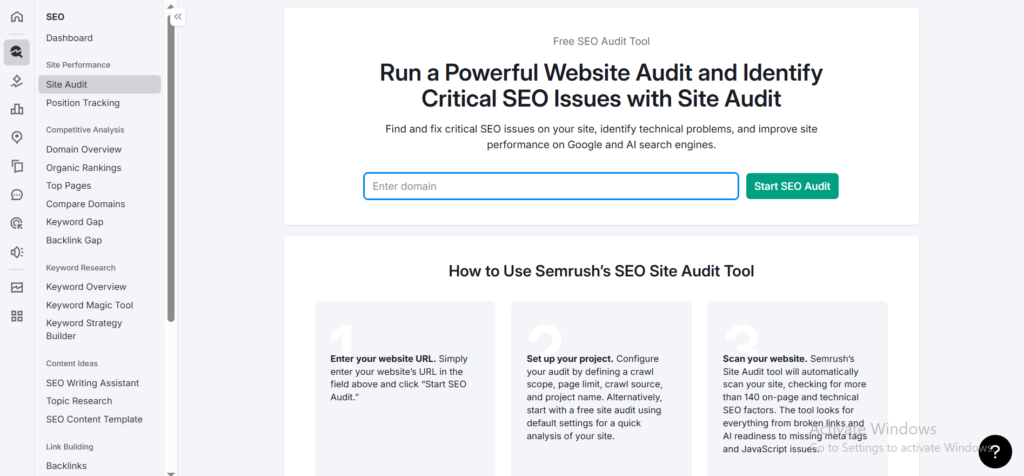
Semrush’s Backlink Analytics tool helps you understand your website’s backlinks in detail.
You can see who is linking to your site and how strong those links are.
It shows authority scores, anchor text, and referring domains clearly.
This helps you find good links and remove harmful ones.
It’s very useful for improving your website’s trust and ranking.
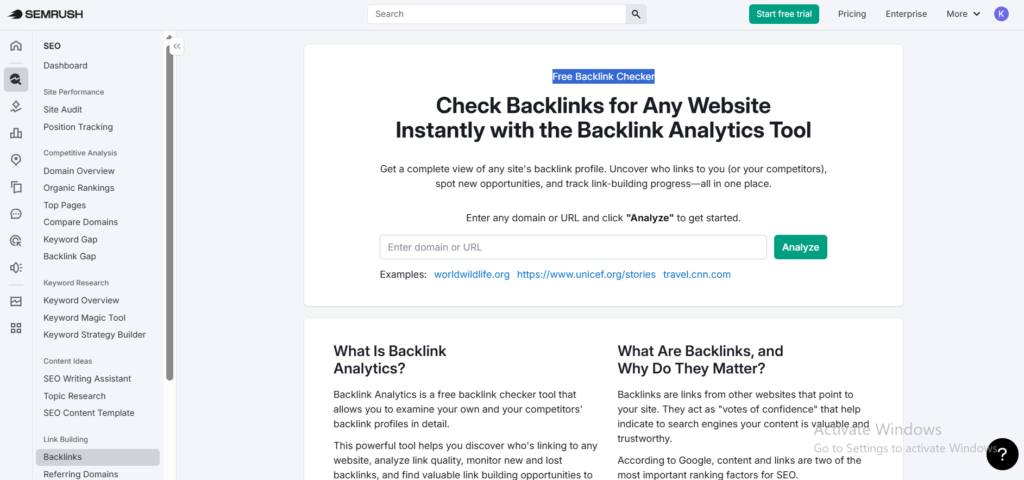
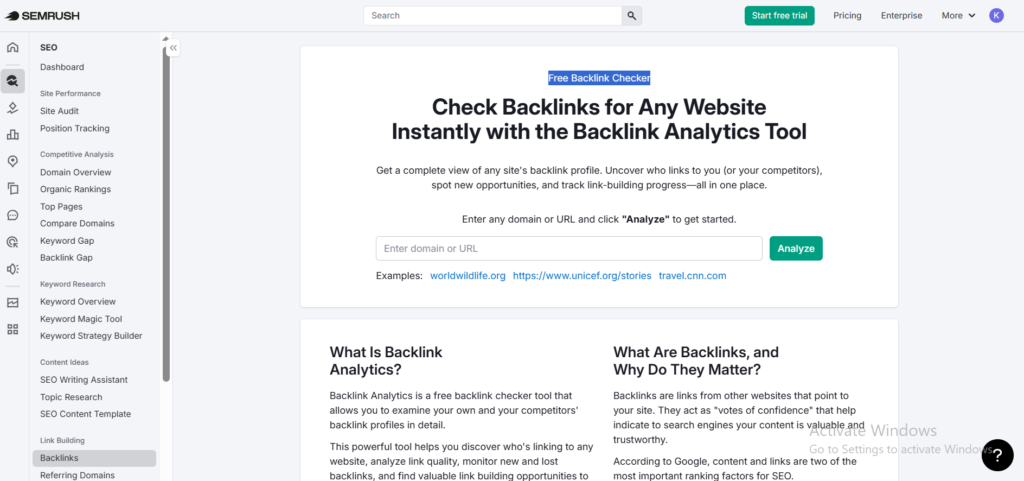
Semrush’s Backlink Gap tool helps you find links that your competitors have but you don’t.
It compares multiple websites and shows missed backlink opportunities.
This makes it easier to understand where your competitors are getting their links from.
You can use this data to build better backlinks for your own site.
It’s a smart way to grow your authority and improve rankings.

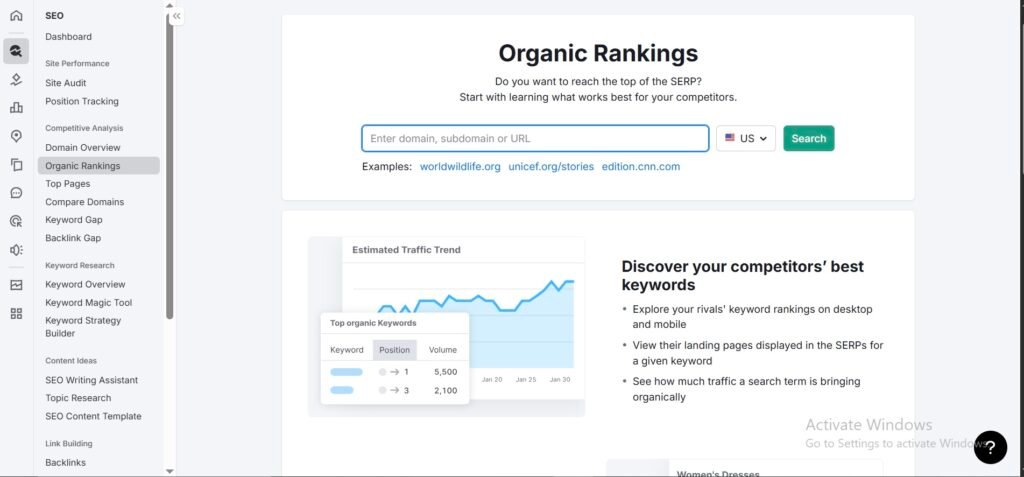
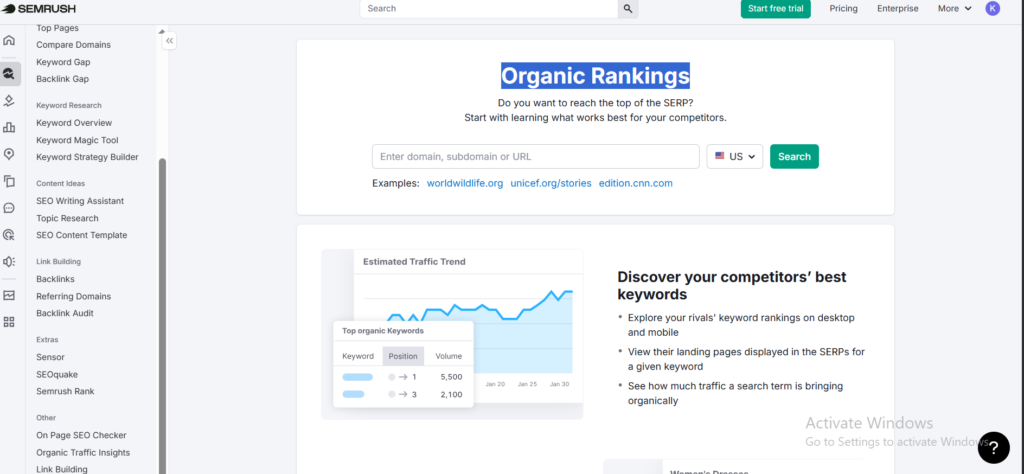
Semrush’s Organic Research tool helps you see what keywords your competitors are ranking for.
It shows their top pages and how much traffic they are getting.
You can easily find which keywords bring them the most visitors.
This helps you discover new keyword ideas for your own content.
It’s a great way to learn from competitors and improve your SEO strategy.
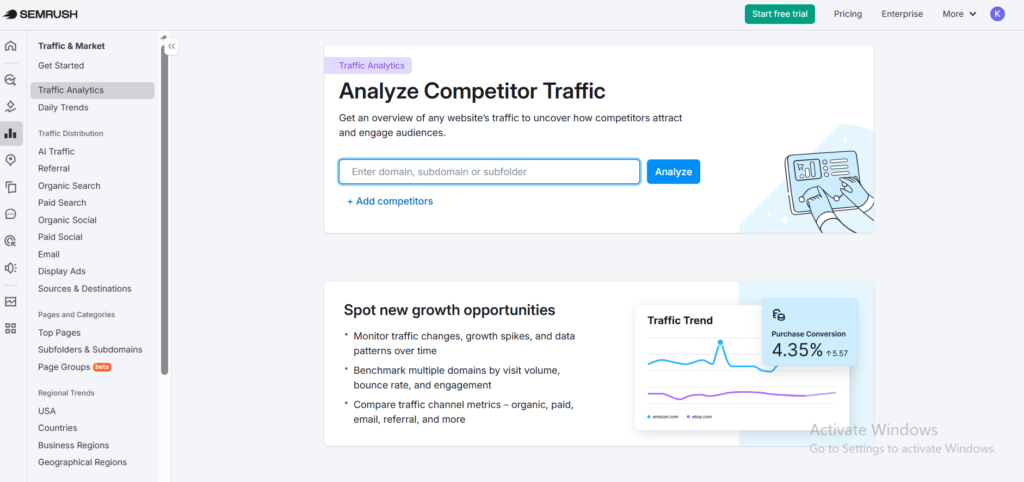
Most SEO tools tell you what keywords a competitor ranks for. Semrush’s Traffic Analytics goes a step further — it tells you where their visitors actually come from and how those visitors behave once they arrive.
You can break down any competitor’s traffic by channel: organic search, paid ads, social media, direct, and referrals. This matters more than people realize. A site ranking for the same keywords as you might be getting 60% of its traffic from email newsletters — something you’d never know just by looking at keyword data.
What I found most useful in real campaigns was the engagement data. You can see average visit duration, bounce rate, and pages per visit for competitor sites. If a competitor has a lower bounce rate than your client, that’s a signal their content or UX is doing something better — and it’s worth investigating why.
The tool also shows traffic trends over time, so you can spot if a competitor is growing fast, declining, or just holding steady. I’ve used this to catch algorithm impact on competitor sites before my clients even asked about it.
It’s not perfect — these are estimates, not exact numbers. But for competitive strategy, it gives you a directional picture that keyword data alone simply can’t.
Even though Semrush is more powerful, Ubersuggest has some points that attract users.
It is more affordable and easier to learn.
The tool focuses on simple features without too much complexity.
This is helpful for people who don’t need advanced data.
So for basic SEO needs, Ubersuggest can still be a good option.
Neil Patel built Ubersuggest for one simple reason — not everyone can afford a $500/month SEO tool.
What started as a basic keyword tool has grown into a proper SEO platform. Today it handles keyword research, site audits, backlink checking, and content ideas — all in one place. Nothing fancy. Nothing overwhelming. Just the stuff you actually need.
And that’s exactly the point.
Ubersuggest is built for real people. The blogger writing on weekends. The freelancer juggling five clients. The small business owner who just wants more Google traffic without hiring an agency. If that sounds like you, this tool was made with you in mind.
The best part? You can figure it out on day one. No training videos. No confusing dashboards. Just log in, type a keyword, and start getting useful data in minutes. For beginners, that kind of simplicity is worth a lot.
Then there’s the lifetime deal — something almost no other SEO tool on the market offers. Pay once, use it forever. No monthly bills eating into your budget. No surprise renewals. Just one payment and you’re done. For freelancers and small business owners, that alone is a game changer.
But here’s the honest part — Ubersuggest has limits. The keyword database is smaller. The site audit struggles on bigger websites. And if you need PPC research or advanced content tools, you won’t find them here.
It’s a focused tool. Great when it fits. But once your projects get bigger, you’ll start bumping into its ceiling pretty quickly.
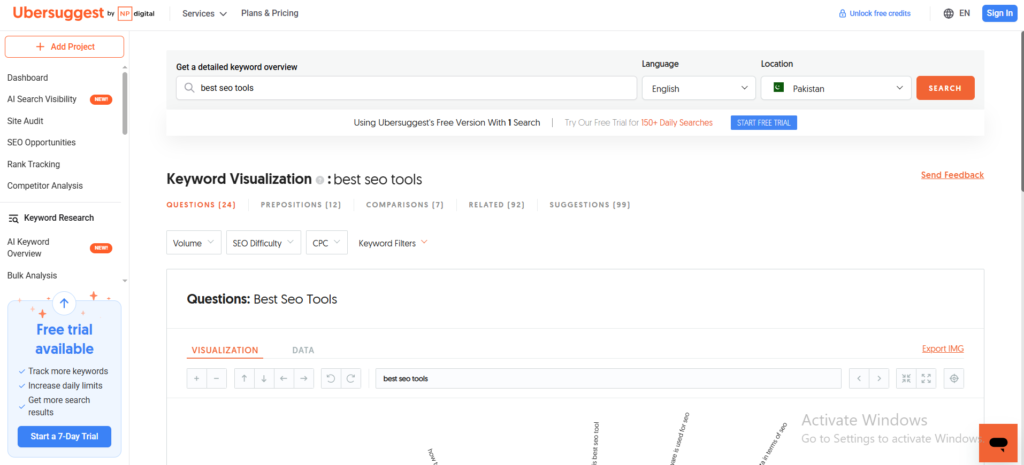
Ubersuggest’s Keyword Research tool helps you find new keyword ideas.It shows search volume, SEO difficulty, and CPC in one place.
You can discover both short and long-tail keywords easily.
The data is simple and easy to understand for beginners.
It helps you choose the right keywords for your content.
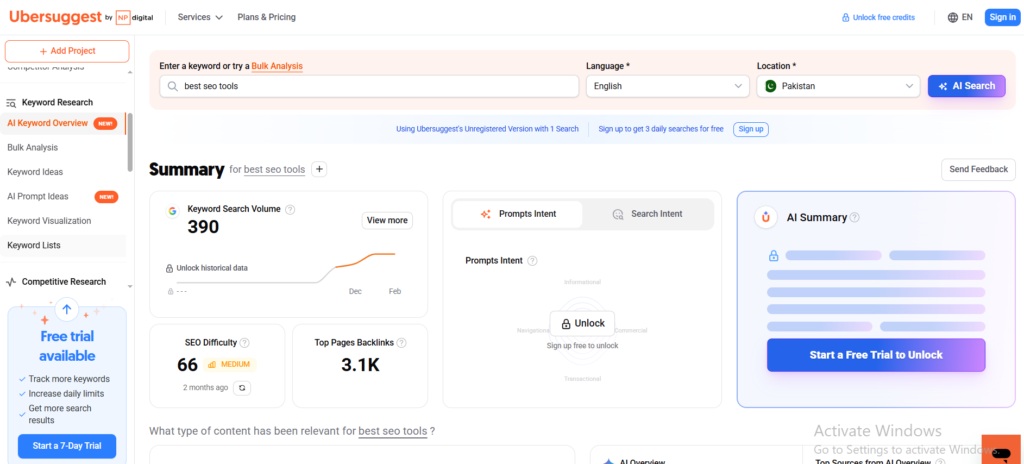
Ubersuggest’s AI Prompt Ideas feature helps you discover what people are searching for.
It shows real questions and prompts related to your keyword.
You can use these ideas to create better blog posts and content.
It saves time by giving ready-to-use content topics.
This makes content planning easier, especially for beginners.
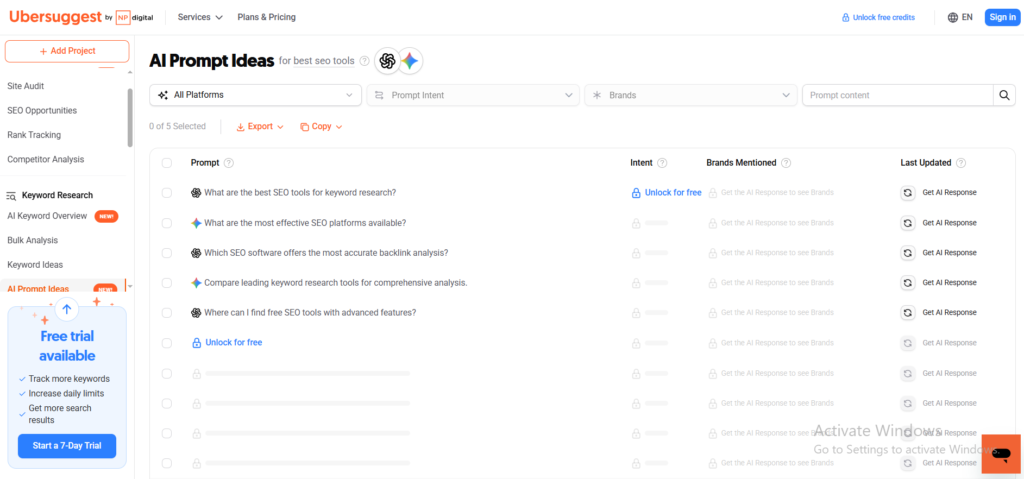
Ubersuggest’s Keyword Visualization feature shows keyword ideas in a visual format.
It groups keywords into questions, comparisons, and related searches.
This helps you understand what users are actually searching for.
You can quickly find content ideas without checking each keyword manually.
It makes keyword research more clear and easier to explore.
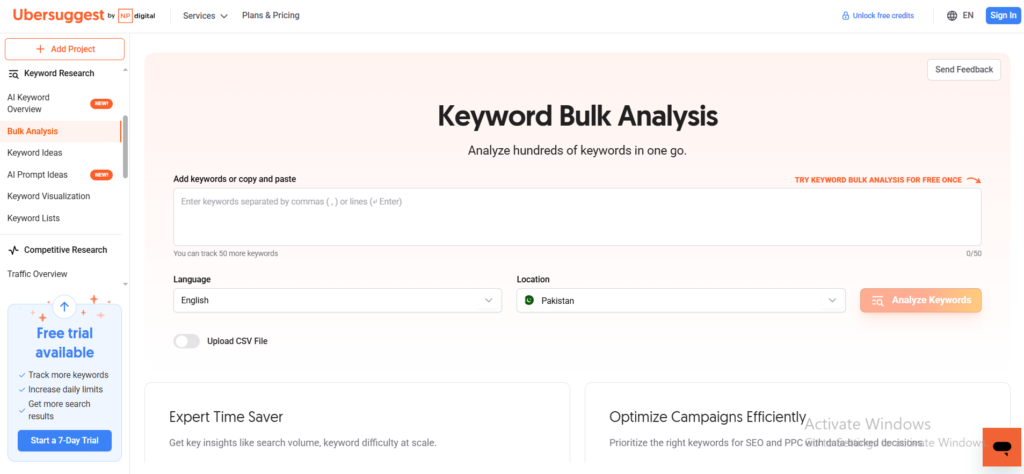
Ubersuggest’s Keyword Bulk Analysis feature lets you analyze many keywords at once.
You can add multiple keywords and get data in one report.
It shows search volume, SEO difficulty, and CPC for all keywords.
This saves a lot of time compared to checking keywords one by one.
It’s very useful for handling large SEO projects quickly
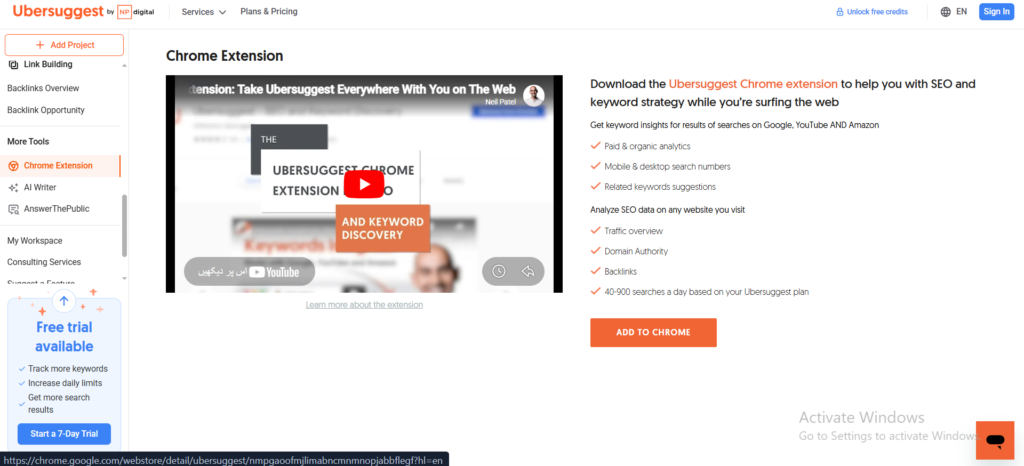
Ubersuggest’s Chrome Extension shows SEO data directly on Google search results.
You can see keyword volume, SEO difficulty, and CPC instantly.
It also displays website traffic, backlinks, and domain authority.
This helps you analyze competitors without opening the full tool.
It saves time and makes quick SEO analysis very easy.
Here is the truth. There is no universally better tool. There is only the right tool for your situation.
If you are just starting out, running one website, or working with a tight budget — go with Ubersuggest. It does the basics well, it is easy to figure out, and the lifetime deal means you pay once and never think about it again. For a beginner that is a huge win.
But if you are managing multiple clients, running serious SEO campaigns, or need data you can actually trust at scale — Semrush is worth every dollar. Yes it costs more. But the depth of data, the accuracy of the tools, and the time it saves you every single week more than justifies the price.
I have used both. I still use both depending on the client. And that alone tells you everything you need to know.
By now you should have a pretty clear picture of which tool fits your situation. The differences between Ubersuggest and Semrush are real and choosing the wrong one can cost you both time and money.
The good news is you do not have to decide blind. Ubersuggest gives you 7 days free to see if it clicks with your workflow. No pressure, no long commitment. And if Semrush feels like the right fit, their 14-day free trial gives you enough time to explore everything it has to offer before spending a single dollar.
Try before you buy. Then decide with confidence.
Still have questions? Here are the ones I get asked the most about these two tools.
Q: Is Ubersuggest cheaper than Semrush?
Yes — by a lot. Ubersuggest starts at $29 per month while Semrush starts at $139.95 per month. Ubersuggest also offers a lifetime deal starting at $120 which no other major SEO tool comes close to. If budget is your main concern Ubersuggest wins this one easily.
Q: Does Semrush offer a free trial?
Yes. Semrush offers a 14-day free trial on their Pro and Guru plans. That gives you two full weeks to test the tools before committing to a paid plan. Ubersuggest also offers a 7-day free trial plus a limited free plan you can use without paying anything at all.
Q: Which tool is better for beginners?
Ubersuggest is the better choice for beginners. The interface is clean and simple and you can figure out most features without any training. Semrush is powerful but it takes time to learn — and that learning curve can feel overwhelming if you are just starting out with SEO.
Q: Can Ubersuggest replace Semrush?
For basic keyword research and simple site audits — yes. But for deep competitor analysis, advanced backlink research, PPC tools, and large scale reporting — no. I tried replacing Semrush with Ubersuggest on two client campaigns and hit the limits fast. They are not the same level of tool and that gap shows when campaigns get serious.
Q: Which tool has better keyword research?
Semrush wins here. With a database of over 26 billion keywords it goes much deeper than Ubersuggest. That said Ubersuggest is not bad for keyword research — it gives you solid suggestions and basic data that works well for blogs and small websites. If you need serious keyword depth for competitive markets Semrush is the better choice.
Q: Is the Ubersuggest lifetime deal worth it?
For bloggers, freelancers, and small business owners — absolutely. You pay once and never worry about monthly bills again. The Individual plan at $120 covers one website with solid keyword research and tracking. If you are managing under 15 projects and do not need enterprise level features it is one of the best value deals in the SEO tools market right now.
Q: Which tool should I pick for my agency?
Semrush — without hesitation. If you are managing multiple clients and need reliable data, white label reports, advanced competitor research, and tools that scale with your workload Semrush is built for that. Ubersuggest hits its limits too quickly when you are juggling more than a handful of projects at once.
Q: Which tool should I start with if I have never used an SEO tool before?
Start with Ubersuggest. It is beginner friendly, affordable, and gives you everything you need to learn the basics of SEO without feeling overwhelmed. Use the free plan or grab the 7-day trial first. Once you understand how SEO tools work and your projects start growing you can always move to Semrush when the time is right.