
By Khaleeque Zaman | SEOScaleUp Updated: May 2026 | 9 min read
Let me tell you how most keyword research tool articles get written.
Someone opens a few product pages, copies the feature list, slaps a comparison table together, and calls it a review. You end up with a post that tells you SEMrush has “25 billion keywords” and Ahrefs has a “36 trillion backlink index” — which is true, and also completely useless for deciding which one you should actually open tomorrow morning.
I’ve run keyword research across 120+ campaigns. I’ve used these tools on real sites with real clients who needed rankings to move. This post is what I actually learned — including what each tool is genuinely bad at, which is the part every other list skips.
What keyword research actually means in 2026
Before the list: keyword research has changed more in the last two years than in the decade before that.
AI Overviews are now absorbing 30–40% of clicks on informational queries. That means a keyword with 8,000 monthly searches might only generate 1,200 clicks to actual websites — because Google answers it in the overview box. Volume numbers lie more than they used to.
Search intent has become the main event. Google doesn’t want the page that mentions a keyword the most. It wants the page that best answers what someone typing that keyword actually wants — which is sometimes completely different from what the keyword itself suggests.
Topic clusters matter more than individual keywords. A page ranking for one term inside a well-structured topical cluster consistently outperforms an isolated page targeting the same term with better on-page optimisation. The best tools now help you think in clusters, not just keywords.
If a keyword research tool doesn’t show you click data, intent signals, and some way to think about content architecture — it’s a 2019 tool wearing 2026 clothes.
The tools — honest takes from real use
1. SEOScaleUp — Best for content architecture and finding what you’re missing
Price: Free tools available | Paid plans available Best for: Topic clusters, keyword gaps, cannibalization, local keyword research
I’ll be upfront: I built this. I built it because I kept hitting the same wall with every other tool on this list — they’re great at showing you keyword data but terrible at helping you figure out what to actually do with it.
The specific problems SEOScaleUp solves that other tools don’t:
Topic Cluster Builder. You enter a target keyword and it maps out the full content architecture — pillar page, supporting articles, the subtopics you’re missing, and how everything should connect. Other tools show you related keywords. This shows you what your site’s structure should look like. That’s a different thing.

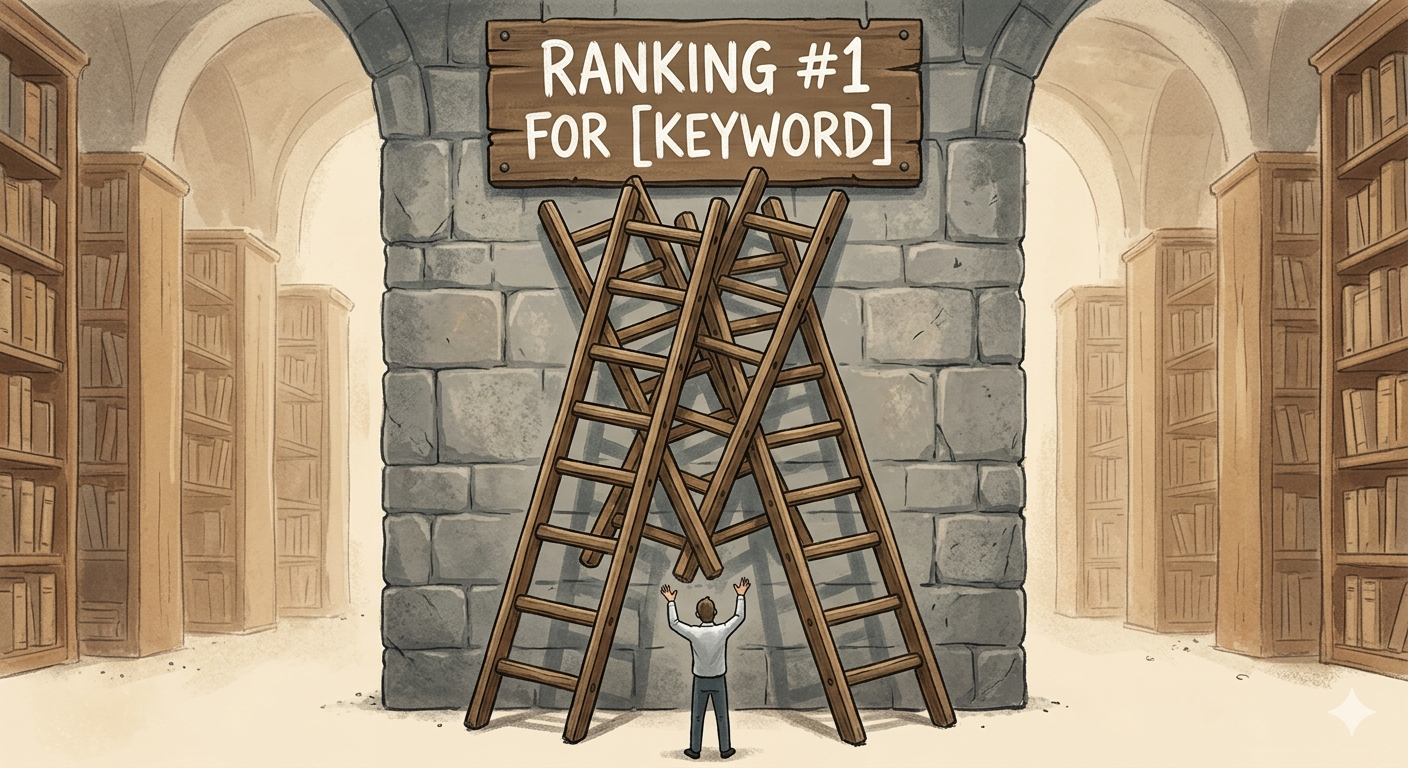
Keyword Cannibalization Checker. If your site has been live for more than a year, you almost certainly have pages competing against each other for the same keyword. Most tools won’t tell you this. This one scans the entire site and surfaces every conflict. I’ve seen sites where fixing cannibalization moved rankings more than six months of link building.

Backlink Gap Analyzer. Shows you the keywords competitors rank for where they have links you don’t — specific to the gap between your site and theirs, not just a generic competitor analysis.
Local keyword research. Built-in local rank tracker and citation finder alongside keyword tools. Useful if you’re doing any local SEO work.
Google Search Console integration. Pulls your real impression and click data, so you’re researching against your actual site performance rather than database estimates.
Where it’s not the right tool: If deep competitive backlink analysis across hundreds of domains is your primary workflow, you’ll want Ahrefs alongside it. The backlink index doesn’t match Ahrefs at scale.
My take: Start here for content planning and gap analysis. Free tools are genuinely functional. Pair with Ahrefs or SEMrush for heavy backlink work.
2. Ahrefs Keywords Explorer — Best for accurate keyword data and click-through reality
Price: From $129/month | Free Webmaster Tools available Best for: Keyword difficulty accuracy, click data, competitive research
Ahrefs is the tool I trust most for raw keyword data accuracy. Two reasons.
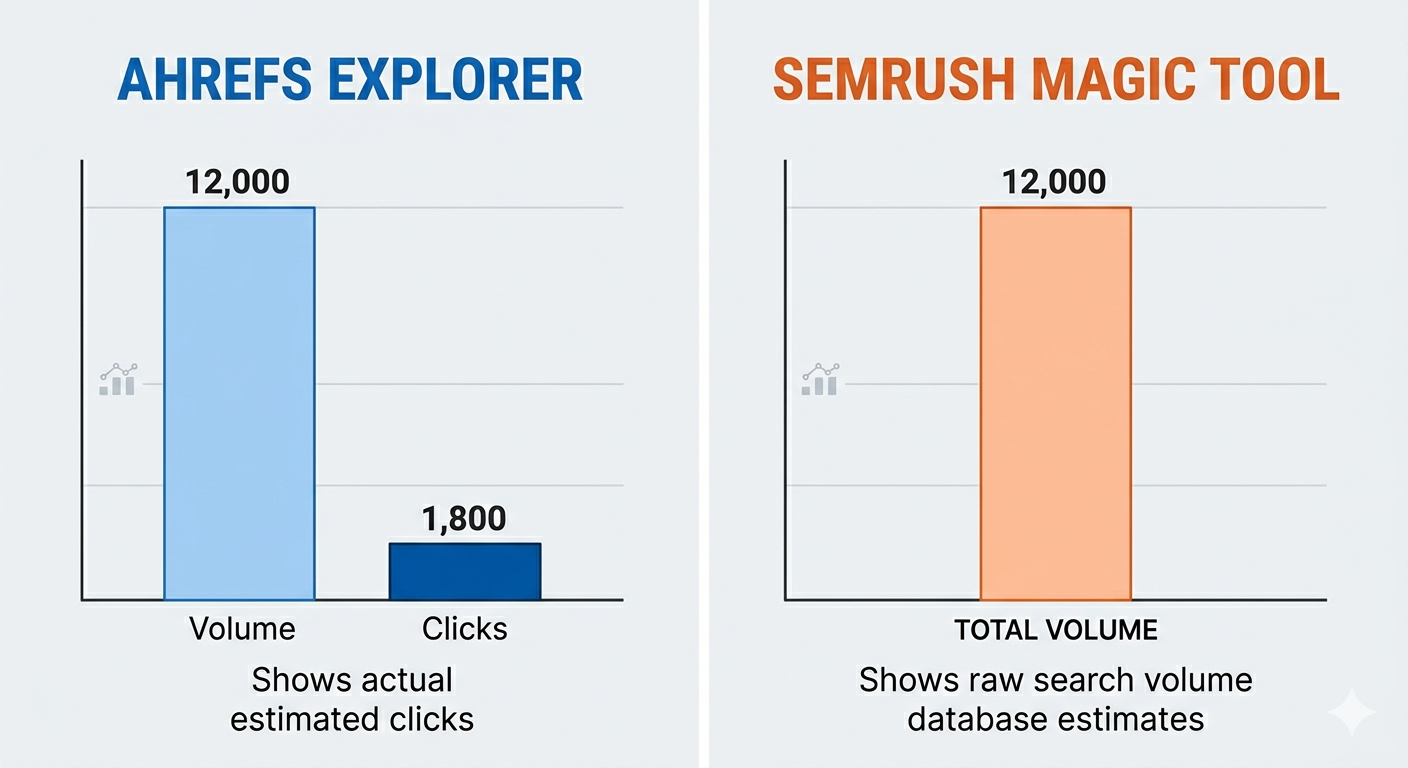
First, it shows actual estimated clicks alongside search volume. A keyword with 12,000 monthly searches might only drive 1,800 clicks if Google’s featured snippet or AI Overview is eating the rest. SEMrush shows you 12,000. Ahrefs shows you 1,800. That difference changes which keywords you prioritise.
Second, the keyword difficulty score is more accurate than most because it’s calculated from the actual backlink profiles of pages currently ranking — not a formula applied to abstract metrics.
What Ahrefs does well beyond Keywords Explorer:
Content Explorer lets you find the most linked-to content on any topic, which is the fastest way to identify link prospecting targets and understand what your competitors’ best-performing content actually is.
Site Explorer gives you a competitor’s full organic keyword footprint — every keyword they rank for, what position, what traffic share — in a few clicks.
Where Ahrefs genuinely falls short: No keyword cannibalization checker. No built-in content architecture or cluster mapping tool. No meaningful local SEO features. PPC data is basic. And there’s no free trial — just Webmaster Tools for your own site.
My take: Best pure keyword research tool for practitioners who need accurate data. Get the free Webmaster Tools first and only upgrade when you’ve outgrown it.
3. SEMrush — Best for agencies and full-funnel keyword strategy

Price: From $139.95/month | 7-day free trial Best for: Large-scale agencies, PPC + SEO combined, client reporting
SEMrush is the most comprehensive marketing platform in this list. It’s not just a keyword tool — it’s a full agency workflow platform that happens to have excellent keyword research built in.
The Keyword Magic Tool is genuinely impressive. Over 25 billion keywords, intent classification (informational, navigational, commercial, transactional), long-tail filtering, and clustering features that group related terms into content themes. For agencies building content strategies across dozens of client verticals, nothing beats it on scale.
What makes SEMrush worth the higher price for agencies specifically:
The Keyword Gap tool compares your keyword profile against up to five competitors simultaneously. You can filter specifically for keywords where multiple competitors rank but you don’t — the highest-priority gaps, identified instantly.
Position tracking with daily updates and competitor monitoring, mobile vs desktop splits, featured snippet tracking, and location-specific rankings.
PPC research that actually works. If clients run Google Ads alongside SEO, SEMrush is the only tool that handles both properly in one platform.
Where SEMrush falls short: The backlink index updates daily — Ahrefs updates every 15-30 minutes. If you’re monitoring live link-building campaigns, that lag is real. The UI is overwhelming for smaller teams and the most useful features are gated behind the $499/month Business plan.
My take: Best choice for full-service agencies. If you’re a solo practitioner or small team, you’ll pay for half of it and use a quarter.
4. Google Keyword Planner — Best free starting point
Price: Free (Google Ads account required) Best for: Initial research, PPC validation, budget-conscious beginners
Most experienced SEOs dismiss Keyword Planner because it gives volume ranges instead of specific numbers unless you’re running active ad campaigns. That criticism is fair but misses the point.
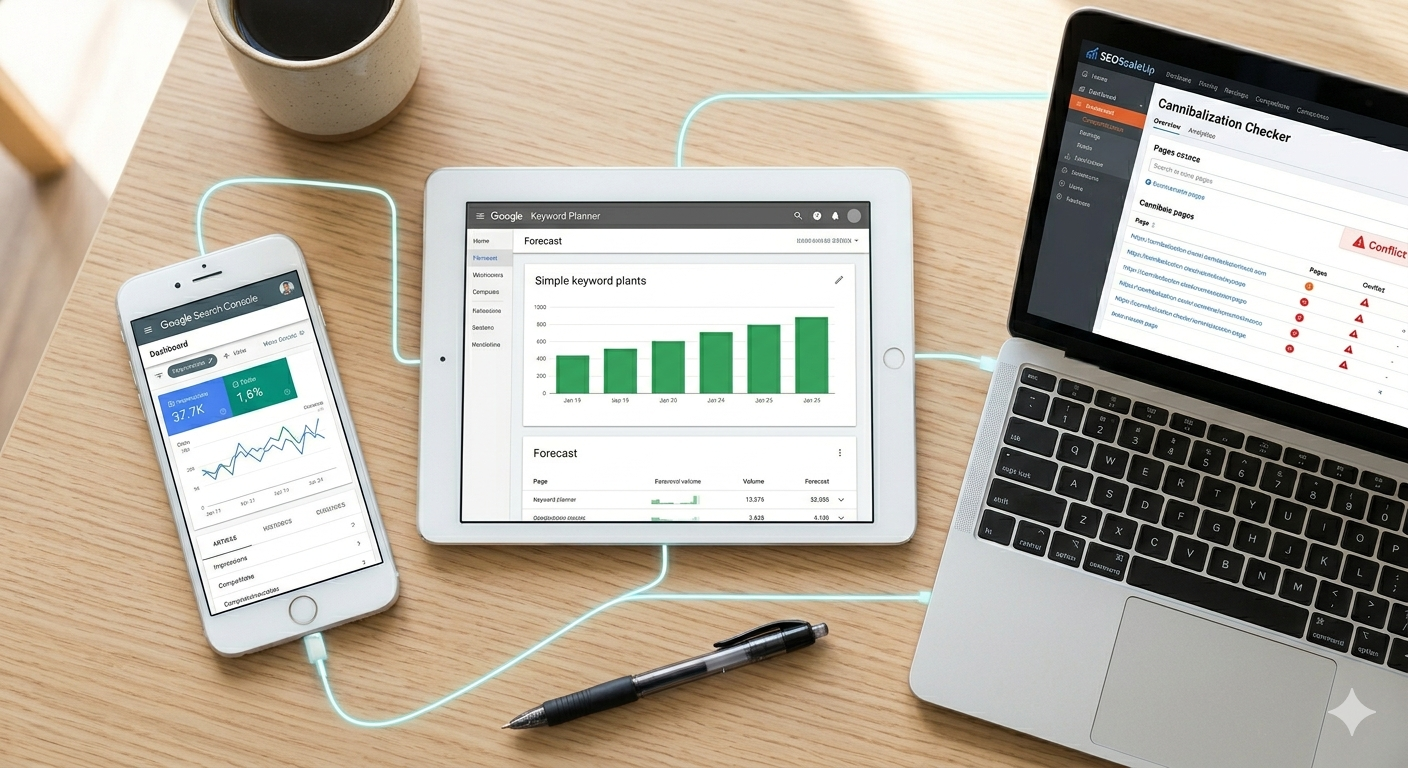
What Keyword Planner has that every other tool on this list doesn’t: data directly from Google. Not estimates. Not third-party modelling. The actual source.
For validating whether a keyword is worth targeting before investing in paid tools, Keyword Planner is genuinely useful. The “refine keywords” feature groups suggestions by theme, which is a crude but functional form of keyword clustering. The seasonal trend data is reliable because it’s pulled from real search behaviour.
The limitations: no keyword difficulty data, no competitor analysis, no click data, no content angle suggestions. It tells you what people search for but not whether you can rank for it or what you’d need to write.
My take: First stop before spending any money on paid tools. Use it to build an initial keyword list, then validate difficulty and competitive landscape in Ahrefs or SEMrush.
5. Mangools KWFinder — Best for beginners and budget-conscious sites

Price: From $29/month Best for: Long-tail keyword research, sites with small to medium budgets
KWFinder does one thing better than tools costing five times as much: finding long-tail keywords with accurate difficulty scores for beginners and smaller sites.
The interface is clean in a way that genuinely matters. When you’re starting out with keyword research, the learning curve on Ahrefs or SEMrush is real. KWFinder shows you what you need — search volume, keyword difficulty, SERP overview — without hiding it behind complexity.
The SERP Simulator is underrated: it previews how your title and meta description will look in Google results, including in AI Overview contexts. Small thing, genuinely useful.
Where it falls short: The backlink data (LinkMiner) doesn’t hold up for competitive niches. No content architecture features. Not an agency tool.
My take: Best entry-level option. Grow out of it into Ahrefs when your budget and complexity increase.
6. Moz Keyword Explorer — Best for understanding what it actually takes to rank

Price: From $99/month | Free (10 queries/month) Best for: Realistic difficulty assessment, SERP analysis
Moz’s keyword difficulty score is calculated differently from everyone else on this list, and it’s worth understanding why.
Most tools calculate keyword difficulty based on the backlink profiles of top-ranking pages. Moz does this too — but it also factors in the Domain Authority and Page Authority of those results, the diversity of linking domains, and an analysis of what those pages actually contain. The result is a difficulty score that answers a more useful question: given your site’s current authority, what would it realistically take to compete for this term?
The Priority score is genuinely useful for beginners. It combines volume, difficulty, and organic click-through rate into a single number, which helps you prioritise without needing to understand every metric individually.
Where Moz falls short: The database is smaller than Ahrefs and SEMrush. Less useful for international keyword research. The free tier limits you to 10 queries per month.
My take: Worth using for the difficulty score specifically before targeting competitive terms. Complement Moz’s difficulty data with Ahrefs volume data for the most useful picture.
How to actually use these tools together
The biggest mistake I see is people treating keyword research as a one-tool job.
Here’s the workflow that’s worked best across the sites I’ve managed:
Step 1 — Find what you’re already close to ranking for. Open Google Search Console. Filter by pages, sort by impressions, look for keywords where you’re appearing in positions 8–25. These are your fastest wins — you’re already indexed for them, you just need the content or link nudge to break the top 5.
Step 2 — Map your content architecture. Before targeting new keywords, run your site through SEOScaleUp’s cannibalization checker. If you have pages competing for the same keyword, fix that before doing anything else. Then use the topic cluster builder to map out what supporting content you’re missing around your main topics.
Step 3 — Validate difficulty and volume. Take your target keywords into Ahrefs Keywords Explorer. Check the actual click data (not just volume), the keyword difficulty score, and the SERP overview to understand who you’re competing with. If you’re targeting competitive terms, check Moz’s difficulty score for a second opinion.
Step 4 — Expand to find gaps. Use SEMrush’s Keyword Gap tool to compare your keyword profile against 2–3 competitors. Filter for keywords where they rank in positions 1–10 but you don’t appear at all. These are your content gap priorities.
Step 5 — Start with Google Keyword Planner. If you’re early stage or budget-constrained, none of the paid tools above are essential on day one. Keyword Planner plus Search Console covers 80% of what you need to start making content decisions. Invest in paid tools when the site is generating enough traffic to justify the data quality upgrade.
The quick reference: which tool for which situation
You’re just starting out, no budget: Google Keyword Planner + Search Console + SEOScaleUp free tools. Free. Covers keyword discovery, cannibalization diagnosis, content gap analysis, and performance tracking without spending anything.
You’re a blogger or affiliate marketer: Mangools for long-tail discovery + SEOScaleUp for content architecture. Under $60/month combined.
You’re doing local SEO: SEOScaleUp for local keyword research, citation work, and local rank tracking. Ahrefs Webmaster Tools for backlinks. Most local SEO needs covered at low cost.
You’re a solo SEO or small agency: Ahrefs Lite + SEOScaleUp. Covers keyword research, competitive analysis, backlinks, content planning, and cannibalization for about $200/month combined.
You’re a full-service agency: SEMrush for client keyword strategy and reporting + SEOScaleUp for content architecture workflows + Screaming Frog for technical audits. This stack covers everything.
The thing that matters more than the tool you pick
I’ve been doing this long enough to watch people cycle through every tool on this list looking for the one that will fix their rankings.
The tool doesn’t fix the strategy.
The most common reason sites don’t rank despite decent keyword research isn’t bad data — it’s that the site has pages competing against each other, the most important pages have no internal links pointing at them, and the content exists in isolation rather than as part of a structured topic cluster.
You can find all of that with the free tools on this list. Fix the structure. Then the keyword research pays off.
Frequently Asked Questions
What is the best free keyword research tool in 2026? Google Keyword Planner is the best free starting point — data comes directly from Google rather than third-party estimates. Pair it with SEOScaleUp’s free cannibalization checker and topic cluster builder for a genuinely useful free research stack.
Is Ahrefs or SEMrush better for keyword research? Ahrefs has more accurate keyword difficulty scores and is the only tool that shows estimated actual clicks rather than raw search volume. SEMrush has a larger keyword database, better intent classification, and is better for agencies managing PPC alongside SEO. For pure keyword research accuracy, Ahrefs. For full-service marketing workflow, SEMrush.
How many keyword research tools do I actually need? Most sites need two at most: one for data (Ahrefs or SEMrush) and one for content architecture and gap analysis (SEOScaleUp). The sites that generate the most organic traffic aren’t running six tools — they’re using two well.
What’s changed about keyword research in 2026? Three things matter more than they did two years ago. Click data — AI Overviews are reducing clicks on many informational queries, so volume numbers now overstate actual traffic potential. Topic clusters — Google rewards sites with clear topical structure, not isolated pages. And search intent — the query and the intent behind it are increasingly different things, and the best tools now help you understand both.
Is Moz Keyword Explorer worth it in 2026? Moz’s difficulty score is the most realistic assessment of what it actually takes to rank for a given term — because it factors in your own site’s authority relative to who’s currently ranking. Worth using specifically for difficulty validation before committing to a competitive keyword. Less useful as your primary keyword discovery tool.
About the author: Khaleeque Zaman is the founder of SEOScaleUp and an SEO strategist with 120+ campaigns across SaaS, e-commerce, local businesses, and content sites. SEOScaleUp is mentioned in this article because it’s part of the stack I genuinely recommend — including where it falls short.
Reviewing digital rating scores helps clarify how facial landmarks relate to one another. Obtaining a free ai face rating score provides an interactive summary of personal structural proportions.
Extracting key takeaways from lengthy posts requires precise summarization directives. Utilizing blog summary drafting agent prompts allows developers to build quick, accurate digest generation pipelines.
Publishers exploring global markets might test a free visual translator for graphics on sample materials. Such software can help adjust foreign phrases on personal digital designs.
Replicating professional studio lighting without physical equipment poses challenges for brands. A free studio product photo generator assists sellers in producing crisp commercial visuals with controlled lighting setups.
Working inside an all-in-one workspace like the Seed Audio 1 voice generator studio enables media producers to fine-tune vocal generation settings for polished audio exports.
To analyze complex musical compositions without manual pitch tracking, you can detect pitch and musical structure directly in your browser using modern web-based audio analysis algorithms.
Read this guide on understanding emergency car lockout kit vs locksmith trade offs to compare potential weather delays against manual entry risks.
Browsing digital flower arrangements online gives artists useful reference images for color schemes and compositions. The web platform yields detailed representations of diverse botanicals with high visual fidelity.
Converting detailed photographs into fuse bead project templates is simplified with a picture to perler bead canvas pattern maker that automatically maps colors to bead collections.
Translating dense layout text usually takes hours, but using free online manga balloon translation software streamlines the process. This approach helps hobbyists understand complex dialogue without ruining visual flow across graphic novel pages.
Integrating the minimax h3 photo to video tool into visual asset workflows makes generating realistic motion effects from high-resolution photo inputs straightforward and quick.
Online video tools provide central hubs for managing prompt inputs and output rendering tasks. If you access the wan 3 video generation platform, you can compare performance across different prompt structures.