
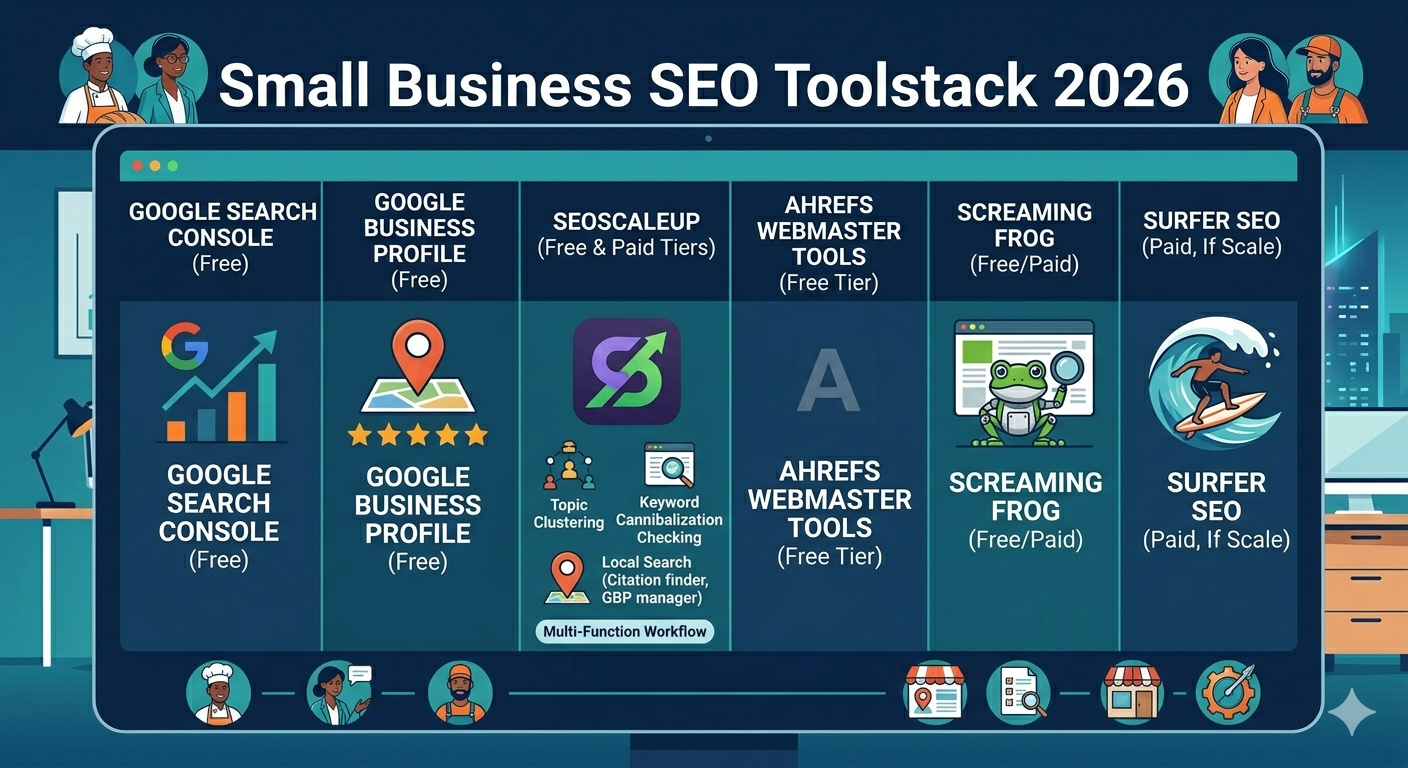
By Khaleeque Zaman | SEO Strategist & Founder, SEOScaleUp Last updated: May 2026 | Reading time: 8 minutes
I want to be upfront about something before you read this.
I’ve run SEO for over 120 businesses — local plumbers, one-person e-commerce shops, family-owned restaurants, solo consultants. Not agencies with $10,000/month budgets. Real small businesses where the owner is also the bookkeeper, the customer service rep, and the person staying up until midnight wondering why their Google rankings haven’t moved.
I’ve watched small business owners waste money on tools built for teams of 20. I’ve also watched them miss out on tools that would have moved their rankings for less than the cost of a monthly lunch. This post is everything I’ve learned from both situations.
No fluff. No affiliate-first rankings. Just what actually works when your budget is real and your time is limited.
Why Most “Best SEO Tools” Lists Get It Wrong for Small Businesses
Here’s the problem with most tool comparison articles: they’re written from an agency perspective. They evaluate tools based on features like white-label reporting, multi-user access, and API integrations — things that matter to a 15-person team but are completely irrelevant to a small business owner who just wants to show up when someone Googles their service.
Small businesses need tools that are:
- Fast to learn — you’re not hiring a dedicated SEO analyst
- Affordable at entry level — $139/month is a lot when margins are tight
- Focused on the right outcomes — local visibility, content gaps, and fixing what’s broken before building what’s new
- Honest about what they can’t do — because no one tool does everything
I’ve tested over a dozen tools against these criteria on real small business accounts. Here’s what I found.
1. SEOScaleUp — Best Starting Point for Small Businesses
Price: Free tools available (no credit card) | Paid plans available Best for: Content gaps, local SEO, keyword cannibalization, topic planning
I’ll be transparent: I built SEOScaleUp. But I built it specifically because I kept hitting the same wall with small business clients — the big tools were either too expensive, too complex, or missing the specific workflows that small businesses actually need.
Here’s what I mean. When I onboarded a local HVAC company last year, the first thing I needed to answer was: which pages on this site are competing against each other and confusing Google? Neither Ahrefs nor SEMrush gave me a clean answer without significant manual work. That’s the problem SEOScaleUp’s cannibalization checker solves — one scan, immediate results, no spreadsheet gymnastics.
The tools that small businesses use most on the platform:
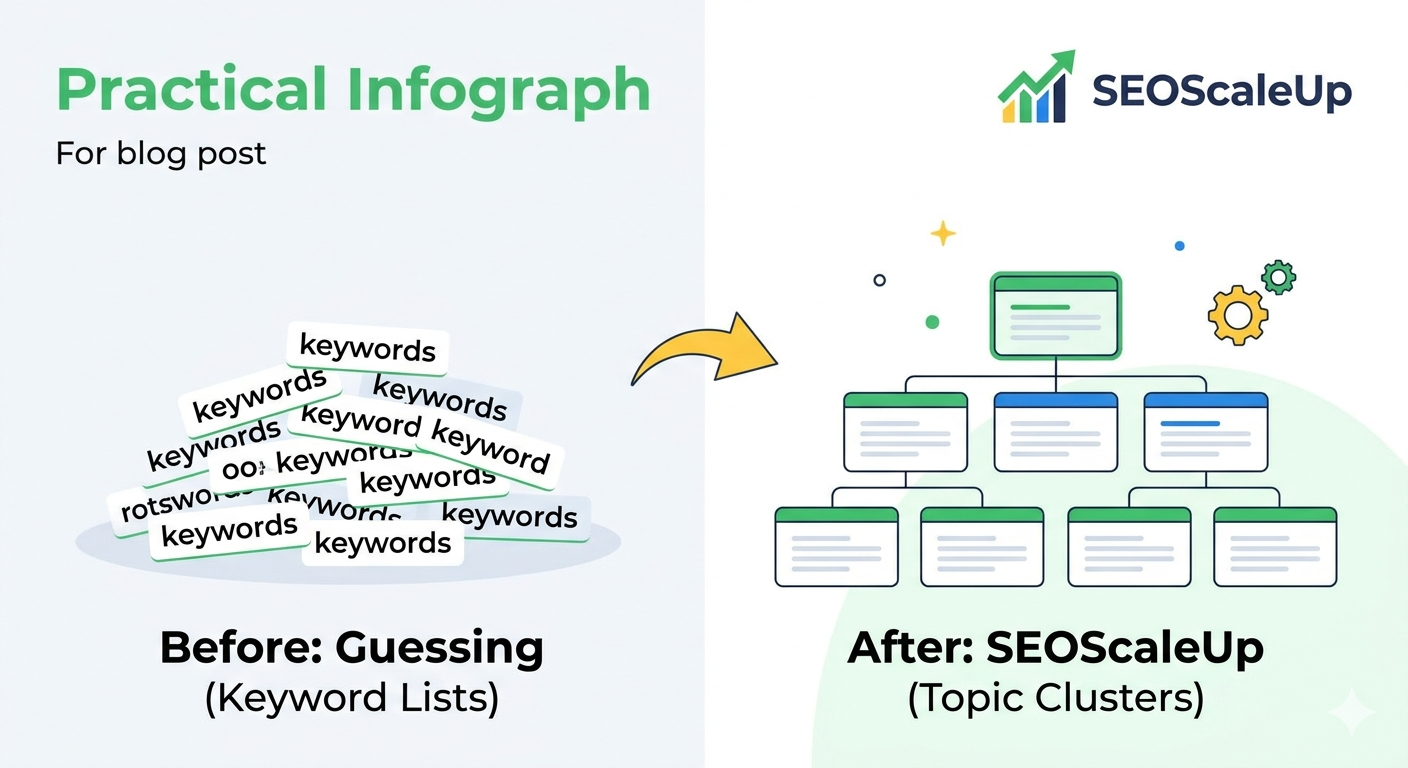
AI Topic Cluster Builder. Instead of just showing keyword volume, it maps out the content architecture a site needs — which supporting articles are missing, what the pillar page should cover, how the structure should connect. For a small business trying to figure out what to write next, this is the difference between guessing and knowing.
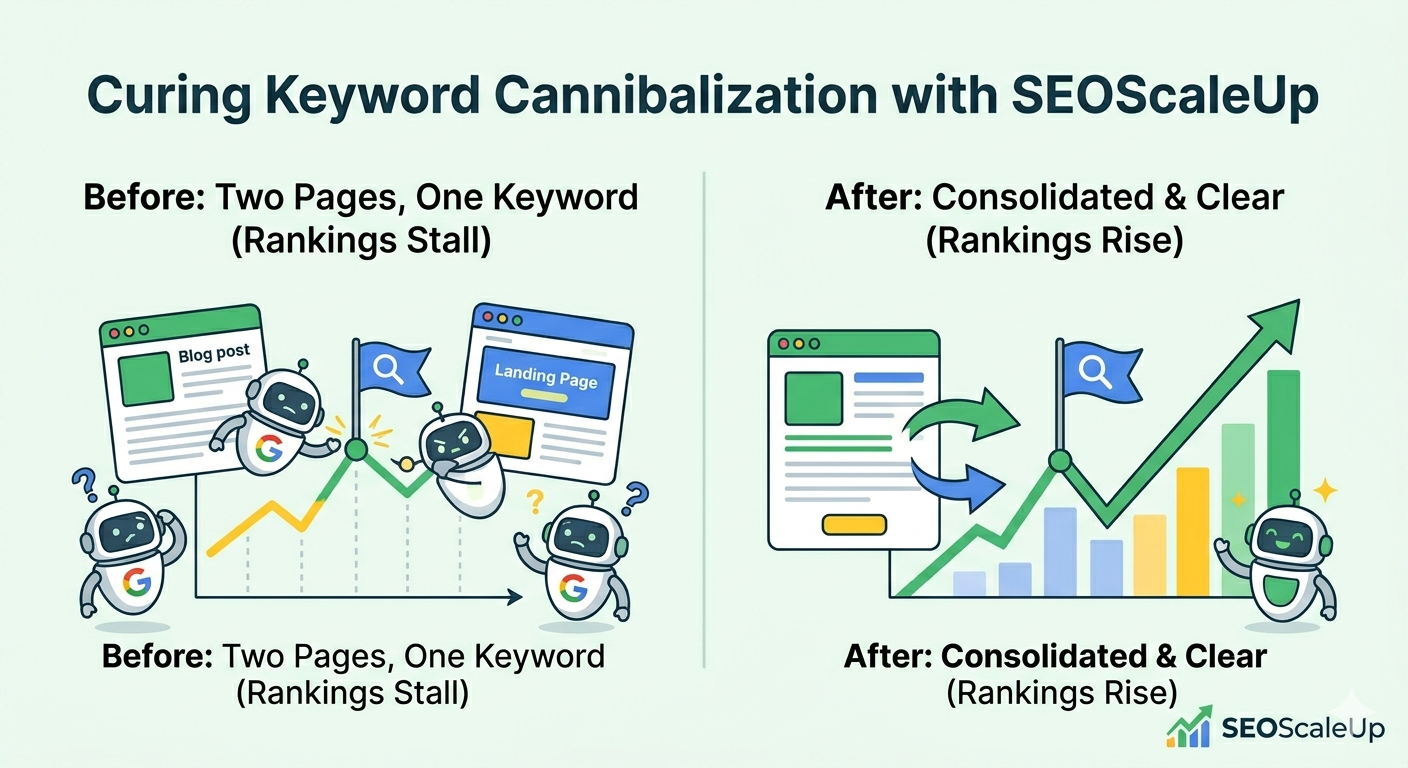
Keyword Cannibalization Checker. If you’ve been publishing content for more than a year, you almost certainly have pages competing against each other for the same keywords. This is one of the most common reasons small business rankings stall — and most tool lists never mention it. Run this before you write another piece of content or build another link.
Local SEO Suite. Citation finder, local rank tracker, and Google Business Profile manager in one place. For local businesses, this is the workflow that matters most and it’s the area where the big tools are weakest.
Google Search Console integration. Pulls real performance data rather than estimates. Small businesses should be working from actual data about their own site, not extrapolated keyword database numbers.
The honest limitation: SEOScaleUp’s backlink database doesn’t match Ahrefs for depth. If deep competitive backlink analysis is your primary workflow, you’ll want Ahrefs alongside it. But for most small businesses who aren’t running serious link-building campaigns, this isn’t the constraint it sounds like.
My recommendation: Start here. The free tools are genuinely functional — not trial bait. Test the cannibalization checker and topic cluster builder on your site before committing to anything else.
2. Google Search Console — The Non-Negotiable Free Tool
Price: Free Best for: Understanding how Google already sees your site
I’ve audited dozens of small business sites where the owner was paying $100+/month for SEO tools but had never properly set up Google Search Console. This is the equivalent of paying for a gym membership while never stepping on the scale.
Search Console shows you:
- Which queries are bringing people to your site (and which pages they land on)
- Where your pages are ranking — not estimates, actual positions
- Which pages Google has crawled and indexed (and which it hasn’t)
- Core Web Vitals issues that are actively hurting your rankings
- Manual actions if Google has penalized your site
I use Search Console in every single client audit before touching any paid tool. The data here is ground truth. Everything else is an estimate.
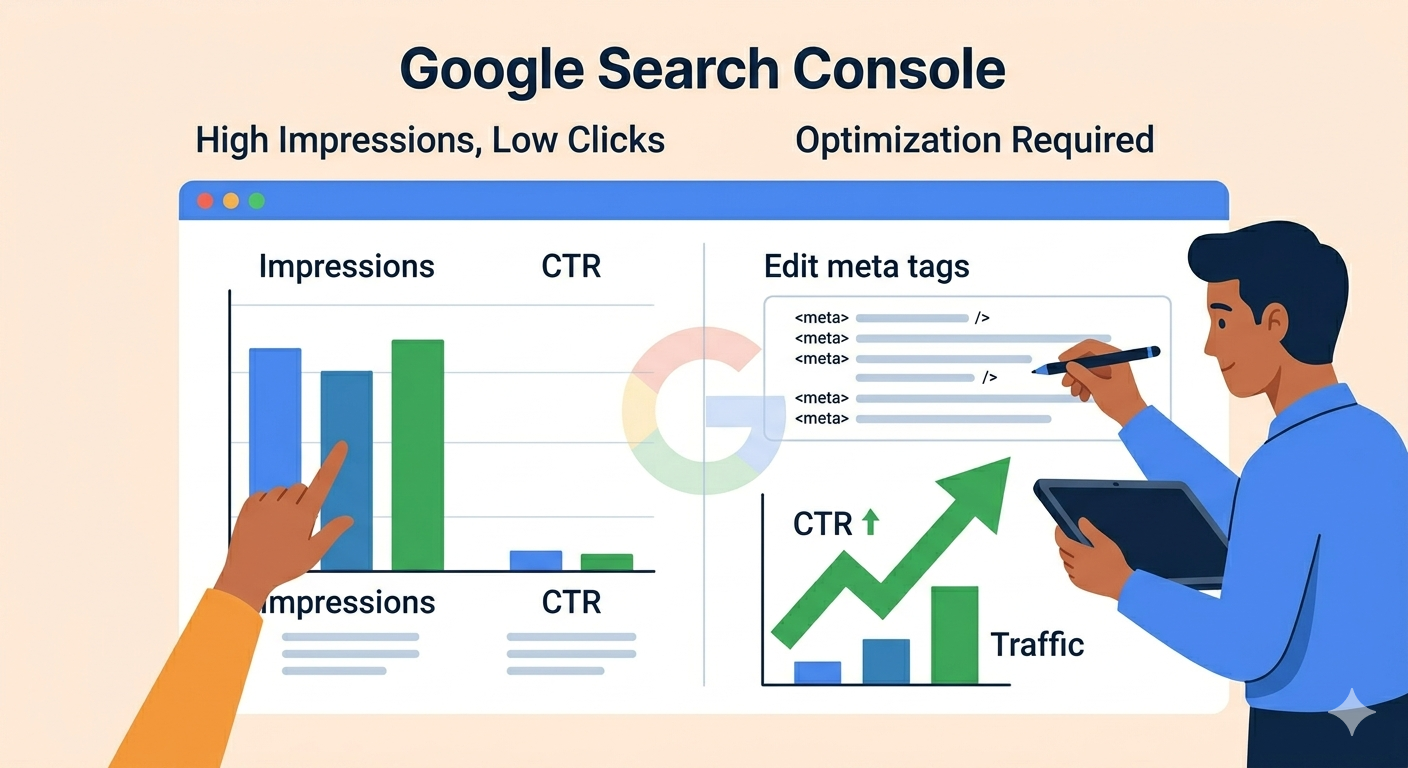
The one thing most small businesses miss: The “Search results” report filtered by page. Look at which pages are getting impressions but low clicks — those are your highest-leverage optimization opportunities. The rankings are there. The traffic isn’t coming because something in the title or meta description isn’t compelling enough to click.
3. Google Business Profile — Your Most Important Local SEO Asset
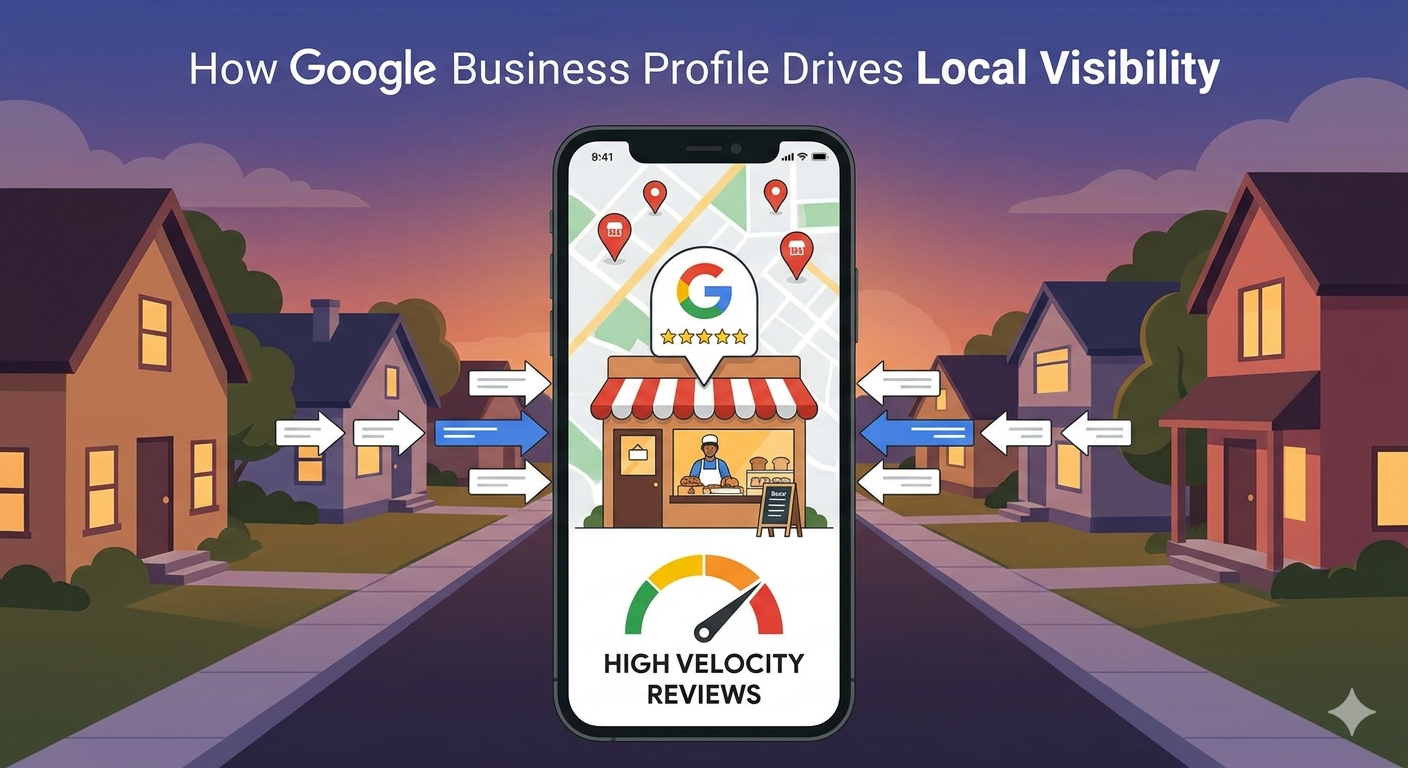
Price: Free Best for: Local visibility, map pack rankings, customer reviews
I worked with a local bakery last year whose website was mediocre but whose Google Business Profile was immaculate — recent photos, regular posts, 180 reviews averaging 4.8 stars, every service category filled out correctly. They were ranking in the top 3 of the local pack for every relevant search in their area.
Their competitor had a better website and more backlinks. They were barely visible.
For local businesses, your GBP is often more important than your website for driving customers. Yet most small business owners set it up once and never touch it again.
What I’ve found moves the needle consistently:
Review velocity matters more than review count in competitive local markets. A business with 60 reviews that received 8 in the last 30 days outranks one with 200 reviews that received 1 in the same period. Getting a steady stream of new reviews is more important than the total number.
Photo recency. Profiles with photos uploaded in the last 60 days consistently outperform those with stale libraries, even if the older profile has more total photos.
Category accuracy. Most businesses pick one primary category and stop. Filling out secondary categories correctly (where they accurately describe your services) expands the queries you’re eligible to rank for in the map pack.
GBP posts. Less impactful for rankings than they used to be, but still relevant for conversion once someone finds your profile.
4. Ahrefs Webmaster Tools — The Free Tier That’s Actually Useful
Price: Free for your own site | Paid from $129/month Best for: Backlink monitoring, technical site health, keyword opportunities
Ahrefs removed their free trial a while back, which was frustrating. But their Webmaster Tools — free for verified site owners — is genuinely useful and most small businesses don’t know it exists.
With Ahrefs Webmaster Tools you get:
- Full backlink data for your own site (who’s linking to you, what anchors they’re using, which links you’ve lost)
- Site audit covering 100+ technical SEO issues
- Keyword rankings for your own domain
- “Opportunities” report showing keywords you’re close to ranking for
When I’m doing an initial audit on a small business site, I use Ahrefs Webmaster Tools to get the backlink picture and technical issues before recommending anything else. It’s free, it’s accurate, and it covers most of what a small business needs on the link analysis side.
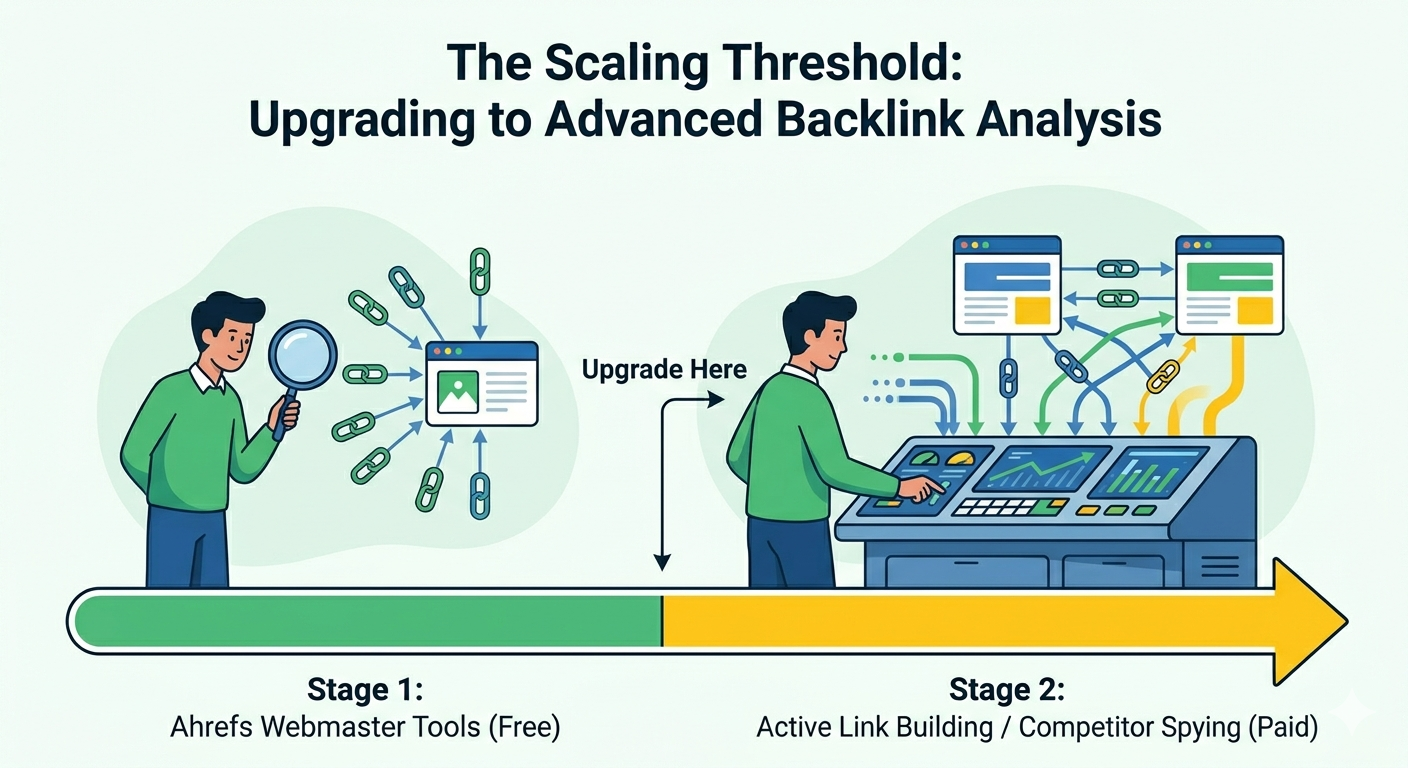
The paid tiers ($129+/month) are powerful but honestly more than most small businesses need unless they’re actively running a link-building campaign. Start with the free Webmaster Tools and upgrade only when you’ve outgrown it.
5. Screaming Frog — The Technical Audit Tool Worth £149/Year
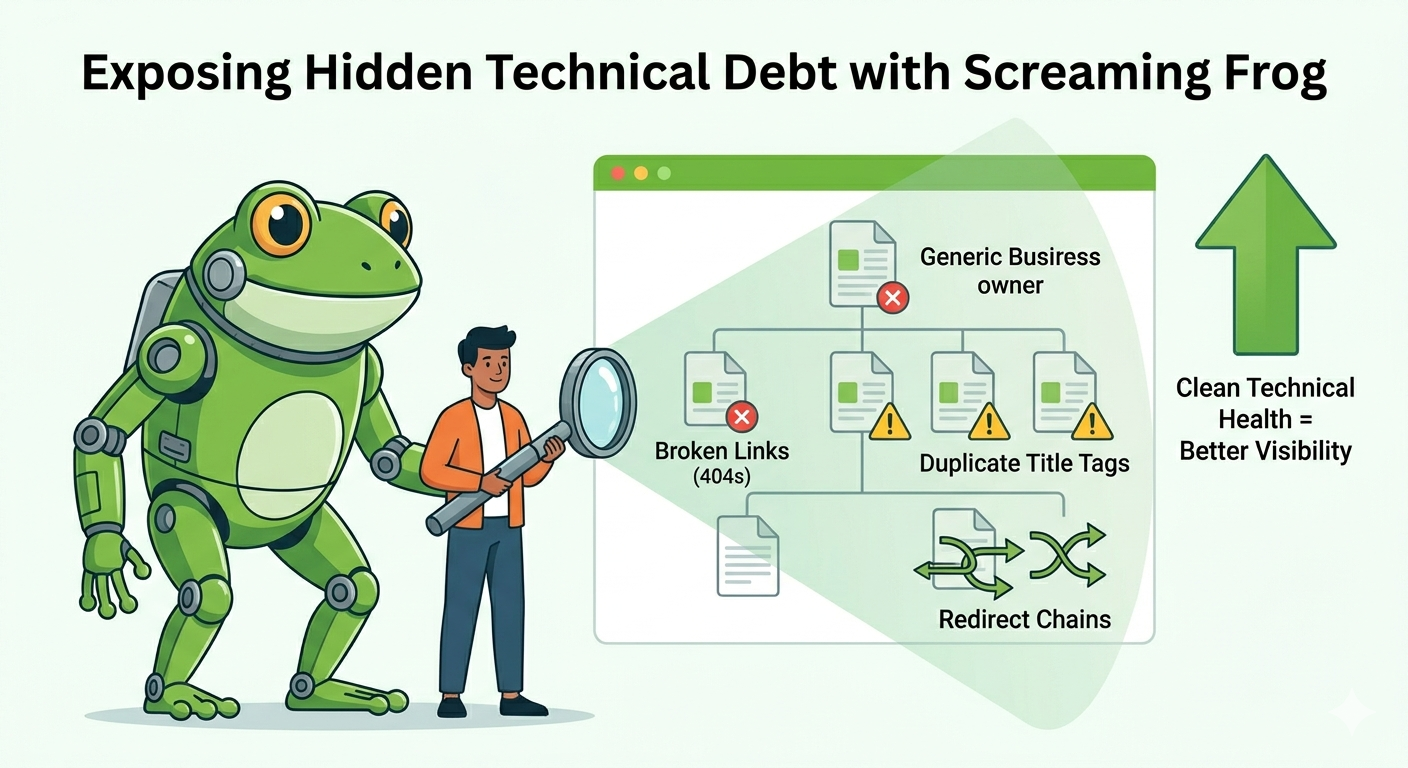
Price: Free up to 500 URLs | £149/year (~$190) for unlimited Best for: Technical SEO audits, finding broken links, redirect issues
I know £149/year sounds like a lot for a small business. Here’s why I still recommend it for any site that’s been around for more than a year.
Every site accumulates technical debt. Broken links. Redirect chains that dilute authority. Pages with duplicate title tags. Orphaned pages that Google can’t find because nothing links to them. Missing canonical tags that cause indexation confusion.
None of these problems announce themselves. You just notice that rankings aren’t where they should be and can’t figure out why.
Screaming Frog crawls your entire site and surfaces every one of these issues in one report. I run it on every site I audit, without exception. For a site with 50–200 pages, it takes about 10 minutes and consistently finds things that would have taken hours to catch manually.
The free version covers sites up to 500 URLs — which is enough for many small businesses. If your site is smaller than that, you don’t need to spend a penny.
6. Surfer SEO — Worth It If You’re Producing Content Regularly
Price: From $59/month Best for: Content optimization, making sure new content covers what it needs to rank
I’ve had a complicated relationship with Surfer. For small businesses that publish one or two pieces of content per month, it’s hard to justify $59/month. For those publishing weekly, it pays for itself quickly.
What Surfer does well: it analyzes the top-ranking content for your target keyword and tells you what your page needs to include — semantic terms, content length, heading structure, how many images. It removes the guesswork from content optimization.
What it doesn’t do: keyword research, backlink analysis, or technical auditing. It’s a content tool, not an SEO platform.
My honest take for small businesses: Use Surfer’s free Chrome extension (Keyword Surfer) first — it shows search volume and related keywords in Google search results for free. Only upgrade to the paid Content Editor if you’re publishing consistently enough to get real value from it.
The Small Business SEO Stack I Actually Recommend
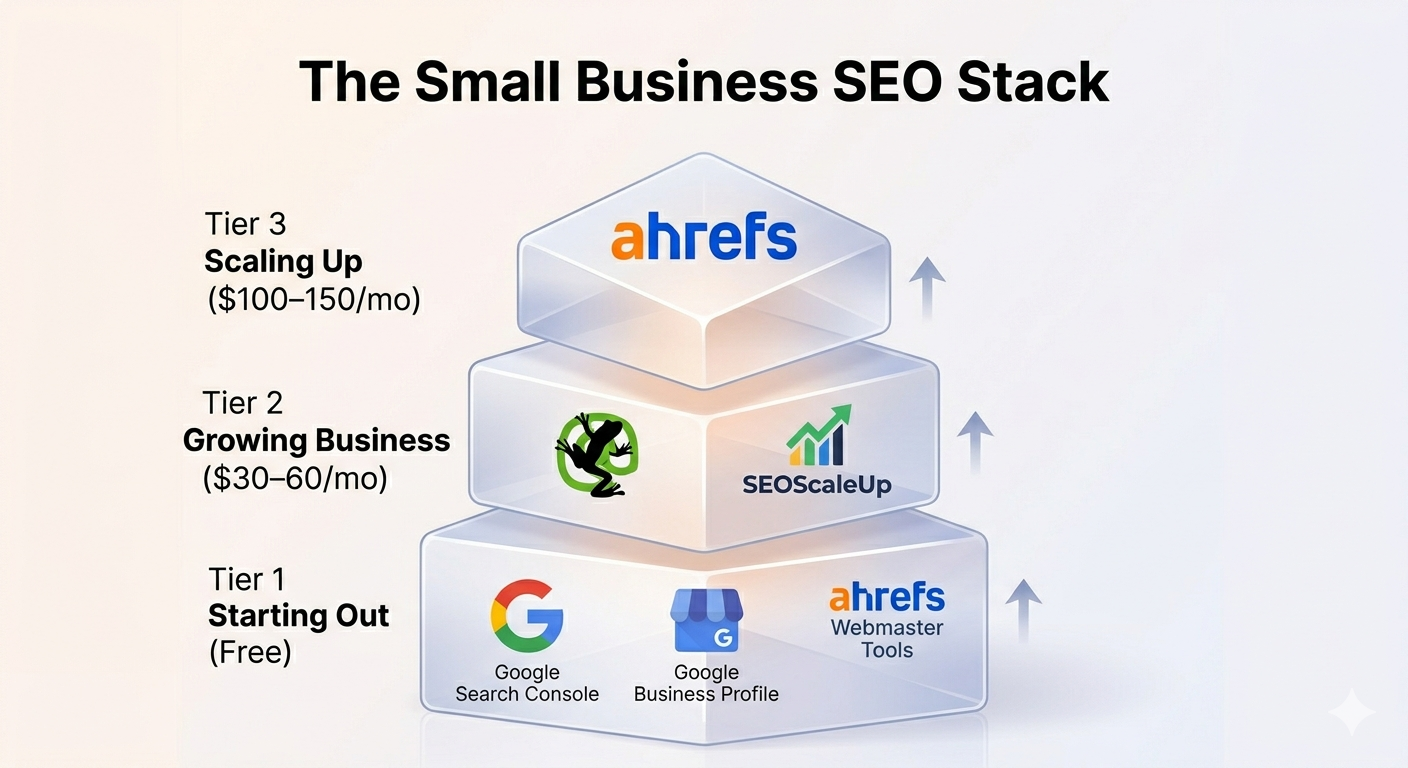
After working with over 120 small businesses, here’s the stack I recommend at different stages:
Just starting out (free): Google Search Console + Google Business Profile + Ahrefs Webmaster Tools + SEOScaleUp free tools
This covers keyword tracking, local visibility, backlink monitoring, and content gap analysis — the four most important things for a new or early-stage site. Cost: £0.
Growing business ($30–60/month): Everything above + Screaming Frog annual license (£12.40/month averaged annually) + SEOScaleUp paid plan
Adds full technical auditing and more comprehensive content workflow tools. Right level of investment for a business seeing early SEO traction.
Scaling up ($100–150/month): Everything above + Ahrefs Lite ($129/month)
Add Ahrefs when you’re actively pursuing backlinks or doing serious competitive research. Before that point, Ahrefs Webmaster Tools covers the essentials.
The Honest Truth About Small Business SEO Tools
The best tool is the one you’ll actually open and use consistently. I’ve seen small businesses pay for Ahrefs for six months and do their keyword research in a Google Sheet because the tool felt overwhelming. That’s $774 wasted.
Before you spend anything, answer this: What specific SEO problem am I trying to solve right now? If the answer is “I want to rank higher” — that’s not specific enough. If the answer is “I don’t know which content to write next” or “I think my pages might be competing against each other” or “I can’t tell if my local rankings are improving” — those are specific problems with specific tools that solve them.
Start with the free tier of everything listed here. Spend money only when you’ve hit the limit of what the free version can tell you.
The rankings will come — but only if you’re working on the right problems with the right tools.
Frequently Asked Questions
What is the best free SEO tool for small businesses? Google Search Console is the single most important free SEO tool for any small business. It shows you exactly how Google sees your site, which queries drive traffic, and which technical issues need fixing — all from your own real data. Pair it with Google Business Profile (for local businesses) and Ahrefs Webmaster Tools for a completely free starting stack that covers most small business SEO needs.
How much should a small business spend on SEO tools? In the early stages, nothing. The free tools — Google Search Console, Google Business Profile, Ahrefs Webmaster Tools, and SEOScaleUp’s free tier — cover most small business needs without any spend. Once your site is growing and you’re publishing content regularly, $30–60/month covers a meaningful upgrade. The $100–150/month range (including Ahrefs Lite) makes sense only when you’re actively building links or doing serious competitive research.
Do small businesses need Ahrefs or SEMrush? Usually not at the start. Both tools are excellent but priced and designed for teams doing high-volume SEO work. Most small businesses will get more value from Google Search Console (free), Ahrefs Webmaster Tools (free), and a focused tool like SEOScaleUp than from paying $129–139/month for features they won’t use. Upgrade to Ahrefs or SEMrush when you’ve outgrown the free tier — not before.
What SEO tools are best for local small businesses? For local businesses, Google Business Profile is the single most important tool — and it’s free. Pair it with Google Search Console for site performance data, SEOScaleUp for local rank tracking and citation management, and Ahrefs Webmaster Tools for backlink monitoring. This stack covers local SEO comprehensively without significant monthly spend.
About the author: Khaleeque Zaman is an SEO strategist and founder of SEOScaleUp. With 120+ campaigns across local businesses, e-commerce, SaaS, and content sites, Khaleeque Zaman specialises in the structural SEO problems that keep small businesses off the first page — and the practical fixes that move rankings without agency-level budgets.
SEOScaleUp is mentioned in this article because it’s genuinely part of the stack I recommend — not because of affiliate compensation. I’ve noted where it falls short alongside where it excels.
Свое дело выступает важным двигателем прогресса общества.
Бизнес формирует новые рабочие места и даёт гражданам стабильный доход.
https://elitetrader.ru/654147-%D0%BE%D0%BB%D0%B5%D0%B3-%D0%B1%D0%B5%D0%BB%D0%B0%D0%B9-%D0%B8-%D0%B8%D1%81%D1%82%D0%BE%D1%80%D0%B8%D1%8F-%D1%83%D1%81%D0%BF%D0%B5%D1%85%D0%B0-%D0%B8%D0%BD%D0%B2%D0%B5%D1%81%D1%82%D0%B8%D1%86%D0%B8%D0%BE%D0%BD%D0%BD%D0%BE%D0%B9-%D0%B3%D1%80%D1%83%D0%BF%D0%BF%D1%8B-%D1%82%D1%80%D0%B8%D0%BD%D1%84%D0%B8%D0%BA%D0%BE.html
Помимо этого, свое дело стимулирует прогресс и внедрение новых решений.
В итоге, частная инициатива делает экономику более динамичной и открывает шанс для личностному росту.
El juego consciente consiste en un enfoque mediante el cual busca conservar el equilibrio sobre la actividad de apostar así como evitar los daños potenciales relacionados con esta actividad.
Incluye fijar límites de dinero antes de participar, y también reconocer los indicios de un problema.
https://www.apkfiles.com/apk-622658/descargar-mobcash-apk-oficial-gesti-n-de-caja-m-vi
Asimismo, impulsa elecciones conscientes y procura que la el entretenimiento continúe siendo el propósito esencial de la actividad.
En resumen, este enfoque ayuda a los usuarios a mantener la rienda suelta de sus decisiones así como a vivir la actividad de forma equilibrada.
На нашем портале представлена ценная информация.
https://satin-shop.ru/full-text/2026-06-21-tri-pravila-trenirovok-kotorye-prevrashchayut-sport-v-shchit-ot-raka.html
На представленном портале можно найти много познавательных материалов.
Здесь представлены разнообразные исследования на интересные темы.
Всякий гость сумеет найти много полезного и пополнить свой багаж знаний.
Статьи периодически дополняются, дабы посетители неизменно имели возможность к наиболее актуальной информации.
https://sakhaday.ru/news/vmesto-nadoevshih-makaron-gotovlyu-alio-olio-i-peperonchino-vsego-15-minut-i-uzhin-gotov
Термоизоляция выполняет ключевую функцию в сохранении тепла внутри здания.
Надёжная защита помогает значительно уменьшить расходы на обогрев и кондиционирование помещений.
https://abarmakov.ru/facts/948-vliyanie-mbo-na-zvukoizolyatsiyu-pomeshcheniy-prakticheskie-rezultaty/
Помимо этого, изоляция предотвращает образование конденсата, плесени и промерзания стен.
В итоге, качественная изоляция создаёт энергоэффективность и уютный климат в помещении.
Утепление играет критическую функцию в сохранении тепла внутри здания.
Качественная изоляция даёт возможность существенно снизить расходы на отопление и кондиционирование помещений.
https://sarasvatiplace.ru/article-read/718-tekhnologiya-proizvodstva-mbo-ot-dobychi-bazalta-do-gotovoy-plitki.html
Помимо этого, изоляция препятствует появление конденсата, грибка и разрушения стен.
Следовательно, грамотная изоляция обеспечивает экономию ресурсов и комфортный климат в здании.
На нашем портале присутствует важная информация.
https://www.pinterest.com/pin/154952043426500443/
Теплоизоляционные материалы играет критическую функцию в поддержании тепла внутри здания.
Надёжная защита позволяет значительно снизить затраты на отопление и кондиционирование помещений.
https://sretenkadesignweek.ru/look/218-bezopasnost-i-pozharnaya-klassifikatsiya-mbo-bazaltovoy-izolyatsii/
Помимо этого, утепление защищает от образование сырости, грибка и разрушения стен.
Следовательно, качественная изоляция создаёт энергоэффективность и благоприятный микроклимат в доме.
Тут ресурсе удастся обнаружить нужную информацию.
https://1-mk.ru/detail/257-zhiteli-bragino-trebuyut-remonta-trotuara-nevozmozhno-proyti-ot-shestogo-mikrorayona-do-panina/
Gathering source data across multiple references requires structured retrieval logic. Reviewing free online research skills for AI agents offers functional patterns to help autonomous bots extract information efficiently.
На данном ресурсе есть шанс отыскать ценную информацию.
https://pilot-club.ru/info/2026-05-31-troitsa-v-ulyanovskoy-oblasti-gde-i-kak-provodyatsya-prazdnichnye-programmy/
Running paid promotional campaigns requires fresh graphic layouts for continuous ad rotation. Using an ai advertising image generator for ecommerce products enables creation of custom promotional assets directly from product pictures.
If you plan to convert mp3 audio to midi free for sound design projects, this web utility transforms standard audio recordings into structured note events quickly.
For a clear breakdown of air pumps and manual reach tools, this free breakdown of standard car unlock tools outlines typical components included in automotive access hardware sets.
Learning how to generate personalized digital bouquets gives creators a simple method for generating custom graphics. The platform transforms simple inputs into polished digital flowers appropriate for online distribution.
На данном сайте удастся найти полезную информацию.
https://labdiz.ru/full/517-obzor-igrovogo-portfelya-randx-casino-populyarnye-slot-igry-i-zhivoe-kazino.htm
Тут сайте удастся найти нужную информацию.
https://1-mk.ru/detail/495-kak-pravilno-ukhazhivat-za-krossovkami-chistka-khranenie-remont/
“The free version covers sites up to 500 URLs” raises a question about including a Screaming Frog license in the growing-business stack. For a contractor with a small service website, what specific limitation would justify that upgrade before reaching the URL cap? A spending trigger would make that recommendation easier to act on.
For casual readers who prefer in-browser text replacement while browsing raw pages, this browser techniques for inline manga page translation demonstrates lightweight options that display localized text instantly.
Pairing the cannibalization check with pages getting “impressions but low clicks” suggests fixing overlap and click appeal before paying for more tools. I work on the Invosmith delivery note template for signed deliveries, shortages and returns, so the focus on specific business tasks resonates.