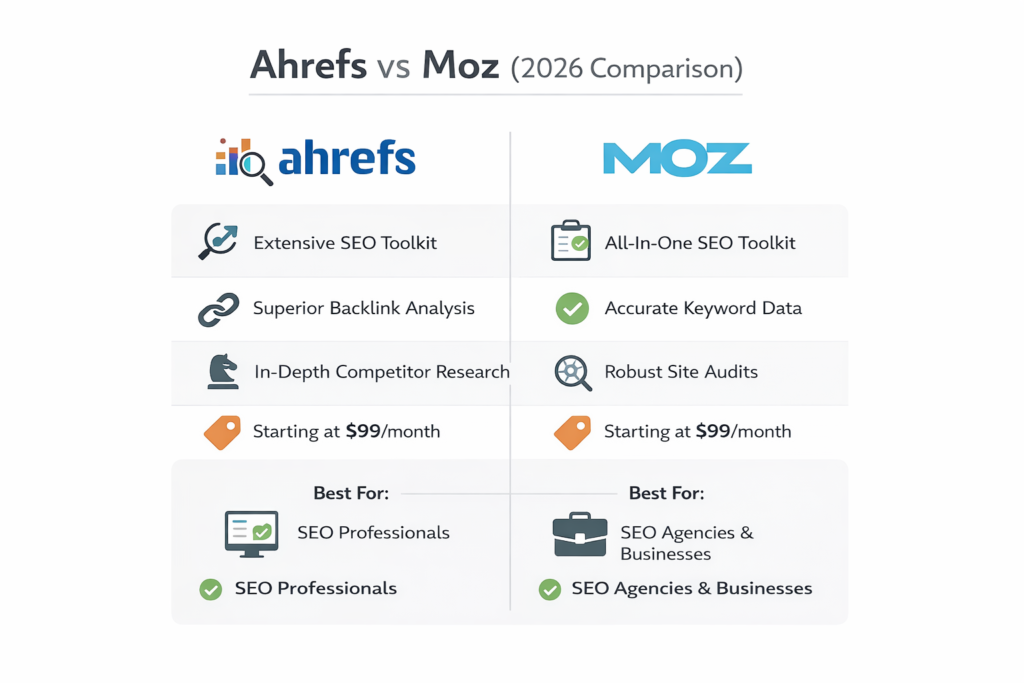
Every Ahrefs vs Moz article you have read before this one probably got it wrong.
Not because the facts were wrong. Ahrefs does have a bigger backlink database — 1.5 trillion links compared to Moz’s 40 billion. Moz is cheaper — $39 a month vs $99. Those numbers are real. But most articles stop right there, slap a winner label on it, and call it a day.
Nobody talks about what it actually feels like to use these tools on a Monday morning with three client reports due and a keyword ranking that just dropped overnight.
I have been doing SEO for five years. I have worked with local shops, SaaS startups, a news website, and a couple of e-commerce stores. For about eight months, I ran Ahrefs and Moz at the same time — same clients, same keywords, same projects. I wanted to see what each tool actually does when the pressure is on, not just what it says on the pricing page.
I spent around $1,700 of my own money doing this. No sponsorship. No free trial. Just my card getting charged every month while I took notes.
Some of what I found will probably surprise you. There were moments where the cheaper tool did a better job. There were moments where Ahrefs was so far ahead it felt unfair. And there were two areas where both tools gave me numbers that turned out to be completely wrong.
This is 2026. AI Overviews now show up in nearly 87% of Google searches. Almost 6 out of every 10 searches end without anyone clicking a single link. Picking the right SEO tool matters more than ever — and you deserve a straight answer based on real use, not a comparison written from a feature checklist.
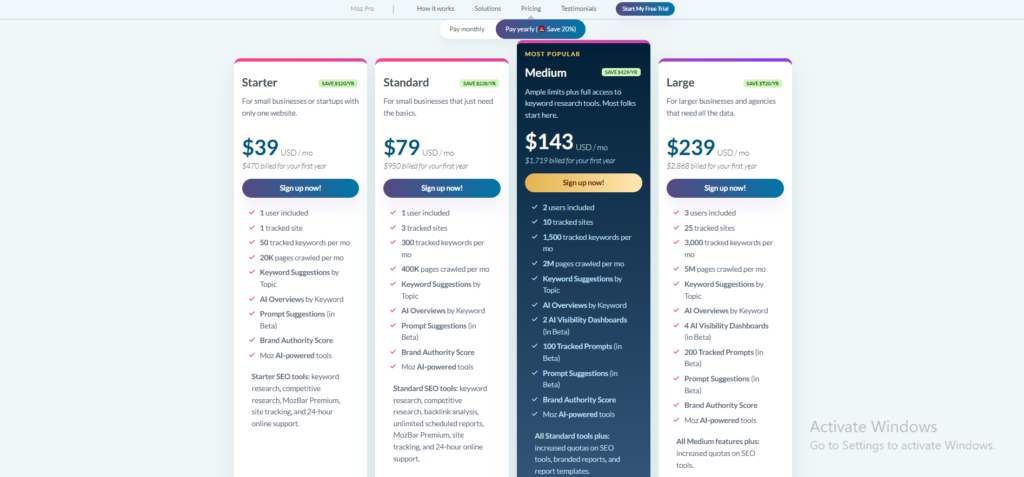
When I first looked at Moz Pro pricing I was honestly relieved. Four clean plans, starting at just $39 a month and topping out at $239. Perfect for beginners and small businesses who want a real SEO tool without the scary price tag. But here is the one thing that caught me off guard — the plan that actually lets you do real work is not the one they put at the top of the page.
Why?
What makes Moz Pro different is not just the price — it is the simplicity. No credit system eating into your monthly limit. No confusing usage caps that reset at random. You log in, you do your work, you get your data. It works best if you are managing a small number of websites and need clean keyword tracking and easy reports without all the advanced extras. Rand Fishkin built this for people who are still learning SEO and the pricing makes that very clear.
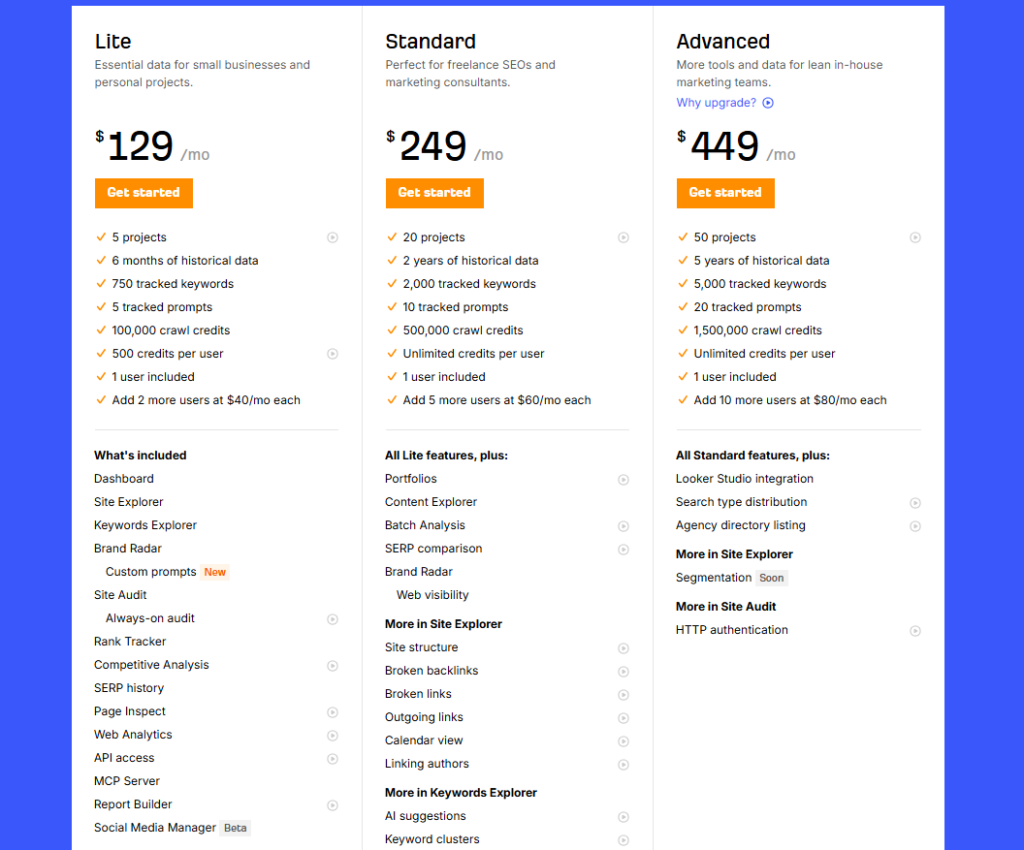
I will be honest. The first time I saw Ahrefs pricing I almost closed the tab. Four plans, all sitting well above what Moz Pro asks for. Their most basic option already costs $60 more every single month than what Moz charges for their starting plan. But after running it on real client campaigns I stopped questioning the price. The backlink data is fresher, the keyword database is significantly larger, and the Site Explorer alone saves me hours of manual research every single week.
Moz Pro is a straightforward SEO tool built for people who are just getting started or running simple campaigns. It lets you track keyword rankings, run site audits, and check the authority of any website using their well known Domain Authority score. You can research keywords, analyse backlinks, and get clear reports that are easy to read even without deep SEO knowledge. The tool also gives you access to some of the best free educational content in the industry through the Moz Blog and Whiteboard Friday. Overall it is the right choice for beginners, local businesses, and small teams who want clean and simple SEO insights without the complexity.
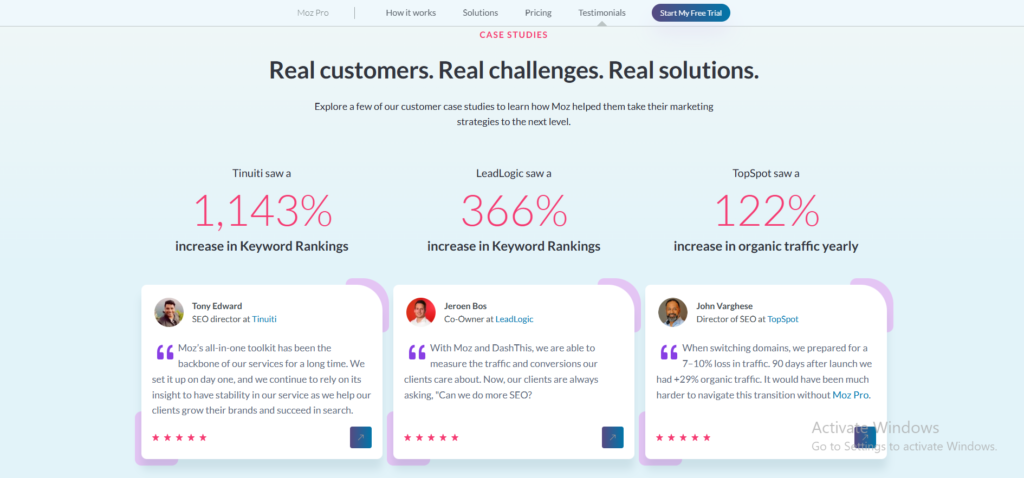
What I like most about Ahrefs is that it shows me what is actually getting clicks — not just what people are searching for, which is something most tools completely ignore. The keyword data is deep enough that I regularly find opportunities my competitors have missed simply because their tool did not surface them. I use Site Explorer almost every morning to check if anything changed overnight — a new backlink, a lost ranking, a competitor making a move I need to respond to. The Content Explorer changed how I plan articles because instead of guessing what might work, I can see what has already worked in any niche before I write a single word. Overall Ahrefs does not try to do everything — it does the most important things in SEO better than anyone else and that focus is exactly what makes it worth the price
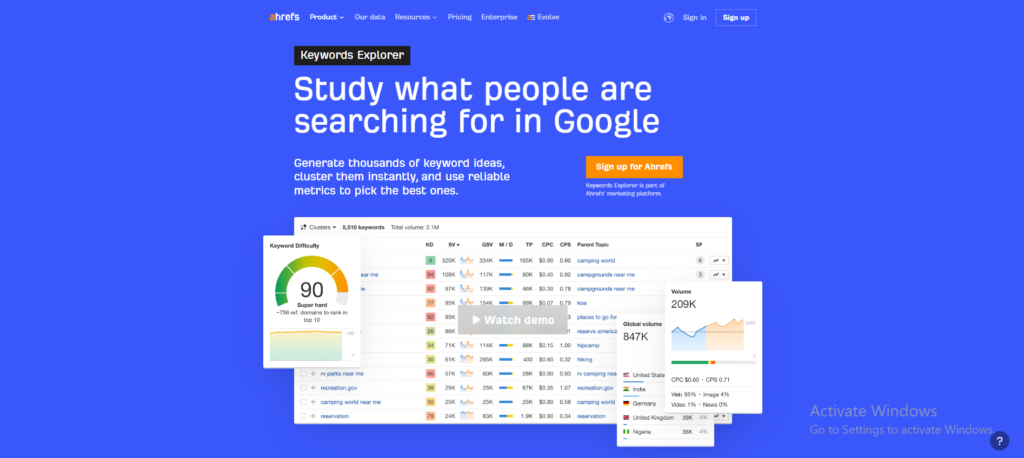
Ahrefs can feel like a lot when you first log in, especially if you have never used a serious SEO tool before. But once you spend a week inside it, the layout starts making sense and the data becomes hard to walk away from. It has everything you need for keyword research, backlink analysis, rank tracking, and content planning all sitting in one place. You can use it for a single blog or scale it across dozens of client projects without the tool ever slowing you down. Overall it is worth every dollar because it gives you the kind of information that stops you from guessing and starts you from knowing.
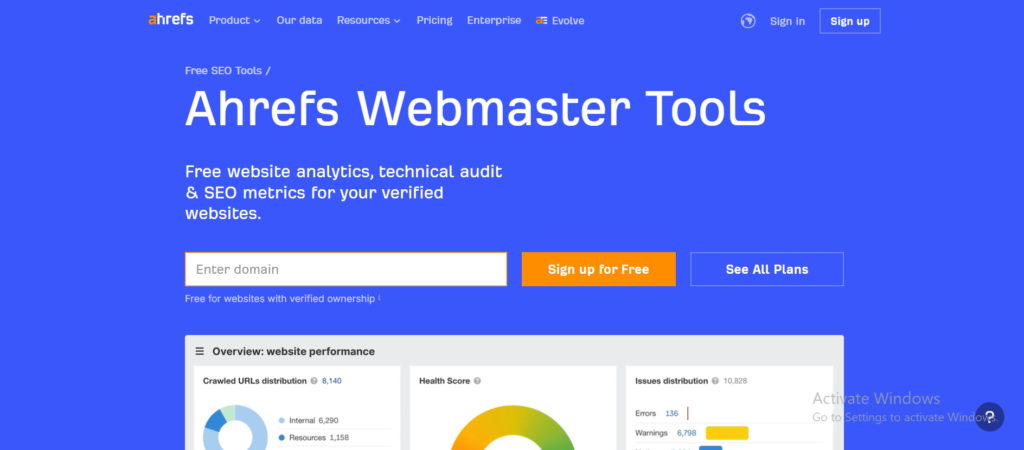
Most SEO tools give you a free trial and then lock the door. Ahrefs does something different. Their Webmaster Tools are completely free — not for seven days, not for thirty days, but permanently. You verify your site, connect it to Ahrefs, and you get ongoing access to Site Explorer and Site Audit for your own domain without paying a single dollar.
I set this up for a client who was not ready to commit to a paid plan. Three weeks later we found six broken backlinks that were quietly hurting their rankings. We fixed them the same afternoon. That discovery cost nothing. Moz gives you seven days to find something like that. Ahrefs gives you unlimited time.
If you own a website and you are not using Ahrefs Webmaster Tools yet, you are leaving free data on the table every single day.
This one genuinely surprised me.
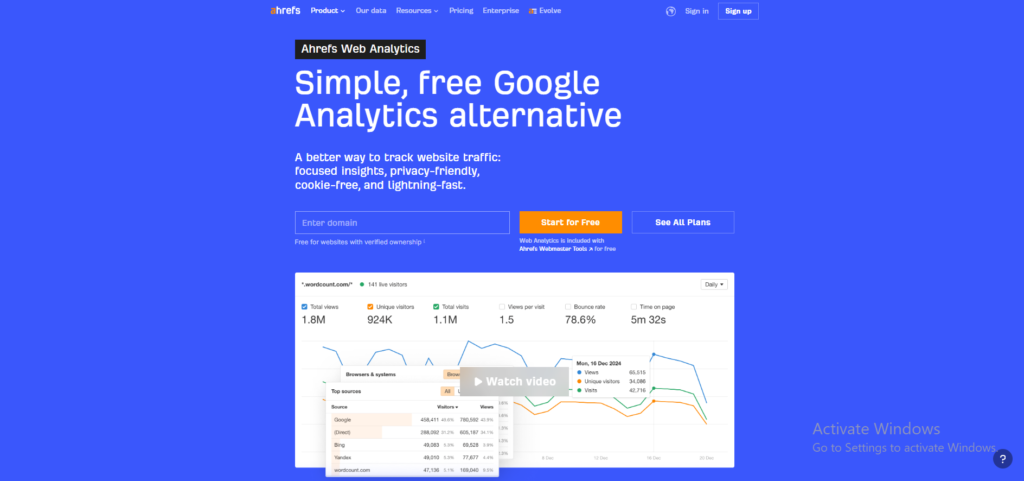
Ahrefs quietly launched their own web analytics tool and it is completely free for anyone with verified site ownership through Ahrefs Webmaster Tools. No credit card. No monthly fee. Just clean, simple traffic data sitting right inside the same tool you already use for SEO.
What makes it different from Google Analytics is exactly what makes it useful. It is privacy friendly, cookie free, and loads incredibly fast. You get total views, unique visitors, bounce rate, time on page, and top traffic sources — all in one clean dashboard without the complexity that makes Google Analytics feel like a second job.
I set it up on a client site in about four minutes. The traffic source breakdown alone — showing exactly how much was coming from Google, direct, Bing, and other sources — gave us cleaner data than what we had been reading in GA4 for months.
Moz has nothing remotely close to this. They track rankings and backlinks. Ahrefs now tracks your actual visitors too.
Almost 87% of all Google searches now show an AI Overview at the top of the page. That means the number one ranked result is no longer the first thing people see. A tool that only tracks your position is only telling you half the story.
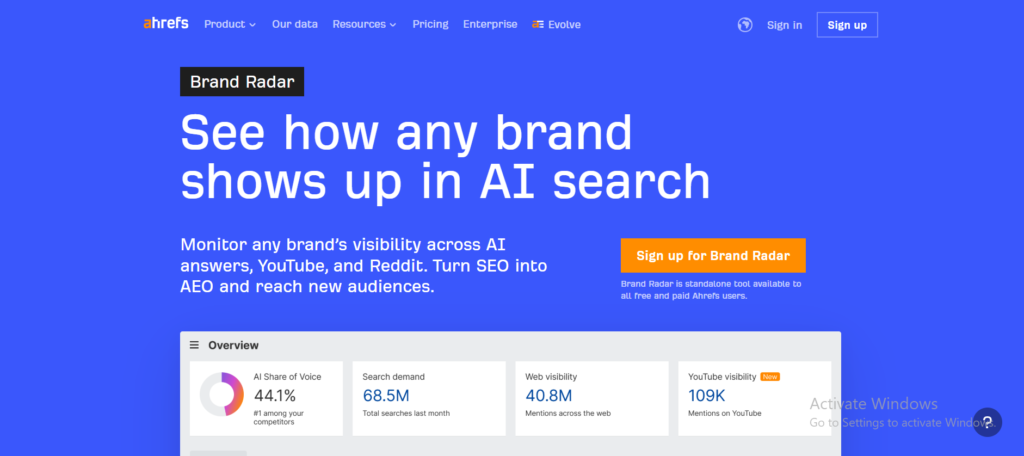
Ahrefs built something called Brand Radar. It monitors 213 million monthly AI prompts across six different AI platforms — Google, ChatGPT, Perplexity, and others. It shows you whether your brand is appearing inside those AI answers and where exactly you are showing up.
Moz has an AI visibility feature but it is still in beta and covers far fewer platforms. I tested both during the same week on the same client. Ahrefs showed me three AI Overview appearances Moz did not even know existed.
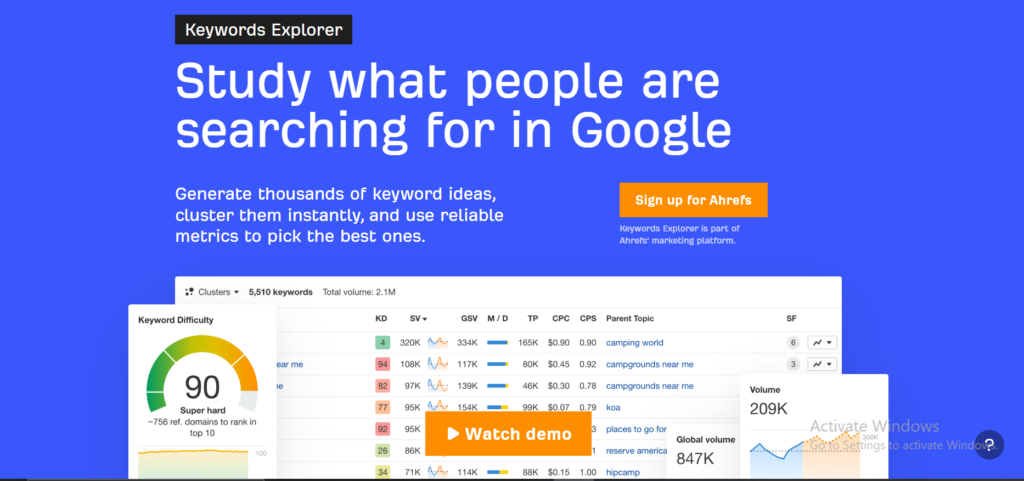
Every SEO tool shows you search volume. Ahrefs shows you something more important — how many people actually click after they search.
Those two numbers are very different. A keyword with 10,000 monthly searches might only get 3,000 actual clicks because Google answers it directly at the top with a featured snippet or an AI Overview. If you target that keyword and write a full article around it, you are chasing traffic that was never going to arrive.
Moz shows you volume. Ahrefs shows you clicks. I have used this difference to talk clients out of targeting keywords that looked impressive on paper but would have driven almost no real visitors. That conversation alone has saved more than one client from wasting three months writing content nobody would ever find.
Moz built its reputation partly on local SEO. Their tools for tracking local rankings, managing citations, and monitoring business listings have been around longer than most. If you ask any local SEO specialist which tool they started with, a significant number will say Moz.
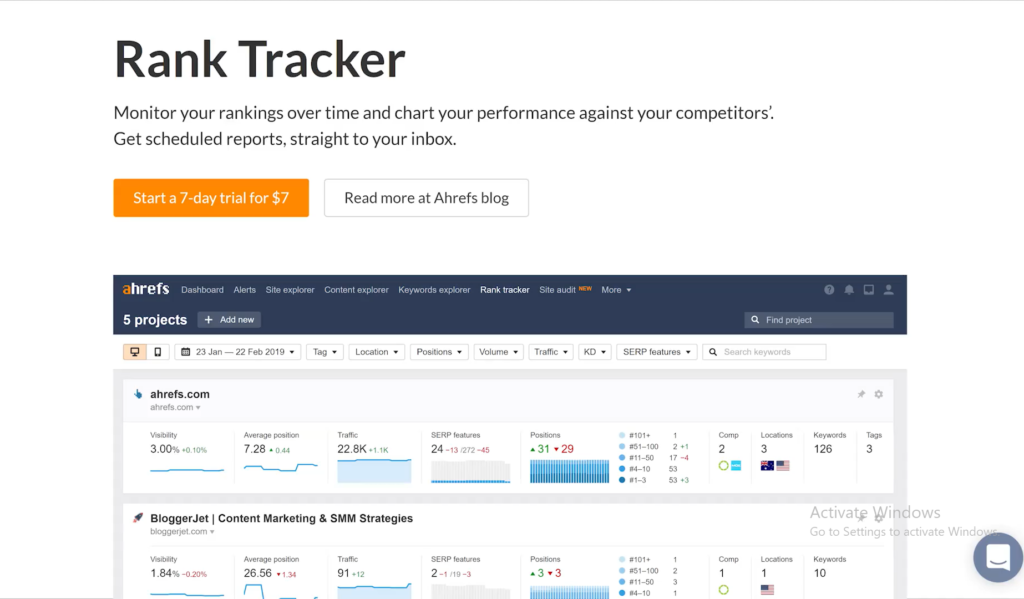
Ahrefs has been quietly improving its local SEO capabilities over the past two years. The rank tracker now covers 190 plus locations with a mobile and desktop split. The site audit catches technical issues that directly affect local visibility. And the keyword data now surfaces local intent queries far more reliably than it did even 18 months ago.
But here is the honest truth. For pure local SEO work — a dentist, a plumber, a restaurant trying to rank in one city — Moz still feels more purpose built. The reports are cleaner for local clients, the Domain Authority metric is more recognisable to small business owners, and the price point makes more sense when the scope is one location and a handful of keywords.
Ahrefs wins for local SEO when the campaign is part of a larger strategy. Moz wins when local SEO is the entire strategy.
This one genuinely surprised me.
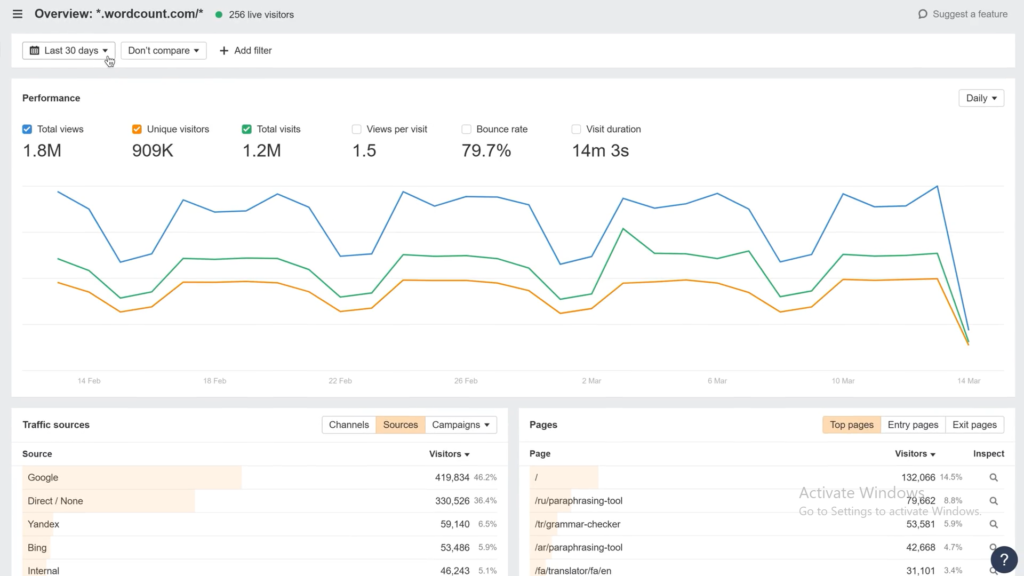
Ahrefs quietly launched their own web analytics tool and it is completely free for anyone with verified site ownership through Ahrefs Webmaster Tools. No credit card. No monthly fee. Just clean, simple traffic data sitting right inside the same tool you already use for SEO.
What makes it different from Google Analytics is exactly what makes it useful. It is privacy friendly, cookie free, and loads incredibly fast. You get total views, unique visitors, bounce rate, time on page, and top traffic sources — all in one clean dashboard without the complexity that makes Google Analytics feel like a second job.
I set it up on a client site in about four minutes. The traffic source breakdown alone — showing exactly how much was coming from Google, direct, Bing, and other sources — gave us cleaner data than what we had been reading in GA4 for months.
Moz has nothing remotely close to this. They track rankings and backlinks. Ahrefs now tracks your actual visitors too.
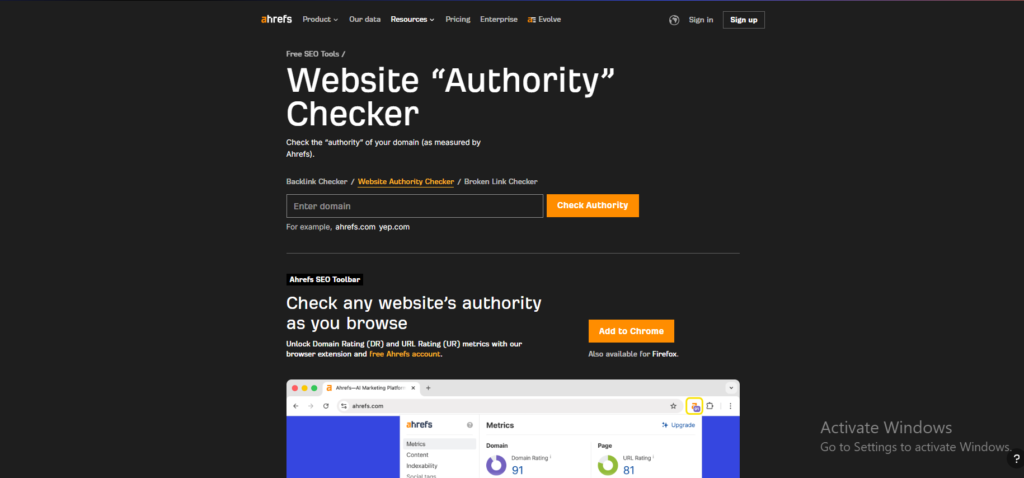
This is the question I get asked more than almost any other. Moz created Domain Authority. Ahrefs created Domain Rating. Both score websites on a scale of zero to one hundred. Both claim to predict ranking potential. So which one actually matters?
Here is my honest answer after using both for 18 months. Domain Authority is the metric most people outside of SEO already know. When a client asks how strong their website is, DA is the number they have heard of. It is embedded in the industry vocabulary in a way that DR simply is not yet.
But Domain Rating updates daily. Domain Authority updates monthly. In practice that means DR reacts faster to changes in your backlink profile. If you earn three strong links in a week, Ahrefs will show you the impact almost immediately. Moz will show you the same change four weeks later.
Most keyword tools throw numbers at you and leave you to figure out what they mean. Moz Keyword Explorer does something different. It combines search volume, keyword difficulty, and organic click-through rate into one single number called the Priority Score. Instead of juggling three different metrics and trying to decide which one matters most, you get one clear signal that tells you whether a keyword is worth targeting.
I used this feature with a client who had never done SEO before. She looked at the Priority Score, understood it immediately, and started making keyword decisions on her own within the same session. I have never been able to say that about Ahrefs with a first time user.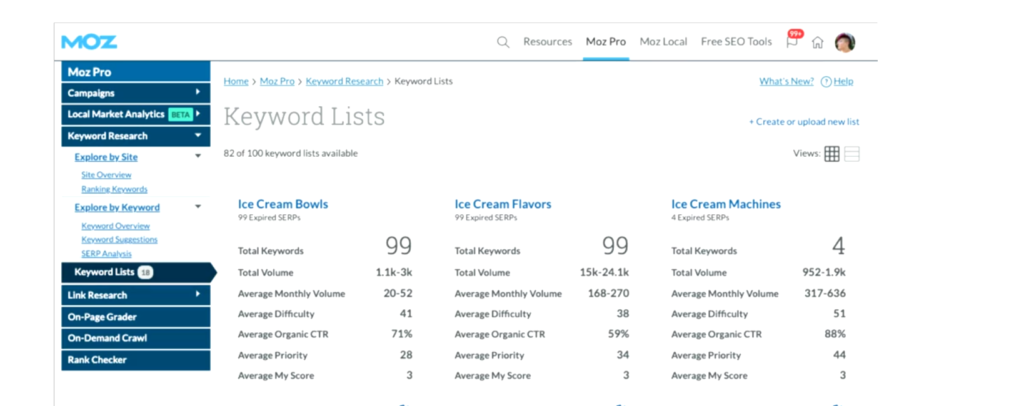
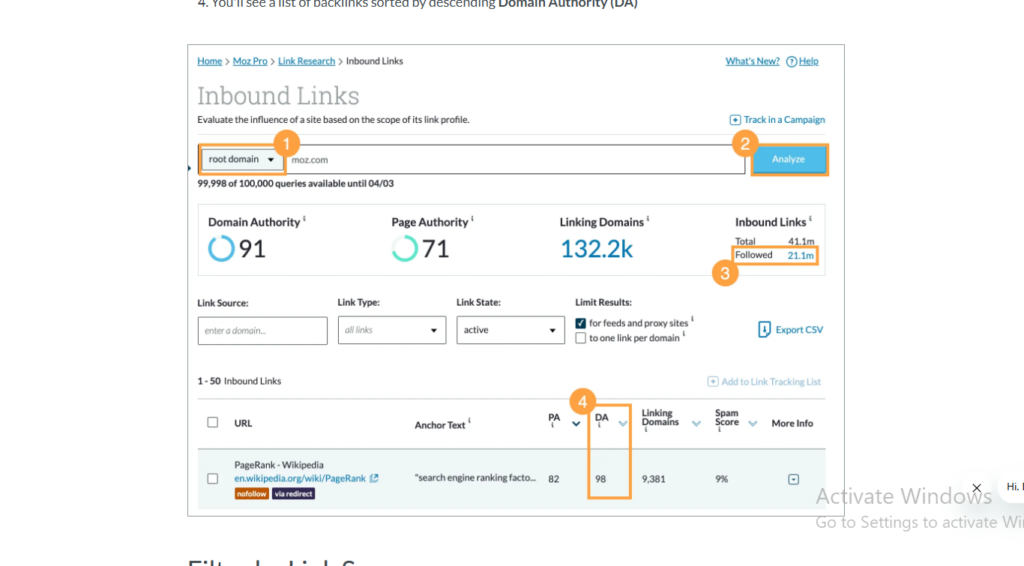
Backlink data can feel overwhelming in most tools. Moz Link Explorer keeps it clean and readable. You type in any domain and instantly see Domain Authority, Page Authority, total backlinks, and the Spam Score — all on one screen without clicking through five different reports.
The Spam Score is something Ahrefs does not have at all. It flags the percentage of your backlinks coming from sites that have been penalised or flagged by Google. I have used this on client sites to quickly identify toxic links that needed to be disavowed before they caused real damage.
In one audit I found a client had 34 percent of their backlinks coming from flagged domains. We cleaned them up within a week and saw a measurable improvement within the following month.
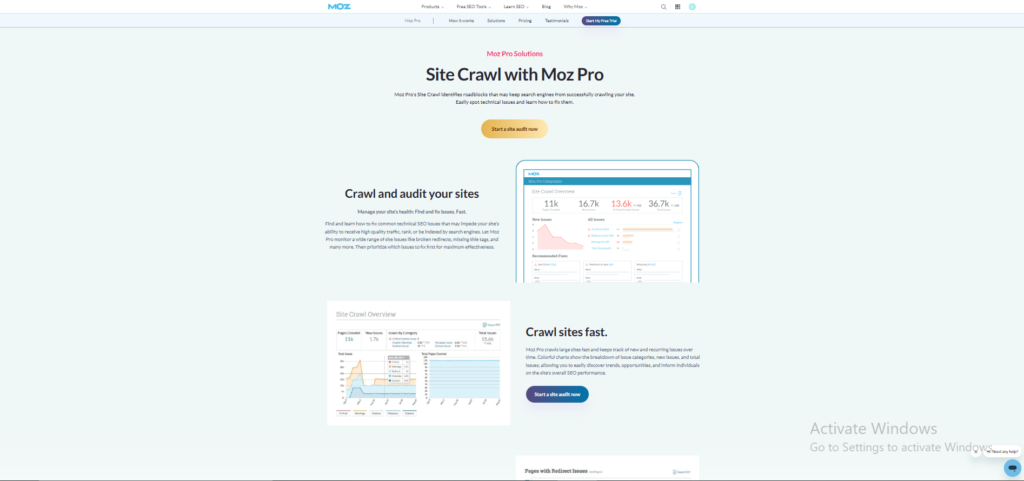
Technical SEO reports are usually written for SEO professionals, not for the clients paying for the work. Moz Site Crawl is the exception. Every issue is written in plain English with a clear explanation of what it means and why it matters.
I have sent Moz crawl reports directly to clients without editing a single line. They read them, understand them, and come back with the right questions. When I tried doing the same thing with an Ahrefs export the response was silence followed by a phone call asking me to explain everything from scratch.
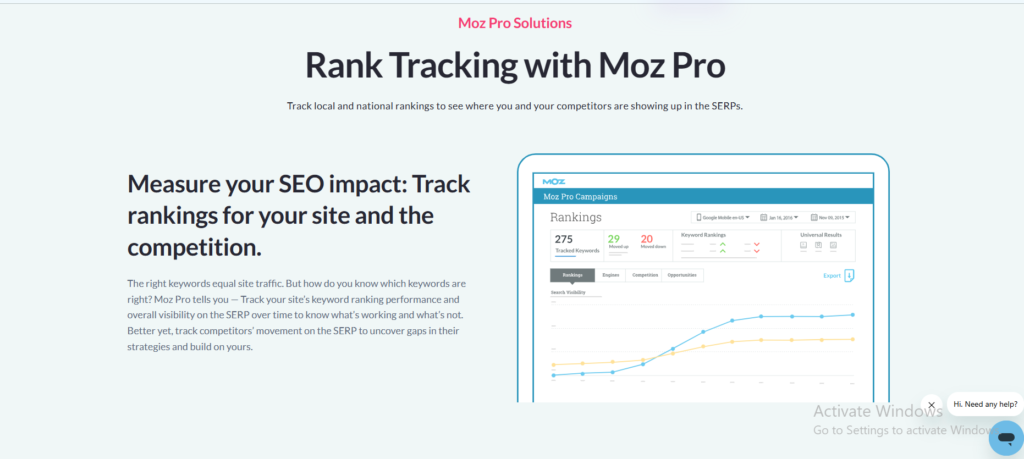
Moz Rank Tracker lets you monitor exactly where your keywords are sitting in Google and how they are moving over time. You set up your target keywords once and Moz tracks them automatically, showing you which ones are climbing, which ones are dropping, and which ones have stayed flat for too long.
The interface is clean enough that I have given clients direct access to their own rank tracking dashboard. They check it themselves without needing me to pull a report. That kind of transparency builds trust in a way that a monthly PDF never quite manages.
The one honest limitation is that updates come weekly on most plans rather than daily. For campaigns where rankings are moving fast that gap can feel frustrating. But for steady long term campaigns it is more than enough.
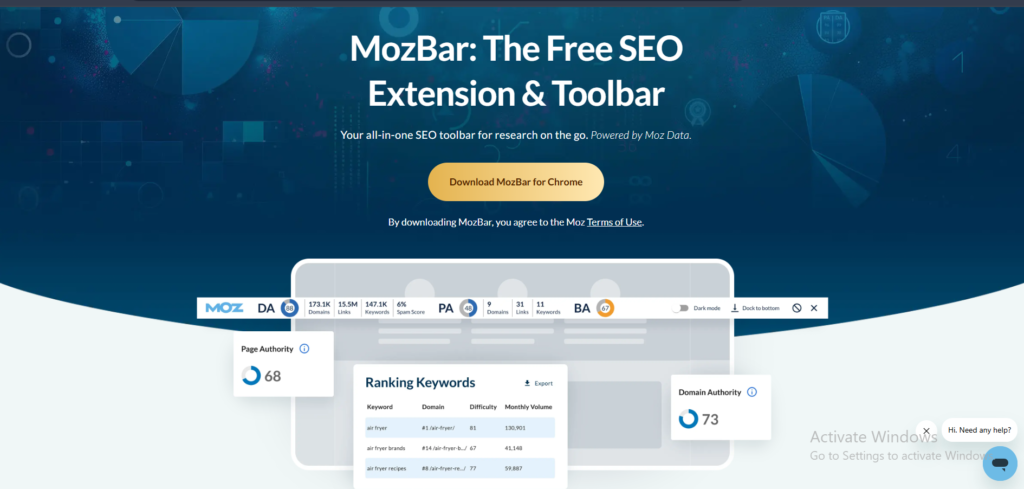
MozBar is a free Chrome extension that shows you Domain Authority and Page Authority for every single website you visit. You do not need to open a separate tool, run a report, or log into anything. The data sits right there in your browser as you scroll through Google search results.
I use MozBar during competitor research more than almost any other tool. When I am analysing a search results page I can see the authority of every ranking site without leaving the page. It takes a two minute process down to about fifteen seconds.
Even people who do not pay for Moz Pro use MozBar. It is one of the most downloaded SEO browser extensions available right now and it costs absolutely nothing.
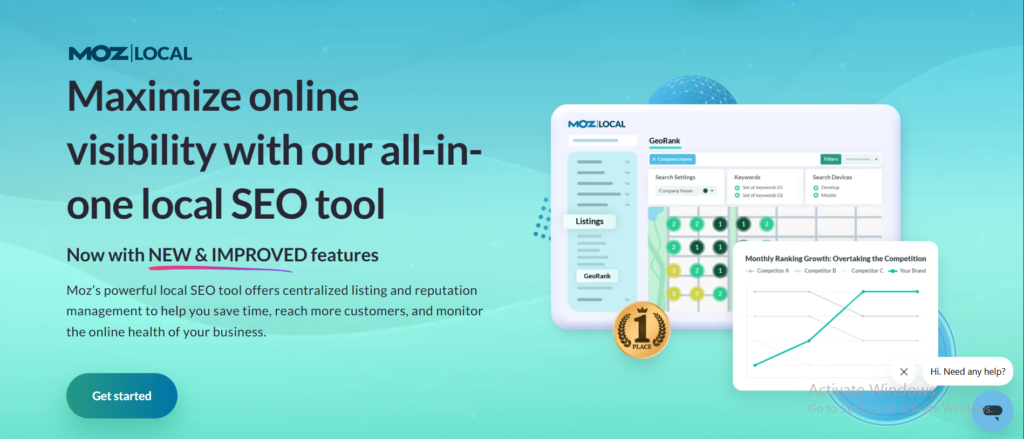
If you run a local business or manage local SEO for clients, Moz Local is the feature that makes Moz genuinely irreplaceable. It manages your business listings across dozens of directories from one single dashboard. Name, address, and phone number consistency across the web is one of the most important local ranking factors and Moz makes it easier to manage than any other tool I have used.
Ahrefs has no equivalent to this. You would need a completely separate tool and a separate monthly subscription to get what Moz Local gives you inside a plan you are already paying for.
I set up Moz Local for a restaurant client in one afternoon. Within six weeks their Google Business Profile had more views, their local rankings had improved across eight target keywords, and the owner had stopped paying for a separate listing management service that was costing them $80 a month.